Camera app redesigns matter because defaults decide what most people actually capture. Phone makers can talk about sensors, lenses, and image pipelines, but the everyday photo often depends on a faster question: can the user open the camera, find the right mode, and get a usable shot before the moment disappears? The camera interface is where hardware ambition meets real human timing.
The fastest path wins
Most people do not carefully configure every photo. They launch the camera from the lock screen, swipe to a familiar mode, tap the shutter, and hope the phone makes good choices. That makes the default mode incredibly powerful. It decides color, exposure, sharpening, motion handling, face treatment, and how aggressively the software processes the scene. It also decides whether video, portrait, night mode, and zoom feel close at hand or buried behind icons.
A redesign can be more important than a spec bump if it reduces hesitation. If the zoom control is clearer, more people will use it. If video controls are easier to reach, more people will record at the right moment. If night mode communicates when to hold still, the result improves. If portrait mode is confusing or slow, it will be ignored no matter how good the depth processing is. Camera apps are not just containers for imaging features. They are creative defaults.
AI should not slow the shot
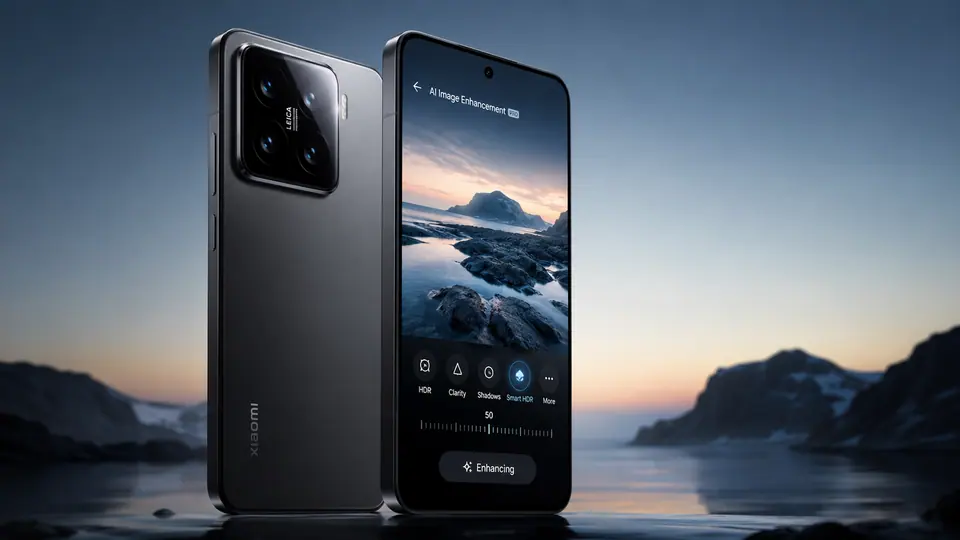
AI features can help, especially after capture. Object removal, blur correction, better search, smarter selection, and guided edits can make phone photography more forgiving. But in the camera itself, AI has to be careful. If a feature adds delay, uncertainty, or too many choices before the shutter, it may cost the user the image. The most useful intelligence is often invisible: choosing the right exposure, balancing faces and background, reducing motion blur, or suggesting a mode only when it is clearly helpful.
There is a difference between creative assistance and creative interruption. A phone that constantly asks whether to apply a style, switch modes, or generate an effect can make the user feel like they are operating software instead of capturing life. The better design is quiet until needed. It should make the automatic result stronger and leave deeper controls available for people who want them.
Interface changes reveal priorities
Camera app changes also show what phone makers think users care about. A prominent video button suggests social sharing and quick clips. Easier zoom controls suggest confidence in multiple lenses or computational zoom. A simplified mode carousel suggests the company wants fewer, better-used features. More editing prompts suggest the photo is no longer finished when the shutter is pressed.
This is where the competition becomes more interesting than sensor size alone. Hardware still matters. Larger sensors, better lenses, stabilization, and improved image capture can produce better raw material. But software and interface decide how often that potential reaches ordinary users. A powerful camera hidden behind a cluttered app may lose to a slightly less ambitious system that helps people shoot quickly and confidently.
Redesigns can also create friction for loyal users. Camera muscle memory is real. Move a button, rename a mode, or change the zoom gesture, and people may feel slower for weeks. That does not mean camera apps should never change. It means redesigns should respect the high-pressure nature of photography. When someone is trying to capture a child, pet, concert, receipt, sunset, or sudden street moment, the interface has to disappear.
The phone camera remains one of the strongest reasons people care about upgrades. But the next leap may not be a dramatic new mode. It may be a calmer app that puts the right controls closer, makes automatic capture more reliable, and uses AI only where it helps. Creative defaults are not small details. For most users, they are the camera.