AI laptops have a communication problem. The industry can talk confidently about model names, neural processors, and performance ratings, but most people buy laptops for work, school, calls, browsing, photos, documents, games, and battery life. If the pitch begins with a chip label instead of a task, it risks missing the consumer entirely. People do not wake up wanting an NPU. They want a laptop that feels faster, lasts longer, protects private work, and removes annoying steps.
Benchmarks are not enough
Performance numbers have a place, especially for reviewers and technical buyers. But AI laptop marketing often leans on abstract measurements that do not translate cleanly into daily value. A large number may suggest future readiness, yet a shopper still needs to know whether video calls look better, whether transcripts happen locally, whether photo cleanup is faster, whether battery life holds up, and whether the laptop stays quiet while doing it.
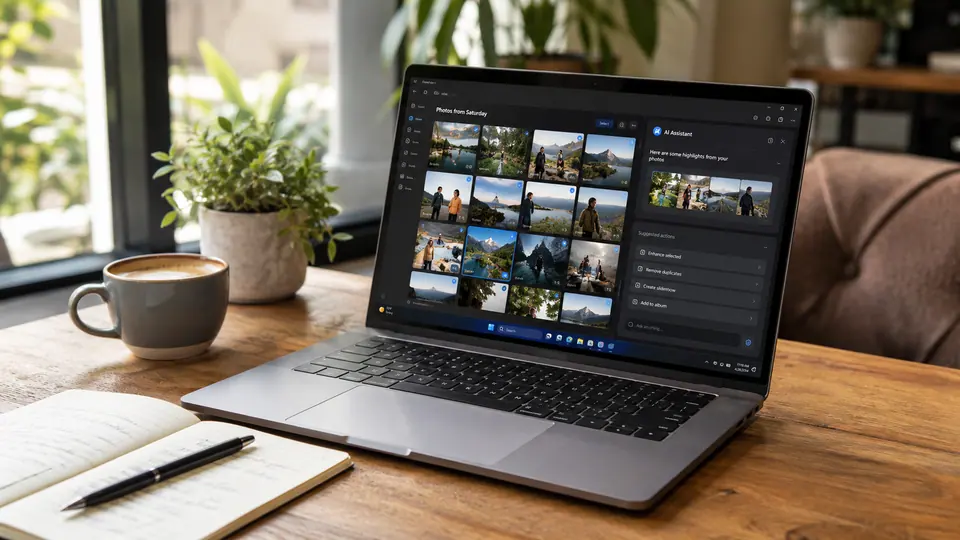
The most useful examples are ordinary. Can the laptop summarize a long meeting without uploading sensitive audio? Can it blur a messy background without making the fan roar? Can it search local files by meaning instead of exact file names? Can it help draft a reply inside the apps people already use? Can it generate captions, organize notes, or enhance a webcam feed while running on battery? These examples are not as flashy as a staged demo, but they are the difference between a feature and a reason to buy.
Battery and privacy are easier to understand
Consumers may not understand every AI hardware metric, but they understand battery life. If on-device AI means common tasks can happen without constant network use, that should be explained in practical terms. A laptop that can perform helpful AI work while preserving battery has a clearer story than one that simply claims to be AI-ready. The same is true for privacy. Local processing is not automatically private in every situation, but the idea is understandable: some tasks may be handled on the machine rather than sent away.
That distinction needs careful language. Companies should avoid implying that every AI feature is offline or private if some rely on cloud services. Users deserve to know which features run locally, which require an account, which send data to a server, and what controls exist. In workplaces, classrooms, and households, that clarity may matter more than raw performance. A parent, student, freelancer, or small business owner may care deeply about where recordings, documents, and images go.
Reviewers have a bigger role
Reviewers can help by testing workflows instead of only testing hardware capability. An AI laptop review should ask whether the features save time after the novelty wears off. It should compare battery drain during real AI tasks. It should check whether features work across common apps or only in narrow demos. It should note when setup is confusing, when results are inconsistent, and when a supposedly local feature quietly needs the cloud.
This matters because the laptop market has seen many labels come and go. Thin-and-light, ultrabook, creator laptop, gaming laptop, and productivity machine all became useful only when buyers could connect the label to a real need. AI laptop has not fully earned that clarity yet. The category will mature when shoppers can say, in plain language, what they gain by choosing one model over another.
The strongest AI laptop pitch will probably sound less like a spec sheet and more like a day in the life. Open the lid, join a call, clean up audio, summarize notes, find a file, edit an image, protect sensitive work, and finish with enough battery left. If the machine can do that reliably, the AI branding becomes secondary. The value becomes visible in the work itself.