Users do not read advisories like security teams do
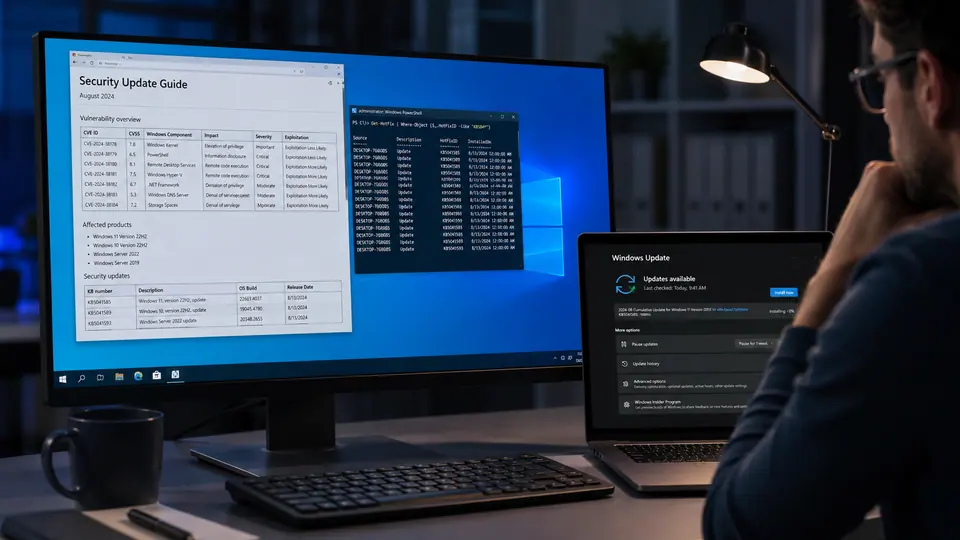
Windows vulnerability coverage keeps exposing a familiar gap: technical patch notes list facts, while users want priorities. An advisory may describe affected components, severity ratings, exploitation status, and update availability, but the ordinary question is more direct: how urgent is this update for me? That translation matters because not every reader has the time or background to interpret vulnerability language. If the message is too technical, people may delay. If every update is described as equally urgent, people may tune out.
The most important distinction is whether a flaw is being actively exploited. When coverage indicates active exploitation, the behavior should change. Users and administrators should move faster, especially on internet-connected systems, shared machines, and devices used for sensitive work. Patch notes may include that information, but it can be buried among identifiers and component names. Security communication should lift it into plain language.
Severity needs to become behavior
A severity label is useful, but it is not a plan. A critical or high-rated issue may require immediate action in one environment and scheduled action in another, depending on exposure and controls. Home users need simpler guidance: install the update promptly, restart when required, and avoid postponing security patches for days or weeks. Small businesses need a slightly different message: test where necessary, but do not let testing become an excuse for indefinite delay. Larger organizations need prioritization tied to asset exposure and known exploitation.
This is where patch notes often need translation. Users do not need every implementation detail before taking safe action. They need to understand whether the update addresses a risk that attackers are already using, whether the affected system is common, and whether delaying creates avoidable exposure. The goal is not to create panic. It is to turn advisory facts into decisions.
The restart is part of the security control
One practical problem with Windows updates is that installation and completion are not always the same thing in a user's mind. A device may download an update, stage it, and still need a restart. People postpone restarts because they are in meetings, working on documents, or worried about losing state. That is understandable, but it means the protection may not be fully applied. Clear messaging should say when a restart is needed and why completion matters.
Organizations can help by setting maintenance windows, communicating expected restart behavior, and giving users enough warning to save work. For high-risk updates, administrators may need shorter deadlines. The tradeoff should be explicit: a small amount of disruption now can reduce the chance of a larger incident later. If users understand that the urgency is tied to active exploitation, they are more likely to cooperate.
For individuals, the advice remains simple. Keep automatic updates enabled. When Windows asks for a security restart after a major patch, do not postpone it indefinitely. Be more responsive when security coverage says a flaw is actively exploited. If a device is used for banking, work accounts, school systems, or administrative access, treat patch delays as a real risk rather than a harmless inconvenience.
Patch communication will always contain technical detail because administrators need it. But the public-facing layer should answer the practical question first. Is this routine, important, or urgent? Does it require a restart? Is it being exploited? What should a normal user do today? Until advisories consistently make that translation, coverage around Windows flaws will keep serving as an interpreter between security facts and everyday behavior.