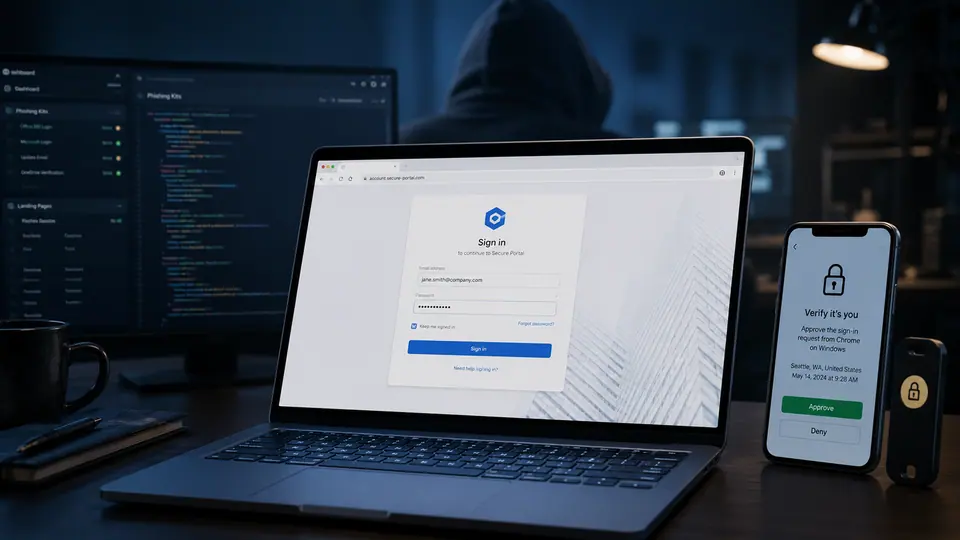
Awareness is useful, but it is no longer enough
Phishing training still has value. People should know how to question unexpected messages, inspect login pages, and pause before handing over credentials. The problem is that phishing kits are adapting faster than most training cycles. Pages look cleaner. Workflows feel more familiar. Attackers copy the steps users already expect, from single sign-on screens to verification prompts and document access flows. When a fake page behaves like the real process a user sees every week, the burden on human judgment becomes too heavy.
This is the gap security teams need to close. Training can reduce obvious mistakes, but it cannot be the whole defense against polished credential theft. Users are busy, login prompts are frequent, and many legitimate systems already ask people to approve access, confirm identity, or reauthenticate. Attackers benefit from that normal friction. They do not need a perfect fake if the victim has been conditioned to move quickly through routine prompts.
The copied workflow is the trap
Older phishing advice often focused on strange spelling, crude layouts, or implausible messages. Those signs still matter when they appear, but modern kits often avoid them. The stronger lure is familiarity. A page that resembles a normal workplace login, a shared file request, or a business application can lower suspicion. The user is not thinking about an attacker. They are trying to finish a task.
That is why identity controls matter. Passkeys can reduce the value of stolen passwords because there is no reusable secret for the attacker to collect in the same way. Device checks can make it harder for a login from an unfamiliar machine to succeed. Session protections can limit damage when an attacker tries to move from credential capture to account access. These controls do not make phishing disappear, but they shift the defense away from expecting every person to spot every fake page.
Design defenses for tired people
A realistic phishing program assumes users will sometimes click. That is not defeatist. It is honest. Good security design protects people during bad moments, rushed moments, and convincing moments. Companies should prioritize login flows that are resistant to credential replay, monitor unusual session behavior, and make reporting suspicious pages simple. The easier it is to report a suspicious message, the more likely security teams are to see campaigns early.
Training should also evolve. Instead of only showing examples of bad emails, it should explain the shape of current attacks: copied workflows, lookalike portals, urgent collaboration requests, and prompts that feel like ordinary business. The message should not be that users are the weak link. The better message is that attackers are investing in imitation, so the organization is investing in stronger controls around identity.
For individuals, the practical advice is to slow down at credential prompts that arrive through links. If a message says a document, invoice, HR form, or shared project requires login, consider navigating to the service directly rather than trusting the embedded path. Pay attention when a page asks for steps that feel slightly out of order. If your workplace offers passkeys or stronger device-based sign-in, use them. If a browser warns about a site, do not treat the warning as a nuisance.
The most important change is cultural. A phishing defense that depends on perfect suspicion will keep failing as kits improve. A better defense combines awareness with identity systems that expect deception, limit replay, and make stolen credentials less decisive. Training helps people notice danger. Modern controls help when the danger looks normal.