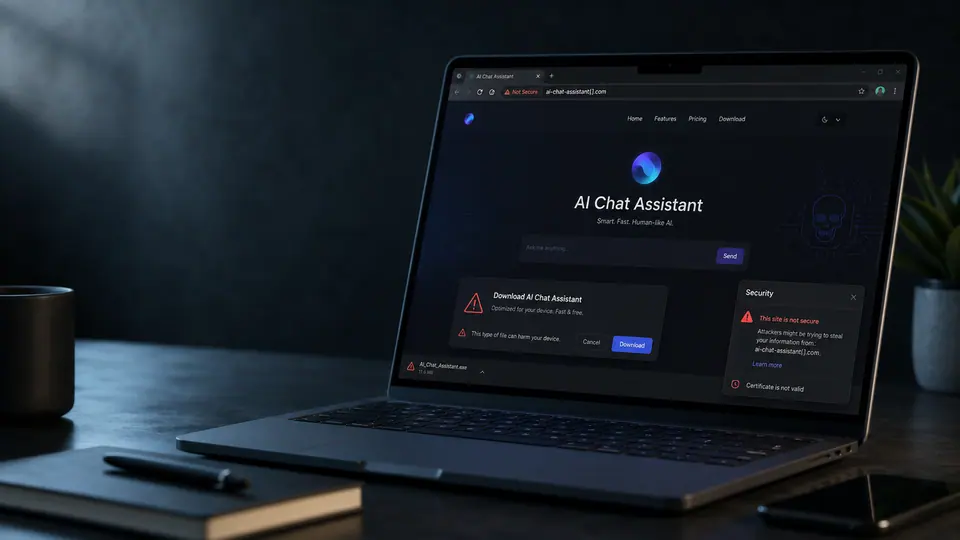
Brand confusion has become part of the attack path
Fake AI service pages are a reminder that the security risk around AI is not limited to what users type into a chatbot. Attackers can take advantage of the attention around popular AI tools by borrowing trusted names, familiar design cues, and the promise of a quick download. The result is a delivery page that feels plausible enough to catch someone who is moving fast. That matters because many people now install AI utilities, browser helpers, desktop clients, model runners, and coding tools with less hesitation than they would have shown toward older software categories. The label AI can make a product feel modern, useful, and safe, even when the page offering it has no connection to the real service.
The more practical risk sits at the download step. A prompt entered into a known web service may create privacy or policy issues, but a fake installer can create a much broader compromise. Once a user runs software from a lookalike site, the attacker no longer needs to win an argument inside a chat box. The system itself may become exposed to backdoors or other malware behavior. That is a different threat model. It turns brand trust into execution permission.
The danger is ordinary, not exotic
There is nothing especially mysterious about this pattern. It is close to older fake update pages, fake VPN installers, fake meeting apps, and fake document viewers. The difference is the current demand curve. AI tools are spreading across work, study, coding, marketing, design, and personal productivity. People are actively searching for them, comparing names they only partly recognize, and looking for shortcuts. Attackers benefit from that fog. A user who would never download a random executable may still search for a famous AI brand plus app or desktop and click a result that looks close enough.
For organizations, the lesson is to treat AI adoption as software adoption. If employees are experimenting with tools, they need a safe path to do it. Blocking everything can push downloads into personal devices or unmanaged browsers. Allowing everything can invite malware. A better middle ground is a clear list of approved services, official download locations, and a lightweight way to request new tools. Security teams should assume that curiosity will continue and design around it.
Checks that actually help
The first habit is domain verification. Users should slow down before installing any AI-related software and check whether the address matches the service they intended to visit. Misspellings, extra words, unusual top-level domains, and pages reached through ads or reposted links deserve caution. The second habit is to avoid installing from search results alone. Official product pages, vendor documentation, trusted app stores, and managed company portals are safer starting points than a random landing page.
IT teams can reduce the blast radius with endpoint controls, download reputation checks, application allow lists for sensitive roles, and alerts for newly installed remote access tools or unknown executables. Browser protection can help, but it should not be the only layer. Many fake pages rely on social confidence, not technical sophistication. The user believes the page before the security stack has much to inspect.
The most useful message to employees is simple: AI names are now bait. That does not mean every new tool is suspicious, and it does not mean people should avoid useful software. It means the install moment deserves more care than the demo moment. Before granting a new AI app access to a machine, files, browser, or developer environment, confirm that the product is real, the domain is right, and the download path is official. In today's AI rush, that pause can be the difference between testing a tool and handing an attacker a foothold.