


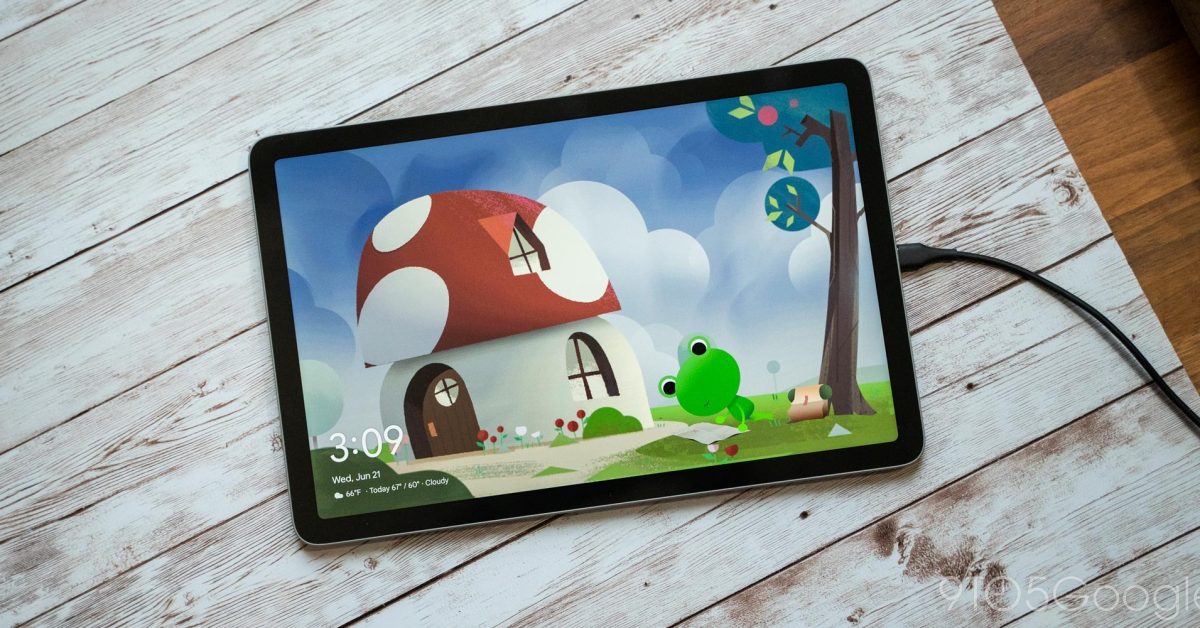
The Google Pixel Tablet introduces a versatile feature known as “Hub Mode,” designed to transform the device into a smart display when it’s not actively in use. This mode provides glanceable information such as time, weather, and personal photos, alongside convenient access to smart home controls. While many associate Hub Mode exclusively with the official Charging Speaker Dock, its core functionality can actually be activated using any standard USB-C charger.
The Charging Speaker Dock certainly enhances the Pixel Tablet experience by offering improved audio quality and ensuring the device remains charged. However, the fundamental “Hub Mode” experience, which essentially acts as a sophisticated screensaver, is not dependent on this specific accessory. Users can enjoy the benefits of a smart display by simply plugging their Pixel Tablet into any compatible USB-C power source.
Samsung launches Galaxy S26 series, and higher prices are basically all that’s new
To enable Hub Mode with a regular charger, the process is straightforward:
- Navigate to the tablet’s Settings menu.
- Select Hub Mode.
- Ensure the “Hub Mode” toggle is switched on.
Once activated, users can customize what appears on the screen when Hub Mode is active. Options typically include:
- Photo Frame: Displaying personal photos from Google Photos.
- Smart Home Controls: Quick access to connected smart home devices.
- Ambient Display: General information like time and weather.
It is important to note that Hub Mode will only activate when the Pixel Tablet is locked and connected to a power source. This ensures that the feature functions as an ambient display rather than interfering with active tablet usage. By understanding this capability, users can leverage their Pixel Tablet as a smart display in various locations around their home without needing multiple docks.
