


Google has introduced Gemini 3, an upgrade to its AI models, just eight months after Gemini 2.5. The widespread rollout of Gemini 3 began on November 18, and early observations indicate its impressive capabilities.
Google claims Gemini 3 offers enhanced understanding of complex queries and provides more concise responses. This new model can also generate custom user interfaces in real-time based on prompts, leading to more interactive and stylized answers.
For those interested in trying Gemini 3, the following information explains how to access and utilize it.
How to use Gemini 3 on desktop
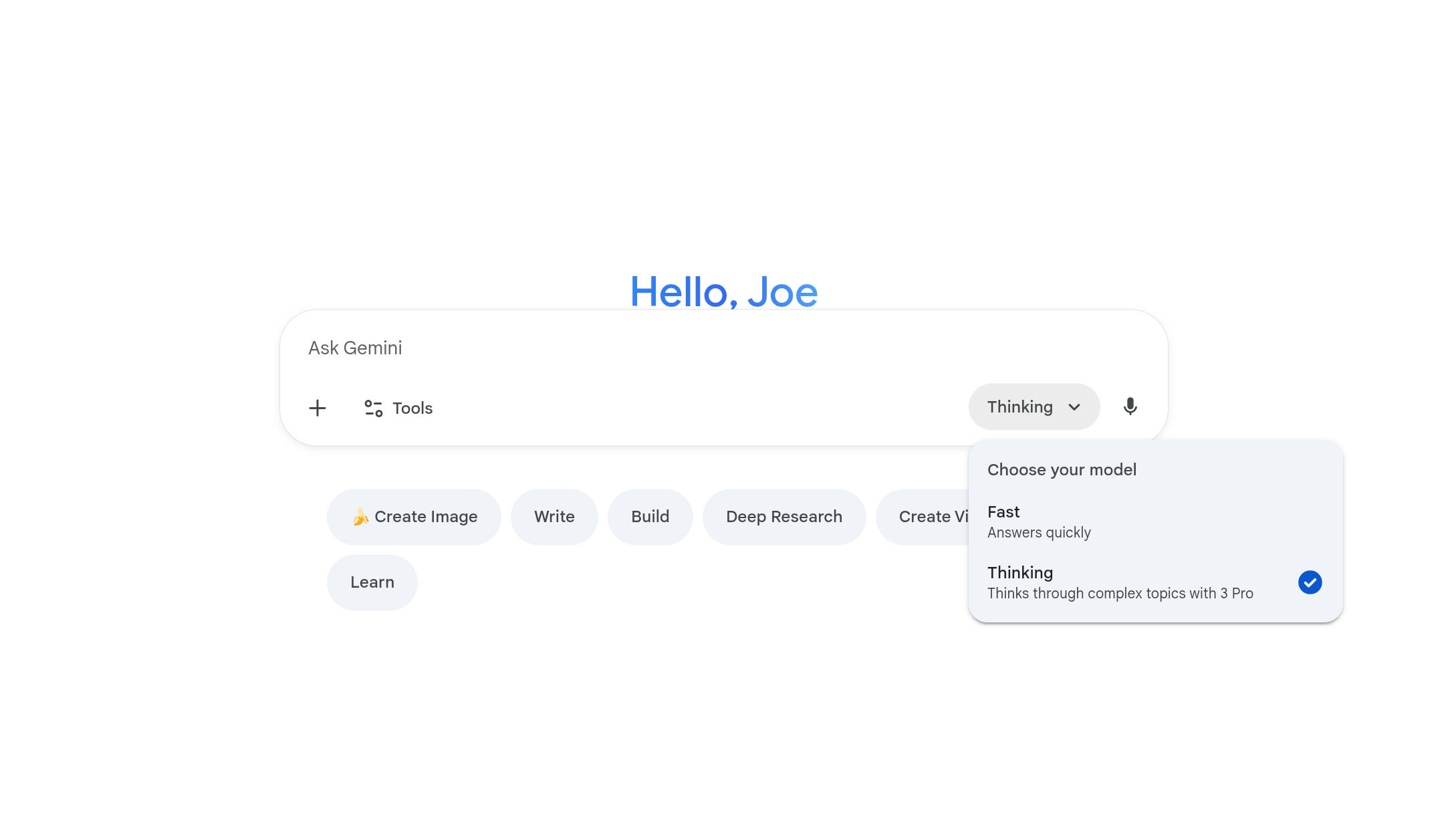
Accessing Gemini 3 on either desktop or Android is straightforward. However, Google’s branding can be somewhat confusing, so here are the steps to ensure the new Gemini 3 model is being used instead of the older Gemini 2.5.
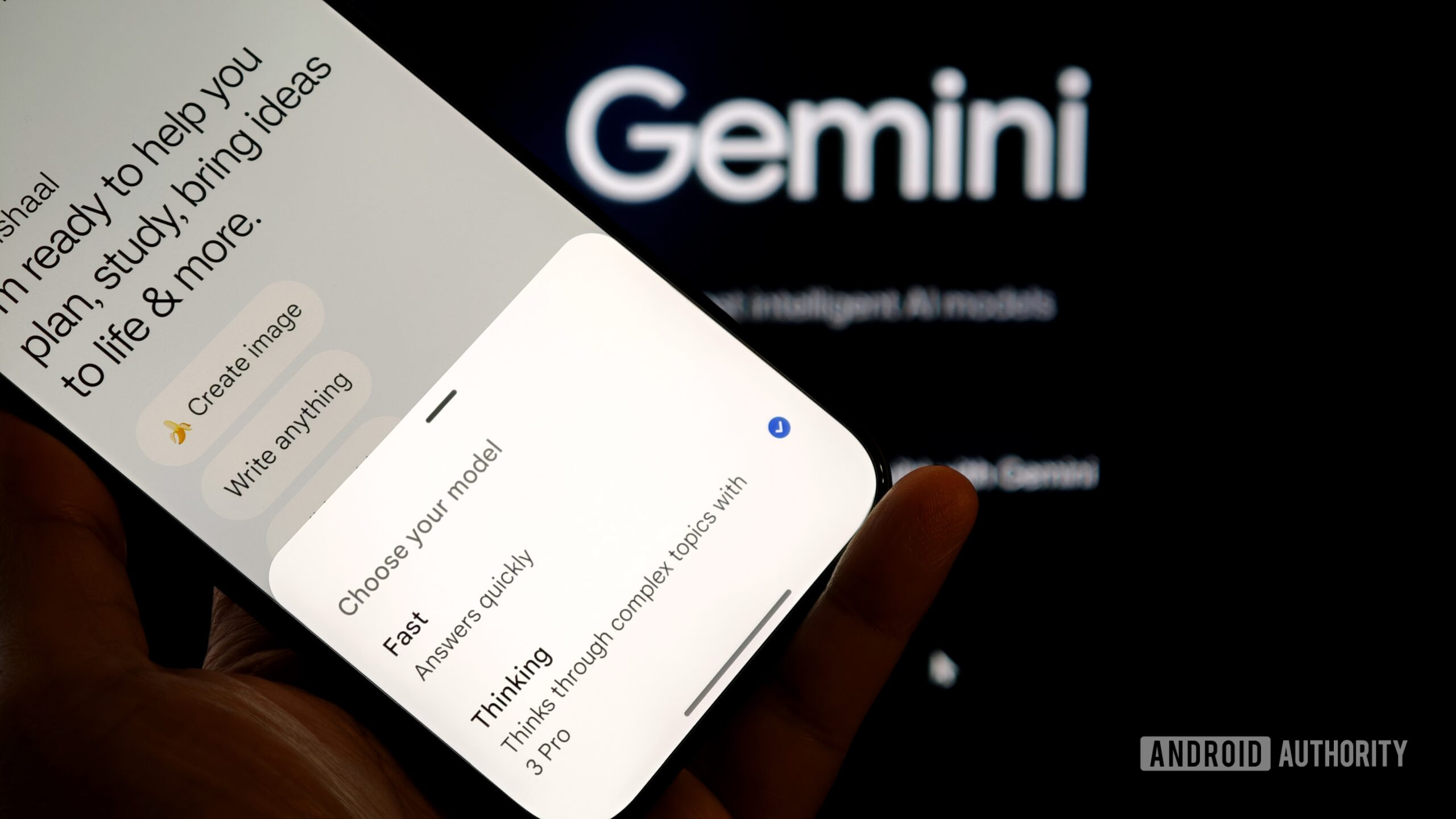
On the desktop version of Gemini, navigate to the Gemini website and locate the dropdown menu beneath the “Ask Gemini” prompt box. This menu typically defaults to “Fast.” Following the recent update, Gemini now offers two models:
- Fast: Answers quickly (Gemini 2.5)
- Thinking: Thinks through complex topics (Gemini 3 Pro)
The “Fast” option, which uses the Gemini 2.5 model, is selected by default. While suitable for basic questions, it does not utilize Gemini 3. To access Gemini 3 Pro, currently the only available Gemini 3 model, users must select “Thinking.”
How to use Gemini 3 on Android
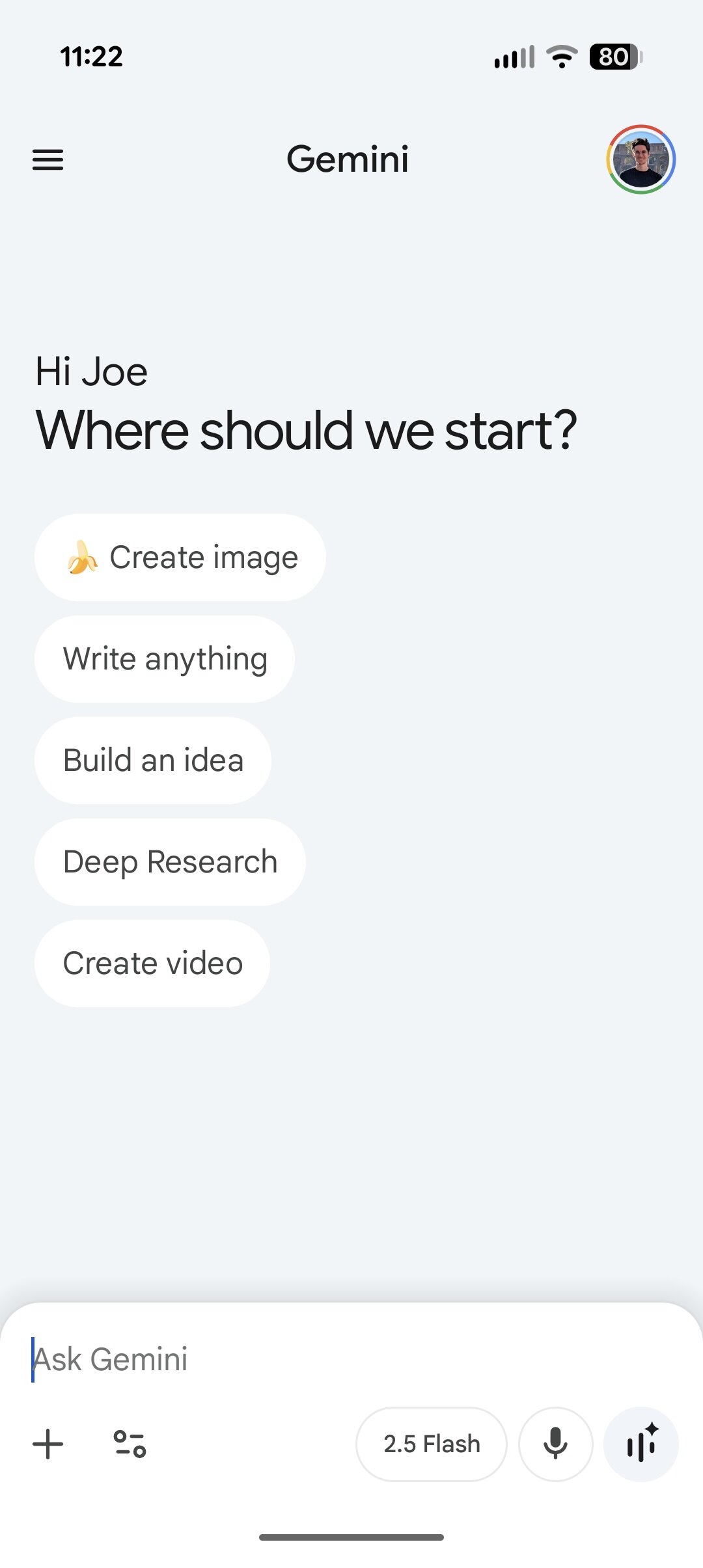
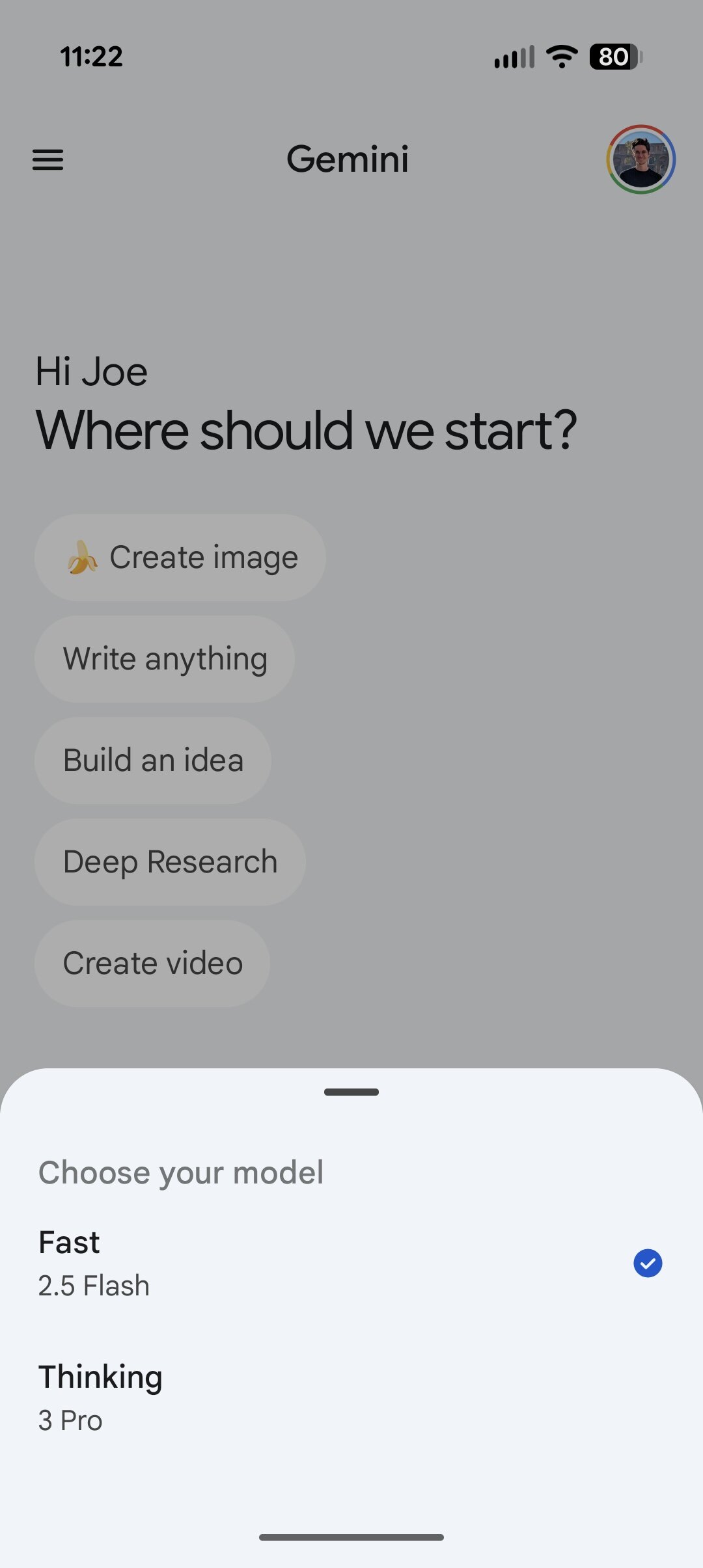
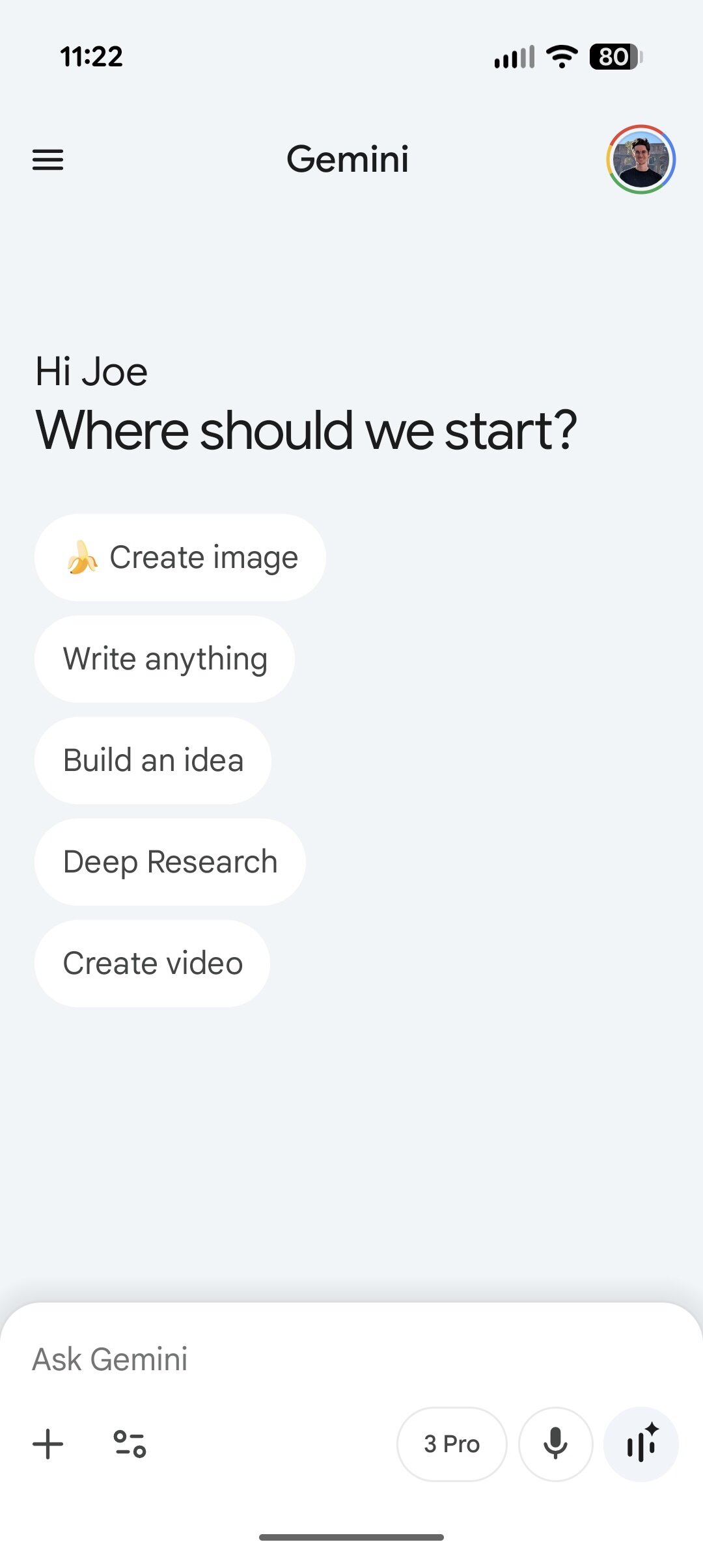
Enabling Gemini 3 within the Android app follows largely similar instructions, though the model names differ slightly. The steps are as follows:
- Open the Gemini app.
- Tap 2.5 Flash near the bottom of the screen.
- Tap Thinking on the pop-up menu.
Upon completing these steps, the presence of a “3 Pro” label, replacing “2.5 Flash,” confirms that Gemini 3 is active.
Initially, Gemini 3 Pro was primarily accessible via the desktop site. However, as of November 20, it seems to be broadly deploying to the Android application. Users without access should expect it to become available shortly.
Do you need Google AI Pro to use Gemini 3?
Considering Google’s initial rollout of Gemini 3 with Gemini 3 Pro, one might assume access would be limited to users with a Google AI Pro subscription, particularly since Gemini 2.5 Pro was exclusive to such subscribers. However, this assumption is incorrect.
Gemini 3 Pro is available to all Gemini users, regardless of whether they have a free or paid subscription. While an AI Pro subscription is necessary for utilizing Gemini 3 Pro with Deep Research, general access to Gemini 3 Pro is provided to everyone.
This represents a significant shift for Google. Gemini 3 Pro is rapidly emerging as Google’s most advanced Gemini model, and its availability to all users without a cost is a notable benefit.
