
Close Menu
    Latest Post

    Verifying 5G Standalone Activation on Your iPhone

    March 1, 2026

    Hands on: the Galaxy S26 and S26 Plus are more of the same for more money

    March 1, 2026

    IronCurtain: A Secure AI Agent Designed to Prevent Rogue Actions

    March 1, 2026
    Facebook X (Twitter) Instagram
    Trending
    • Verifying 5G Standalone Activation on Your iPhone
    • Hands on: the Galaxy S26 and S26 Plus are more of the same for more money
    • IronCurtain: A Secure AI Agent Designed to Prevent Rogue Actions
    • Kwasi Asare’s Entrepreneurial Journey: Risk, Reputation, and Resilience
    • The Rubin Observatory’s alert system sent 800,000 pings on its first night
    • GitHub Actions Now Supports Unzipped Artifact Uploads and Downloads
    • Project Genie: Experimenting with Infinite, Interactive Worlds
    • Text Generation Using Diffusion Models and ROI with LLMs
    Facebook X (Twitter) Instagram Pinterest Vimeo
    NodeTodayNodeToday
    • Home
    • AI
    • Dev
    • Guides
    • Products
    • Security
    • Startups
    • Tech
    • Tools
    NodeTodayNodeToday
    Home»Guides»Protecting Your iMessage Conversations: A Guide to Contact Key Verification
    Guides

    Protecting Your iMessage Conversations: A Guide to Contact Key Verification

    Samuel AlejandroBy Samuel AlejandroJanuary 16, 2026No Comments2 Mins Read
    Share Facebook Twitter Pinterest LinkedIn Tumblr Reddit Telegram Email
    src h65lqv featured
    Share
    Facebook Twitter LinkedIn Pinterest Email

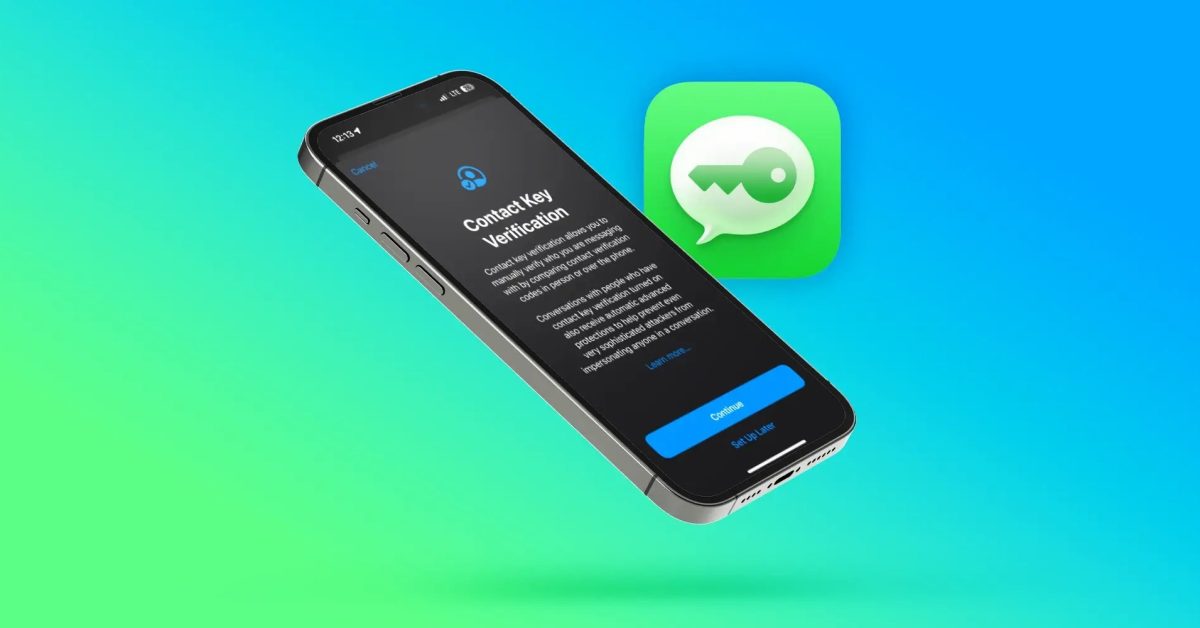
    Apple has introduced a significant security enhancement for iMessage users called Contact Key Verification. This feature is designed to help individuals, particularly those at higher risk of targeted digital threats, confirm the authenticity of their iMessage conversations and protect against potential impersonation attempts.

    In an era where digital communication is paramount, ensuring the person you are messaging is truly who they claim to be is crucial. Contact Key Verification addresses this by providing a method to verify the identity of your contacts, adding an extra layer of trust to your iMessage exchanges.

    Understanding Contact Key Verification

    The core principle behind Contact Key Verification involves unique keys assigned to each iMessage user. When this feature is enabled, users can manually compare these public keys with their contacts. This comparison can be done in person, over a secure video call, or through another trusted channel. If the keys match, it confirms that you are indeed communicating with the intended individual and that no unauthorized party is intercepting or impersonating either side of the conversation.

    You can 3D print a mockup of the iPhone Fold, with an asterisk | Photo shown

    This verification process is particularly valuable for journalists, government officials, human rights activists, and other individuals who might be targets of sophisticated cyberattacks or state-sponsored surveillance. It provides peace of mind by offering a tangible way to confirm the security of their communications.

    How to Enable and Use the Feature

    Activating Contact Key Verification typically involves navigating to your iPhone’s settings. Once enabled, you will see a new option within your iMessage conversations to verify contacts. This process usually involves generating a verification code or scanning a QR code, which your contact then uses to confirm the match.

    If a key mismatch is detected, it indicates a potential security risk. This could mean an impersonator is attempting to communicate with you, or there might be an issue with the contact’s device. In such cases, it is strongly advised to cease communication with that contact until the discrepancy can be resolved and their identity re-verified through an alternative, secure method.

    Key Benefits of Contact Key Verification:

    • Enhanced Security: Adds a robust layer of protection against sophisticated impersonation tactics.
    • Identity Assurance: Provides a reliable way to confirm the identity of your iMessage contacts.
    • Peace of Mind: Offers confidence, especially for high-risk users, that their conversations are private and secure.

    By utilizing Contact Key Verification, iMessage users can take proactive steps to safeguard their digital interactions and ensure the integrity of their most sensitive communications.

    Share. Facebook Twitter Pinterest LinkedIn Tumblr Email
    Previous ArticleAlliwava GH8 Mini PC Review: Performance with Newer Ryzen Technology
    Next Article How to Build a Monitoring Application Using Golang
    Samuel Alejandro

    Related Posts

    Guides

    Verifying 5G Standalone Activation on Your iPhone

    March 1, 2026
    Products

    Hands on: the Galaxy S26 and S26 Plus are more of the same for more money

    March 1, 2026
    Guides

    Modern PC hardware failure rates aren’t increasing, the expectations are just higher

    March 1, 2026
    Add A Comment
    Leave A Reply Cancel Reply

    Latest Post

    ChatGPT Mobile App Surpasses $3 Billion in Consumer Spending

    December 21, 202517 Views

    Automate Your iPhone’s Always-On Display for Better Battery Life and Privacy

    December 21, 202515 Views

    Creator Tayla Cannon Lands $1.1M Investment for Rebuildr PT Software

    December 21, 202514 Views
    Stay In Touch
    • Facebook
    • YouTube
    • TikTok
    • WhatsApp
    • Twitter
    • Instagram
    About

    Welcome to NodeToday, your trusted source for the latest updates in Technology, Artificial Intelligence, and Innovation. We are dedicated to delivering accurate, timely, and insightful content that helps readers stay ahead in a fast-evolving digital world.

    At NodeToday, we cover everything from AI breakthroughs and emerging technologies to product launches, software tools, developer news, and practical guides. Our goal is to simplify complex topics and present them in a clear, engaging, and easy-to-understand way for tech enthusiasts, professionals, and beginners alike.

    Latest Post

    Verifying 5G Standalone Activation on Your iPhone

    March 1, 20264 Views

    Hands on: the Galaxy S26 and S26 Plus are more of the same for more money

    March 1, 20265 Views

    IronCurtain: A Secure AI Agent Designed to Prevent Rogue Actions

    March 1, 20264 Views
    Recent Posts
    • Verifying 5G Standalone Activation on Your iPhone
    • Hands on: the Galaxy S26 and S26 Plus are more of the same for more money
    • IronCurtain: A Secure AI Agent Designed to Prevent Rogue Actions
    • Kwasi Asare’s Entrepreneurial Journey: Risk, Reputation, and Resilience
    • The Rubin Observatory’s alert system sent 800,000 pings on its first night
    Facebook X (Twitter) Instagram Pinterest
    • About Us
    • Contact Us
    • Privacy Policy
    • Terms & Conditions
    • Disclaimer
    • Cookie Policy
    © 2026 NodeToday.

    Type above and press Enter to search. Press Esc to cancel.