


Verdict
The Poco Pad X1 presents itself as a well-rounded tablet at an attractive price, despite its frustratingly limited availability. While nearly identical to the Xiaomi Pad 7 and having some minor drawbacks, it delivers smooth operation, solid performance, and an impressive display.
Pros
- Super sharp, smooth display
- Capable performance
- Good quality accessories
- Aggressive pricing
Cons
- Cluttered UI
- Battery can’t quite last a busy day
- Identical to Xiaomi Pad 7
- No Western release
Poco Pad X1: Two-minute review
Xiaomi, a highly prolific smart device manufacturer, frequently releases numerous models across its sub-brands. This strategy often involves repurposing existing designs, as seen with the Poco Pad X1.
This full-sized tablet is almost identical to the Xiaomi Pad 7 and shares many components with the Xiaomi Pad 7 Pro. However, its excellent pricing, premium feel, solid performance, and available accessories make it a compelling option.
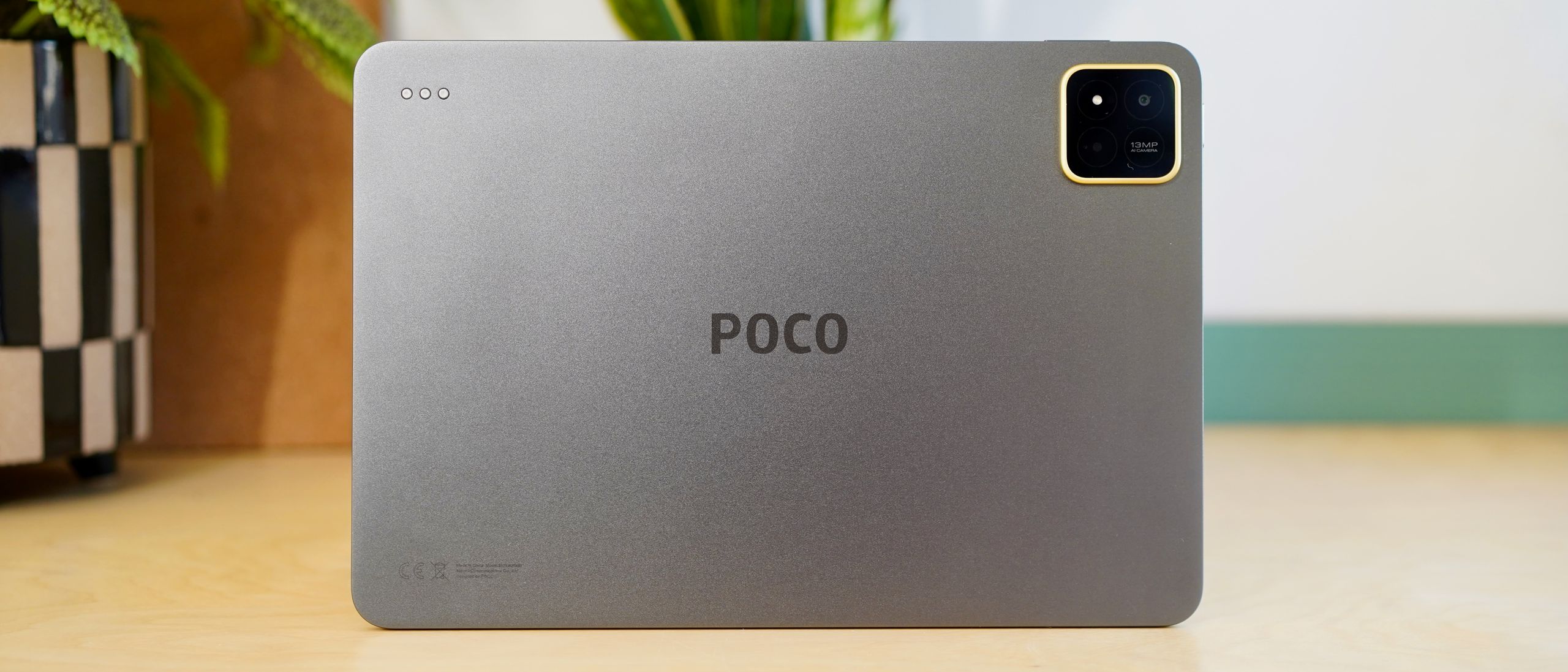
The design remains largely consistent, featuring a premium all-metal body and a 3:2 aspect ratio, reminiscent of an iPad. The Poco Pad X1 distinguishes itself with a signature yellow accent around its camera module on the grey version, while the blue model offers a vibrant hue uncommon in the tablet market.
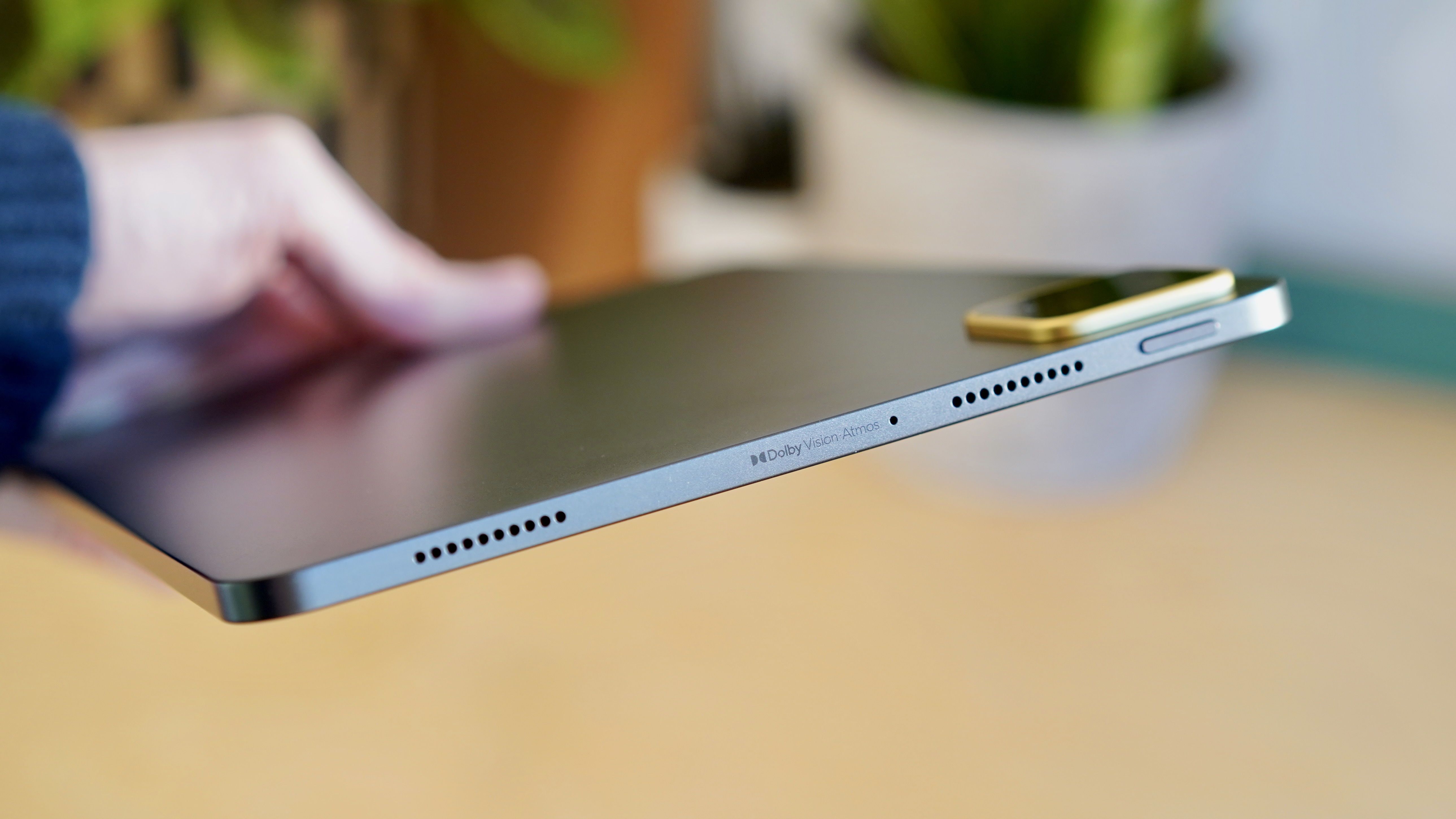
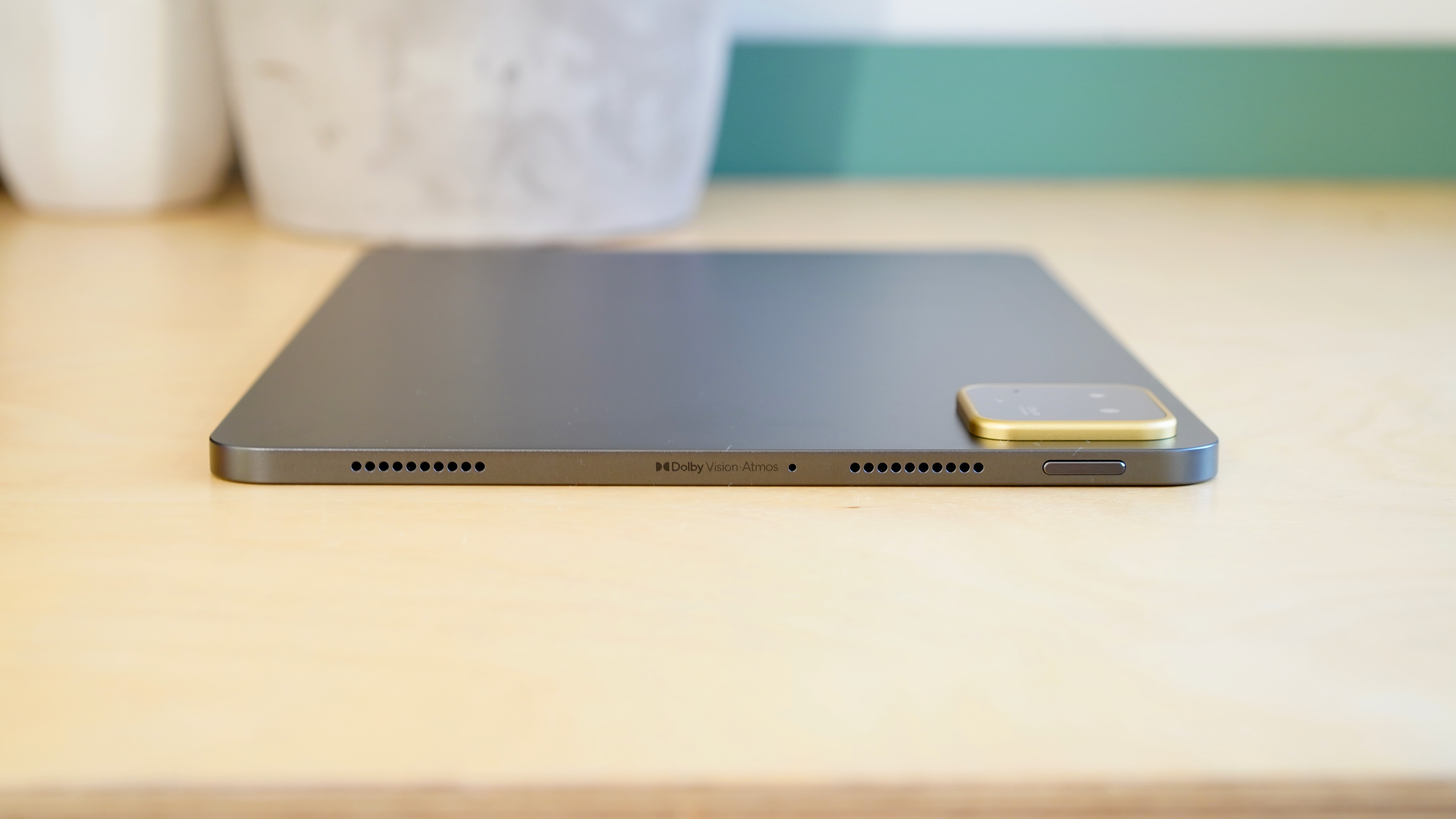
Quad speakers with Dolby Atmos provide a decent sound profile, though not matching the quality of an iPad. A notable design choice is the absence of a fingerprint sensor, requiring users to rely on facial unlock or a PIN.
This tablet is not the most powerful in the mid-range Android market; devices like the OnePlus Pad 3 offer greater capability for a slightly higher cost. Nevertheless, Qualcomm’s Snapdragon 7+ Gen 3 processor handles typical light tablet tasks efficiently.
The experience is enhanced by a quality 11.2-inch LCD display. While it may not offer the vibrant colors of more premium OLED screens, it features a sharp 3.2K resolution, natural color reproduction, good brightness, and a 144Hz refresh rate that some might find excessive.
The Poco Pad X1 supports 45W charging, which is respectable for an affordable tablet. Its 8,850mAh battery can last a full workday with light productivity tasks, but heavy media consumption may deplete it before the day ends.
The tablet includes a single 13MP rear camera, which performs adequately for a full-sized tablet, meaning its quality is not a primary highlight.
For those seeking an iPad-like tablet experience without the premium price, the Poco Pad X1 is a viable option. Alternatively, the Xiaomi Pad 7 offers the same experience, depending on regional availability.
Poco Pad X1 review: price and availability
- Not available in the UK, Europe, or US
- Priced from $399
The Poco Pad X1 is available in certain markets for the equivalent of $399 (around £300 / AU$610). Xiaomi’s launch strategy for this device has been somewhat unexpected.
Initial expectations suggested the tablet would be available in some Western markets, but Poco has clarified this is not the case. This likely explains why Xiaomi released a product functionally identical to the existing Xiaomi Pad 7.
The selective launch appears to be a strategy to prevent product overlap and competition between the brands. While these launch plans are not entirely clear, they are understandable.
Given this, direct comparisons with other tablets become less relevant. This review might assist those considering importing the device, though that scenario seems unlikely for most.
Practically, if the Poco Pad X1 appeals, purchasing the Xiaomi Pad 7 is a more straightforward option, as it is identical and potentially available with discounts.
- Value score: 4 / 5
Poco Pad X1 review: specs
Dimensions: 251.2 x 173.4 x 6.2mm
Weight: 500g
Display: 11.2-inch 2136 x 3200 up to 120Hz LCD
Chipset: Snapdragon 7+ Gen 3
RAM: 8GB
Storage: 512GB
OS: Android 16 with HyperOS 3.0
Primary camera: 13MP
Front Camera: 8MP
Battery: 8,850mAh
Charging: 45W wired
Colors: Grey, Blue
Poco Pad X1 review: design
- iPad-like looks
- Premium all-metal build
- No fingerprint sensor
The Poco Pad X1’s design may seem familiar for two reasons. Primarily, it bears a strong resemblance to an iPad, featuring similar flat edges, a 3:2 aspect ratio, and a rounded square camera module akin to the iPad Pro.
Secondly, this exact design has previously appeared under Xiaomi’s own branding. The Xiaomi Pad 7 Pro, released earlier this year, shares the identical body dimensions (251.22 x 173.42 x 6.18mm) and weight (500g).
A distinctive Poco yellow accent surrounds the camera module on the grey model, while the blue variant offers a richer color tone than typically seen in tablets.

Similar to the Pad 7 Pro, a 3.5mm headphone jack is absent. More notably, unlike the Pad 7 Pro, there is no fingerprint sensor. Access to the tablet relies on either a less secure facial recognition system or a traditional PIN, neither of which is optimal.
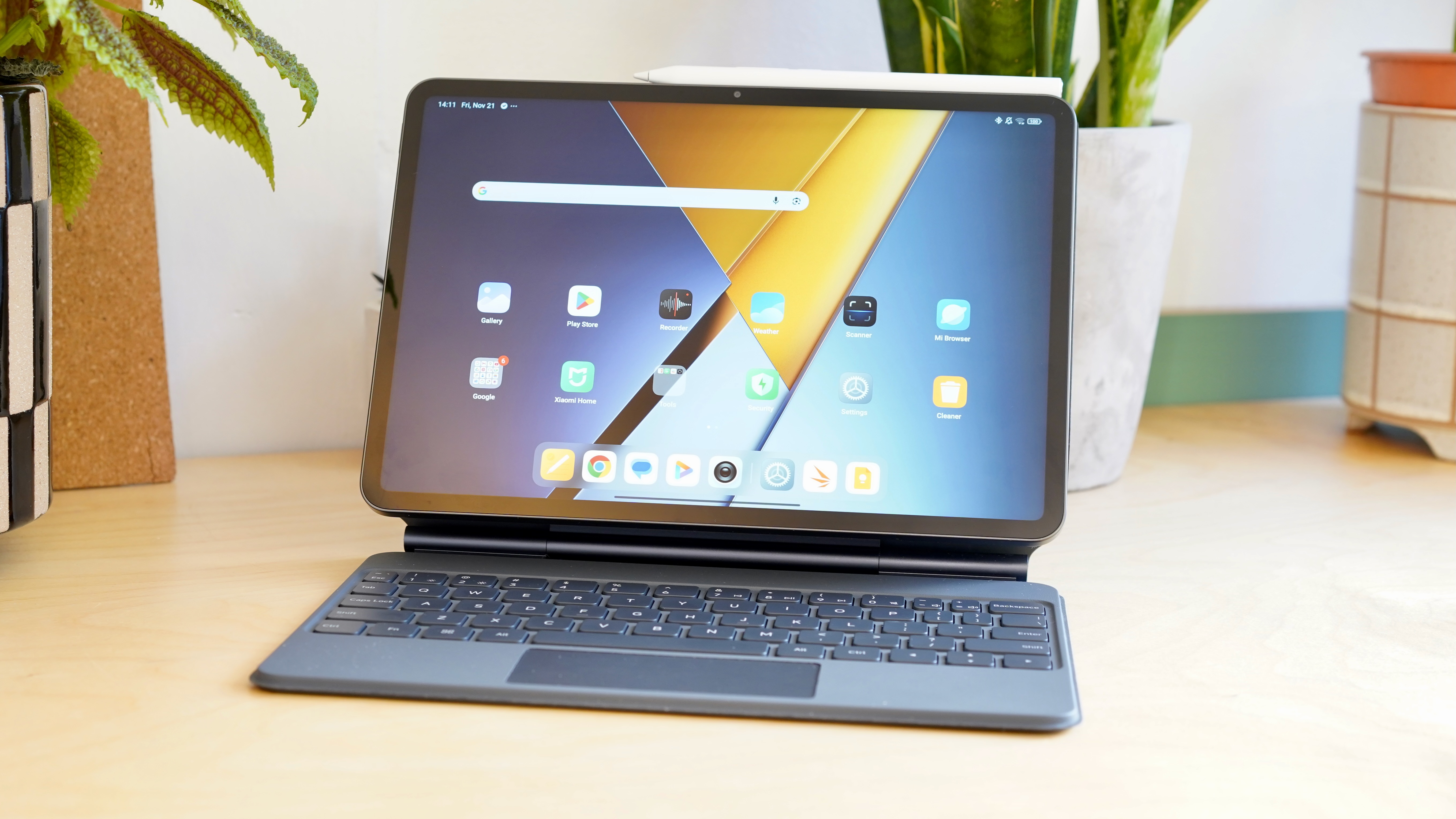
Xiaomi offers excellent optional accessories for the Poco Pad X1, transforming it into a capable productivity device. The Floating Keyboard, for instance, converts the tablet into an ultra-portable laptop suitable for light typing. Much of this review was drafted using this combination, with only minor typing issues.
The Poco Focus Pen is a competent stylus. While its writing feel might not be top-tier, its responsiveness and Xiaomi’s integrated note-taking tools are commendable. It magnetically attaches to the tablet’s side for charging.
- Design score: 4 / 5
Poco Pad X1 review: display
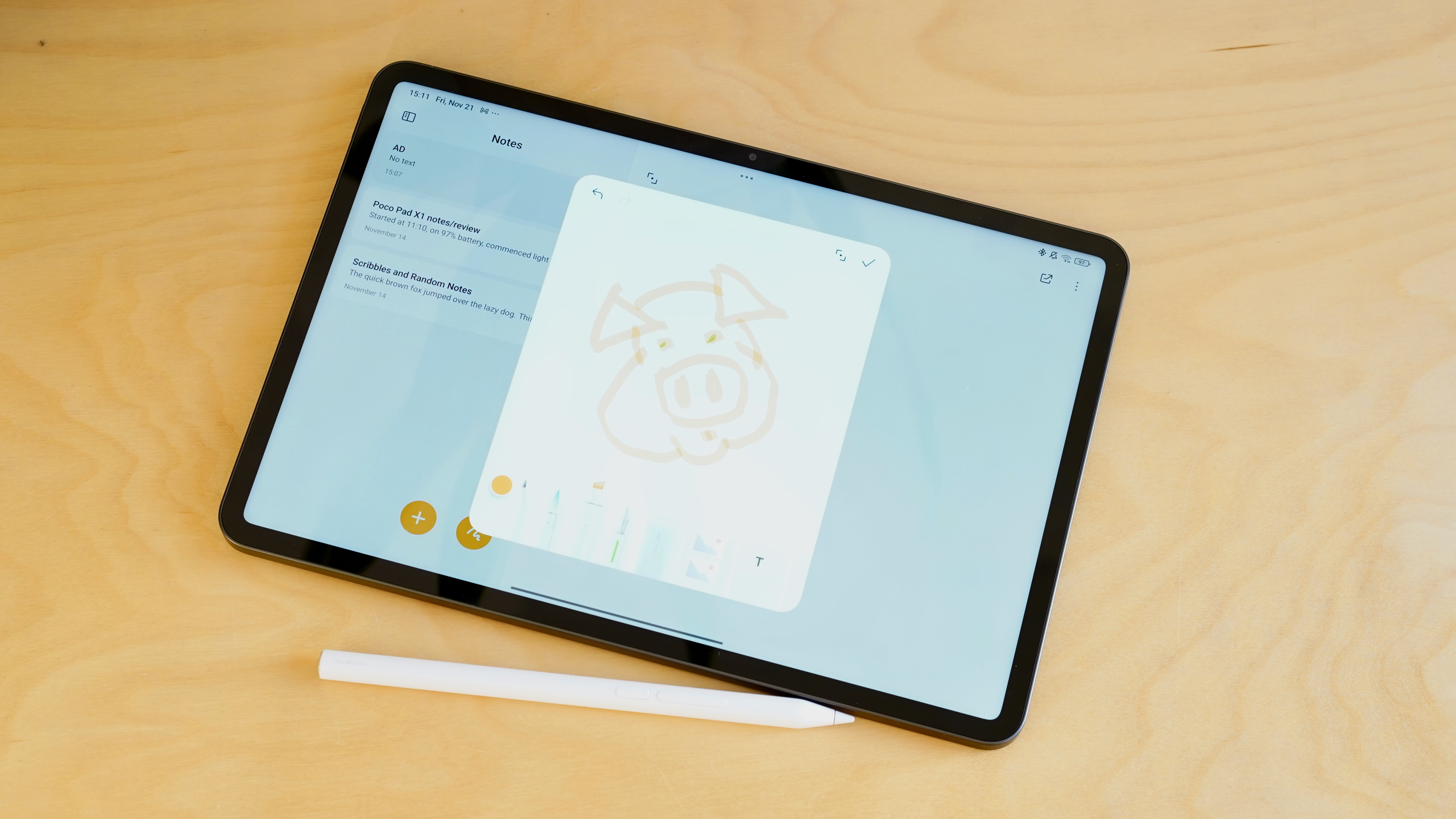
- 11.2-inch LCD
- 2136 x 3200 resolution
- 144Hz refresh rate
The Poco Pad X1 utilizes the identical display found in the Xiaomi Pad 7 Pro, a considerably more expensive tablet.
This 11.2-inch LCD panel, while not offering the vibrant contrast of OLED, is an excellent example of its type, providing natural colors and a clear image. Its 800-nit peak brightness is robust, though the screen can be quite reflective in direct light.
Text and images appear sharp due to the impressive 2136 x 3200 resolution. The 3:2 aspect ratio offers an iPad-like viewing experience, which is popular. While this results in large black borders for TV and movie content, it is more practical for other uses.
The 144Hz refresh rate might seem somewhat unnecessary. The difference in responsiveness compared to a 120Hz panel is negligible, and the tablet’s power isn’t suited for high-end gaming at elevated frame rates. Nevertheless, general navigation feels fluid.
- Display score: 4.5 / 5
Poco Pad X1 review: Performance & camera
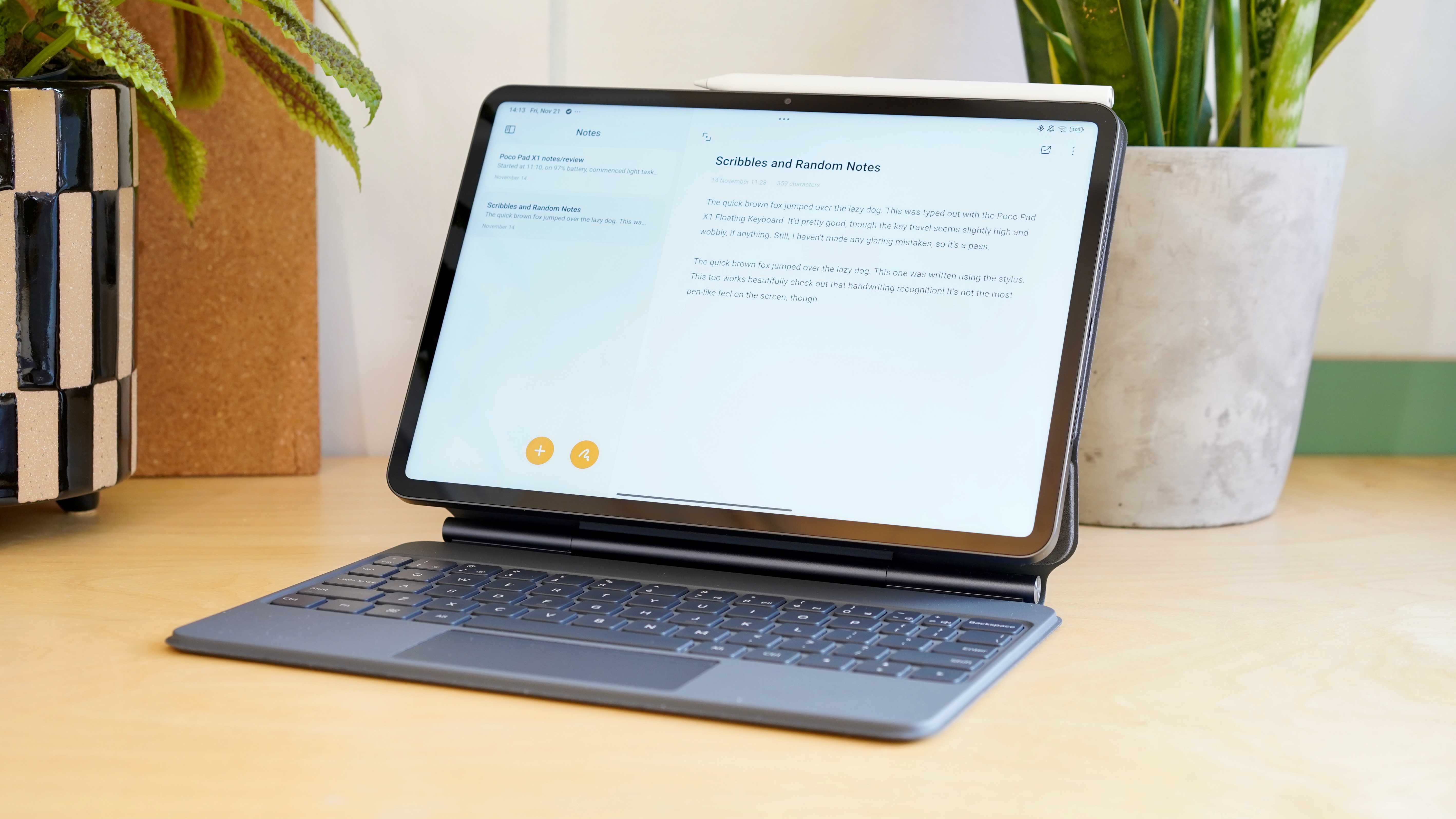
- Snapdragon 7+ Gen 3
- 8GB RAM and 256GB storage
- 13MP rear camera and 8MP front-facing
Powering the Poco Pad X1 is Qualcomm’s Snapdragon 7+ Gen 3 processor, a chip previously seen in capable mid-range smartphones such as the OnePlus Nord 4.
It comes with 8GB of RAM, which could be more generous for a productivity-oriented device; 12GB would be preferable.
Despite this, the daily user experience of the Poco Pad X1 is commendable. General navigation and multitasking between apps are responsive, and the system generally keeps up with the smooth display, with only occasional minor slowdowns.
Gaming is possible on this tablet, though demanding titles like Destiny: Rising will necessitate low to medium graphical settings.
Camera quality is average, which is typical for a mid-tier tablet. The Poco Pad X1 features a single 13MP rear camera and an 8MP front camera, suitable for scanning documents and Full HD video calls, respectively, but not much more.
- Performance & camera score: 3.5 / 5
Poco Pad X1 review: software
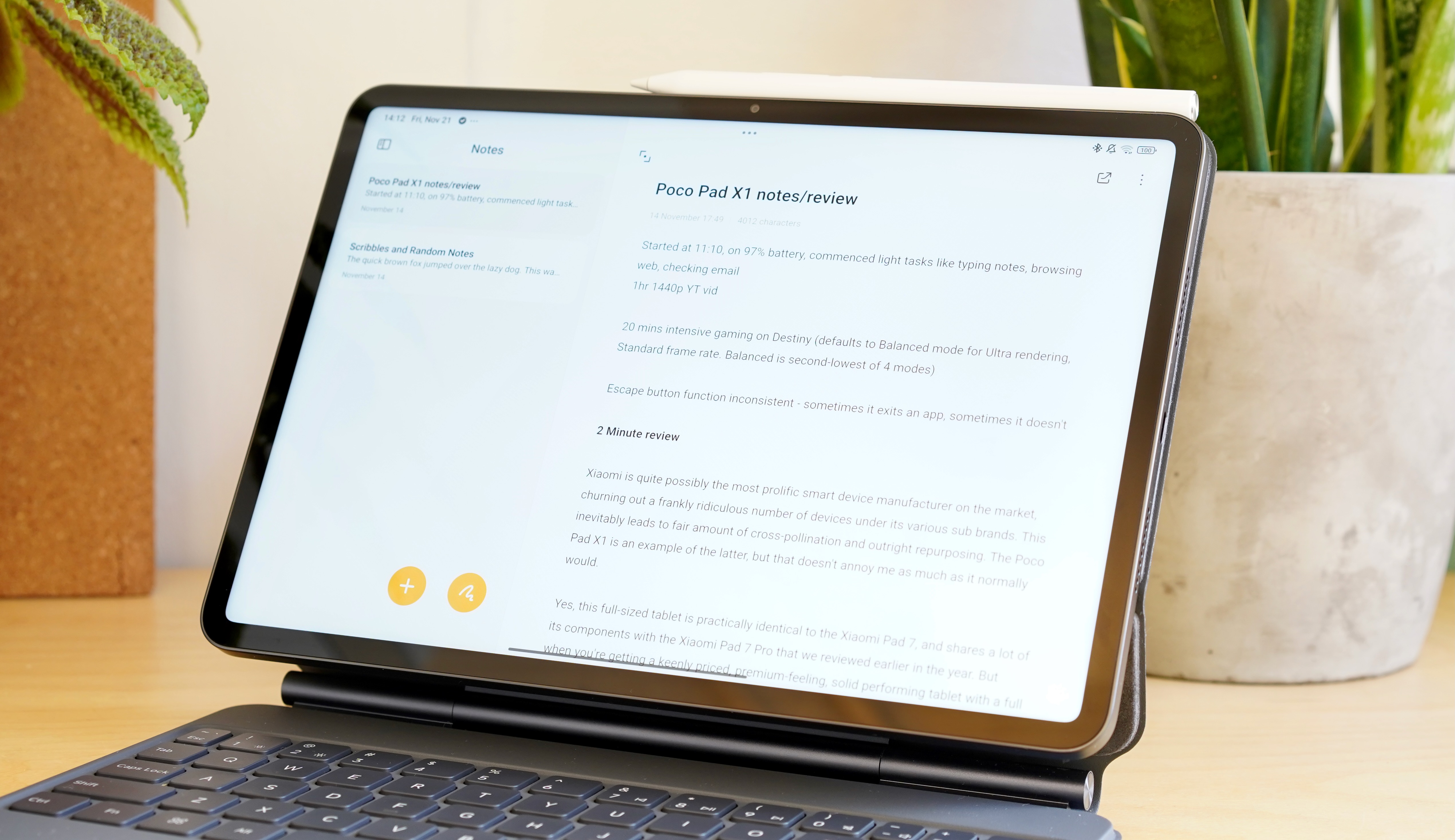
- Android 16 with HyperOS 3 UI on top
- Familiar bloatware issue
- Fairly standard AI features
The Poco Pad X1 operates on Xiaomi’s HyperOS 3 UI, which is not the most preferred Android interface.
Although built on Google‘s Android 16, Xiaomi’s interface shows a strong influence from Apple‘s iOS. This is evident in the appearance and placement of elements like the Control Center-style shortcut menu, as well as the overall look of icons and menus.
The tablet includes a notable amount of pre-installed bloatware. While many are popular applications, users might prefer the option to download Netflix, Spotify, and TikTok themselves. LinkedIn, for example, is preinstalled.
Xiaomi also provides several of its own applications, some of which are not particularly useful. This practice of including proprietary web browsers and image viewers alongside Google’s often superior alternatives is a common, yet frustrating, manufacturer habit.
A standard suite of AI tools is included, though they are somewhat hidden and easily overlooked.
Within Mi Canvas, users can transform doodles into AI-generated art. This feature functions effectively, though similar capabilities are common in other devices.
Other AI features include standard transcriptions and translations, along with a useful AI-powered system search for finding settings using natural language.
Google’s Gemini is also integrated, likely serving as the main AI assistant for many users.
- Software score: 3 / 5
Poco Pad X1 review: battery
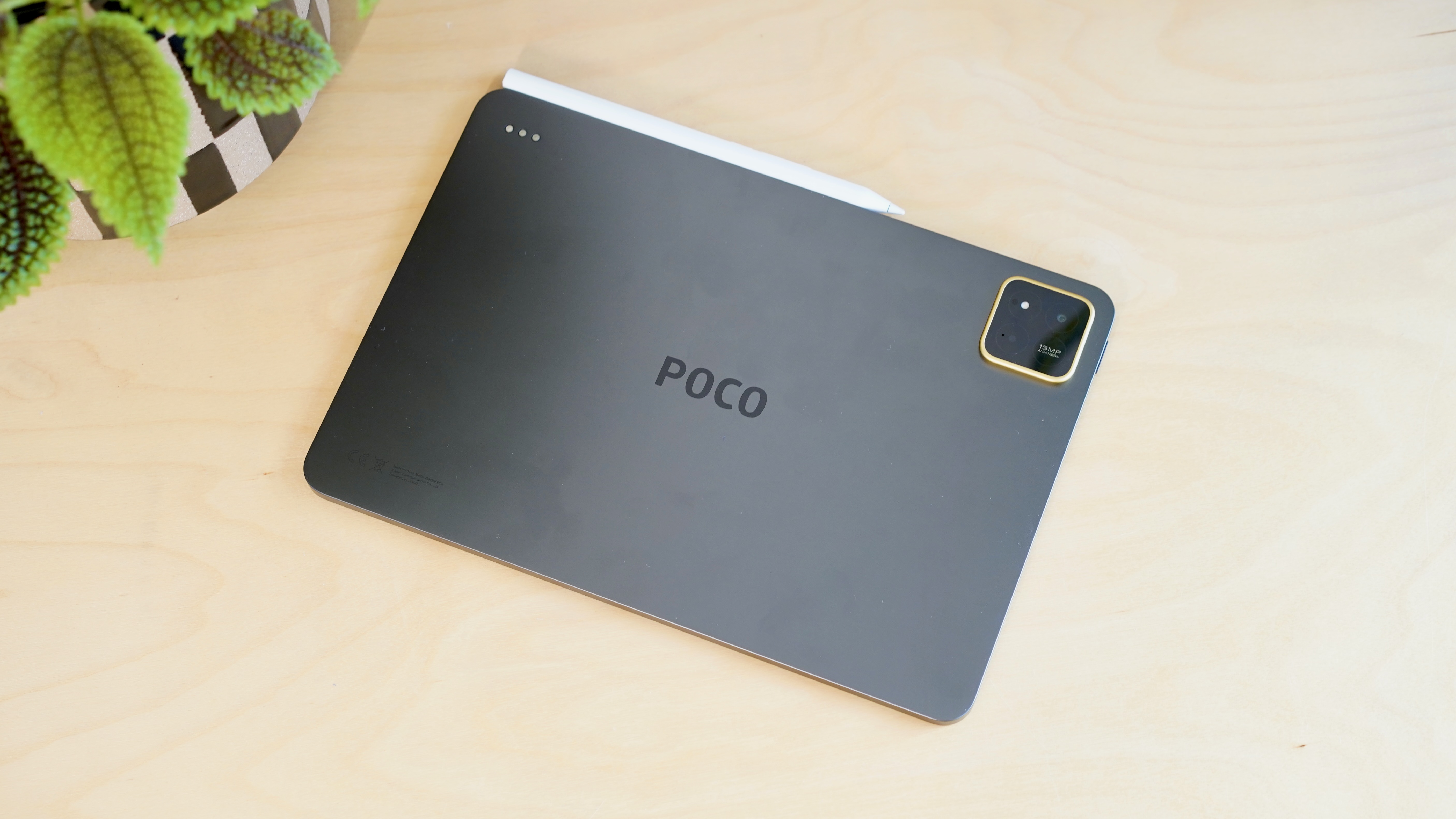
- 8,850mAh battery
- 45W charging
Equipped with an 8,850mAh battery, the Poco Pad X1 mirrors the capacity found in the Xiaomi Pad 7 series, with which it shares many core components.
The battery capacity should suffice for a day of light work, but incorporating significant media consumption could lead to depletion before the end of a typical workday.
During a light workday, the Poco Pad X1, paired with the Floating Keyboard, was used for approximately 1.5 hours of note-taking, 35 minutes of web browsing, 2 hours of YouTube streaming, and 55 minutes of Destiny: Rising gameplay.
This usage resulted in about 5 hours and 15 minutes of screen-on time, bringing the battery down to a critical 4%. Media consumption appeared to be the primary drain.
A charger is not included, but with a compatible 45W wired charger, a full charge can be achieved in approximately 1 hour and 15 minutes.
- Battery score: 3 / 5
Should I buy the Poco Pad X1?
Design
This is a well-built tablet for the money.
4 / 5
Display
A nice level of sharpness, a responsive refresh rate, and surprisingly natural colours despite being an LCD.
5 / 5
Performance
It’s fast enough for the kind of light tasks you’ll be carrying out here.
3.5 / 5
Battery
You might struggle to make it through a working day if you consume media, though it charges quite quickly.
3 / 5
Software
HyperOS apes iOS more than Android, and it’s still a little cluttered, if responsive and customisable.
3 / 5
Value
Pricing seems very keen, though it’s hard to tell with the limited rollout.
4 / 5
Buy it if…
You want a nice sharp screen The Poco Pad X1 really packs in the pixels, with a 2136 x 3200 rendering text and images really sharply.
You want a cheap(ish) productivity tool Add a Floating Keyboard and a Focus Pen to the package, and you have yourself a very portable typing and sketching tool.
You want an iPad(ish) experience for less The Poco Pad X1 broadly approximates the iPad experience, but for significantly less money.
Don’t buy it if…
You like a clean Android UI HyperOS is quite cluttered and closer to iOS than Google’s Android.
You want to get a full working day out of a charge If you use the Poco Pad X1 for the mixed productivity and media tasks it’s seemingly designed for, you won’t get through a full working day on a single charge.
Poco Pad X1 review: also consider
Xiaomi Pad 7 It’s the exact same tablet, but with Xiaomi’s own branding. If you see a deal for this older tablet, buy it instead.
OnePlus Pad 3 OnePlus’s tablet costs a little more money, but for that you get better performance and software, and a bigger 13.2-inch display.
How I tested the Poco Pad X1
- Review test period = 2 weeks
- Testing included = Everyday usage, including web browsing, word processing, note taking, gaming, streaming video
- Tools used = Geekbench 6, 3DMark, native Android stats, Xiaomi 120W power adapter (not included)
