


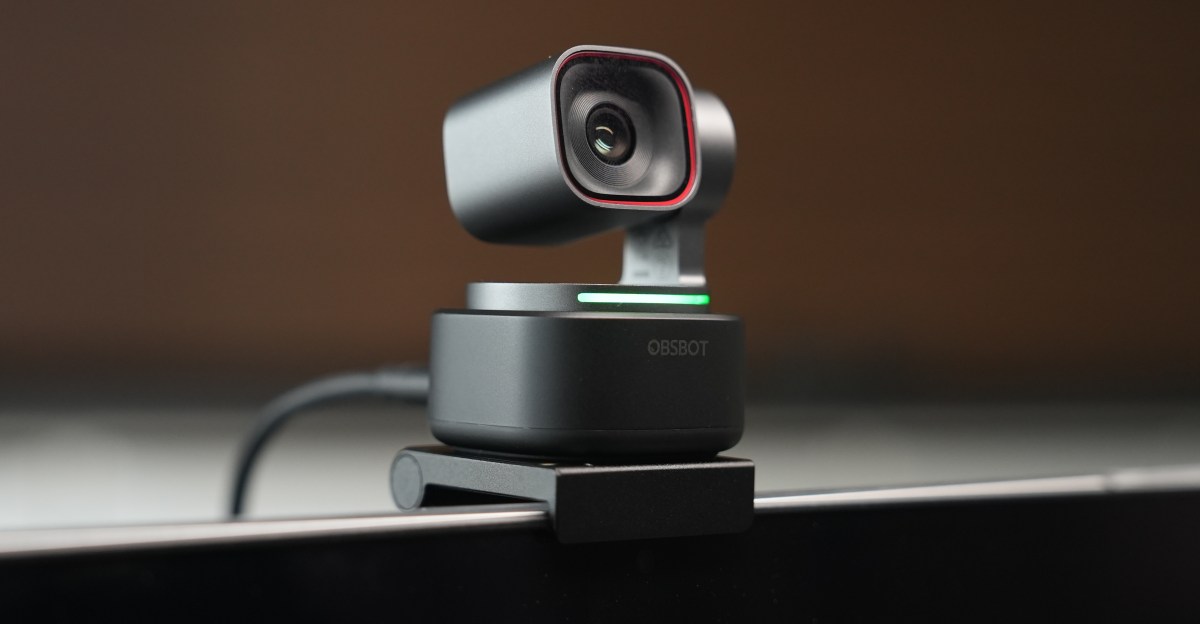
Obsbot has introduced two new gimbal-equipped webcams: the $349 Tiny 3 and the $199 Tiny 3 Lite. The company markets the Tiny 3 as the smallest 4K pan, tilt, zoom (PTZ) webcam available, weighing just 63 grams. Curiously, the Tiny 3 Lite is both heavier and larger. This review focuses on the Tiny 3 after several weeks of use.

When compared to Insta360’s recent $249 Link 2 Pro, the Tiny 3 features a slightly larger sensor and enhanced AI capabilities, such as voice control and tracking. It incorporates MEMS microphones, which are advertised as superior to condenser mics for noise filtering, with Obsbot suggesting they perform comparably to a dedicated microphone. A comparison with an older Insta360 Link model from 2022 revealed that while the Tiny 3 offers a sharper image, the improvement is not substantial based on tests with retail hardware.
Both the Tiny 3 and Tiny 3 Lite respond to voice commands like “Hi, Tiny” for activation, “Sleep, Tiny” for deactivation, “Track Me” for AI face tracking, and “Position 1” for saved camera angles. However, only the more expensive Tiny 3 includes a Desk Mode, allowing it to point downwards, a feature absent in the Lite due to its thicker base (the original Link also had this mode). The Tiny 3’s voice recognition is impressive, even with mumbled commands. However, the experience of it initiating face tracking during a meeting after a casual utterance of “track me” led to the voice control feature being disabled. Both models support 4K at 30 frames per second and 1080p at up to 120 frames per second. They also offer Switch 2 support, though this requires activation via the companion app, which limits PC resolution to 1080p until the mode is turned off.

The Tiny 3 Lite (left) shares its overall design with the Tiny 3 (right), but features a larger lens enclosure and base.
The Tiny 3 offers a slightly wider field of view and a higher maximum ISO (12800 compared to 6400), beneficial in low-light conditions. It is equipped with a 1/1.28-inch sensor, an f/1.8 aperture, and a 24-millimeter equivalent focal length, representing incremental upgrades from its predecessor. Larger sensors generally improve light capture and reduce image noise. While these enhancements were not significantly apparent during testing, their impact may vary depending on individual lighting environments.
The Tiny 3 delivers acceptable 4K at 30 frames per second video quality for calls. It produces sharper footage than both the Tiny 3 Lite and the Insta360 Link, demonstrating better shadow detail in raw stills captured via Obsbot’s software. The provided stills highlight the minimal differences in visual quality across the devices. While variations in contrast handling exist, the $350 Tiny 3 does not emerge as a definitive winner in either snapshot example, which is noteworthy given the age of the Insta360 Link used for comparison.


1/3This still from the $350 Tiny 3 offers a lot of detail.


1/6The Tiny 3 at 1.5x zoom and at 4K.
Obsbot asserts that the Tiny 3’s MEMS microphone array (comprising two directional and one omnidirectional mic) can compete with standalone microphones. The audio quality is good, with a noticeable improvement in capturing individual guitar string plucks compared to the Insta360 Link. While this added detail is appreciated, it may be lost due to compression during typical video calls. Furthermore, individuals prioritizing high-fidelity audio for voice or instruments often already own dedicated microphones.

Adjusting the Tiny 3’s key features necessitates navigating a disorganized companion application.
The Tiny 3 would be more appealing at a lower price point. However, even with a price adjustment, its companion application makes it difficult to recommend. The app is notably cluttered and challenging to navigate, with essential features often buried among less useful options.
While modern webcams often include numerous features, the responsibility lies with manufacturers to ensure these features are user-friendly, particularly for quick adjustments before or during calls. Insta360 has successfully implemented this, a standard Obsbot has yet to meet.
