


Many users find Windows Search slow, inconsistent, and intrusive when simply trying to locate a file. An alternative like Everything can address this by excelling at fast, focused file searching. For a period, this type of solution effectively resolved the search issue on Windows, leading many to stop considering other options.
However, the Windows beta of Raycast offers a distinct approach. Raycast redefines “search” by focusing on finding an item, performing an action with it, and quickly returning to the current task. This philosophy resonates with individuals seeking productivity enhancements that minimize friction. Raycast presents itself as a tool capable of transforming workflows, rather than merely replacing an existing, often overlooked, system feature.
Raycast: Search is just the starting point
Originating on macOS as a keyboard-centric productivity launcher, Raycast offers a distinct experience compared to typical Windows tools. It functions primarily as a command palette, activated by a customizable shortcut like Alt+Space. Users can type a command and execute an action instantly, whether it’s launching an application, navigating to a file, running a script, accessing clipboard history, or initiating an automation. The design prioritizes speed and workflow efficiency over traditional menu navigation.
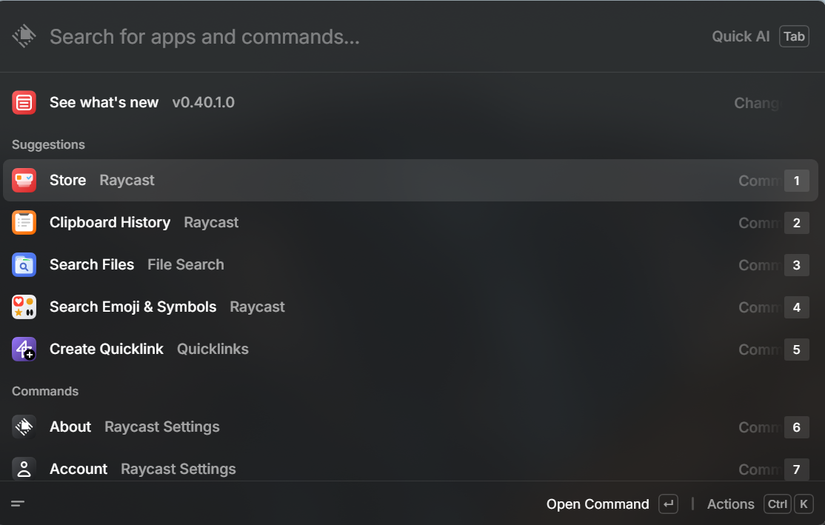
Raycast distinguishes itself by treating search as a means to an end, not the final objective. It enables users to locate a file and immediately perform an action, such as renaming, moving, opening it with a specific application, or integrating it into another workflow, all without losing focus. This approach aligns with a keyboard-driven workflow, where users frequently switch between tasks.
While the Windows version remains in beta and may exhibit some minor imperfections, its core functionality is robust. Even in its current developmental stage, Raycast appears less as a direct substitute for Windows Search and more as a reimagining of how launching, searching, and interacting with a modern desktop environment could function.
Getting Raycast for Windows
Acquiring the application is straightforward. Users can visit the Raycast for Windows download page, select the Microsoft Store icon, and proceed with the installer.
This beta version is compatible with Windows 10 and Windows 11. For those proficient with the command line, installation is also possible via WinGet.
Why Raycast’s command palette is more than just search
The true power of Raycast becomes apparent when utilizing its extensions. While the core application is inherently fast, extensions transform it beyond a simple launcher. The focus shifts from managing applications and windows to executing direct actions. For instance, users can search for a file and instantly move it, or access a PDF and open it in a preferred browser. The command palette evolves into a central hub for task execution, rather than merely a gateway to other tools.
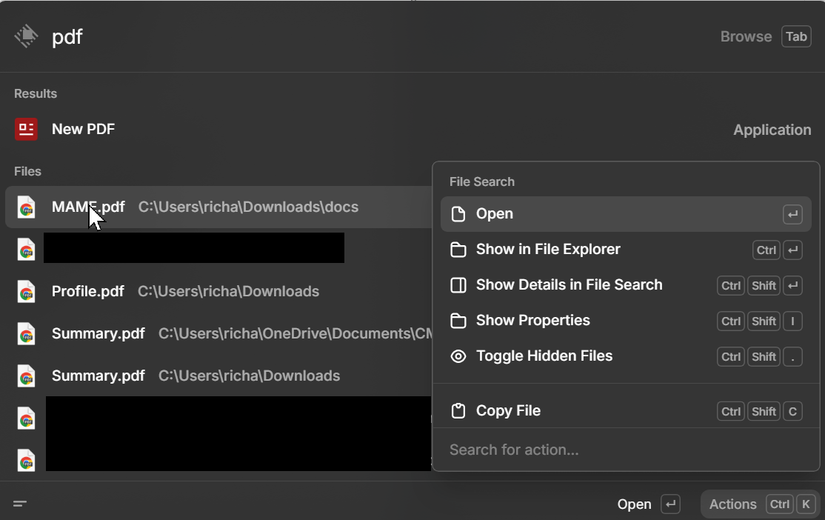
A compelling aspect of Raycast is its adaptability to individual habits. It does not require users to drastically change their workflows or adopt rigid systems. Extensions can be added as specific needs arise, and Raycast seamlessly integrates them into the familiar interface. This design allows the tool to adapt to the user, rather than forcing the user to adapt to the tool. Even in its Windows beta, where the extension ecosystem is still developing, this core principle is evident.
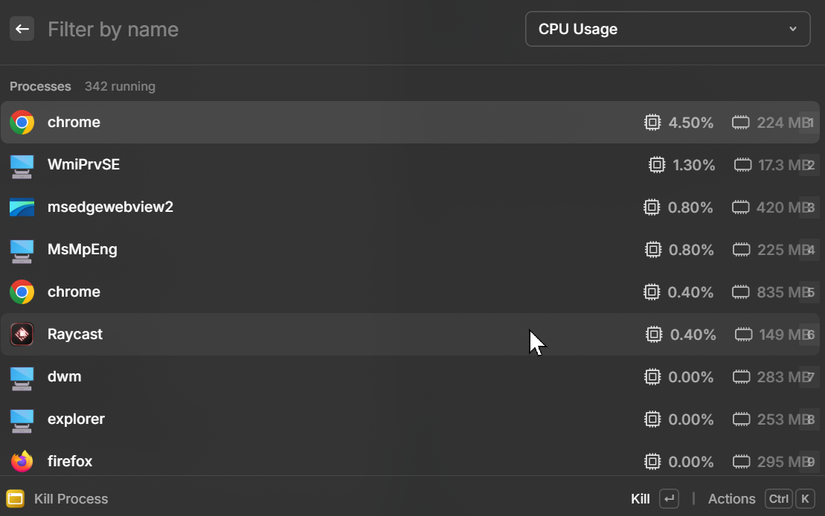
An example of extension functionality in Raycast involves process management. Instead of accessing Task Manager or navigating system menus, users can activate Raycast, type a few characters, and engage the Kill Process extension. This immediately displays a searchable, sorted list of active processes, allowing for a single keystroke termination of any problematic application. This streamlined approach requires no complex setup, minimizes context switching, and avoids additional UI learning, embodying Raycast’s “Search, act, done” philosophy.
Clipboard history is one of Raycast’s most useful built-ins
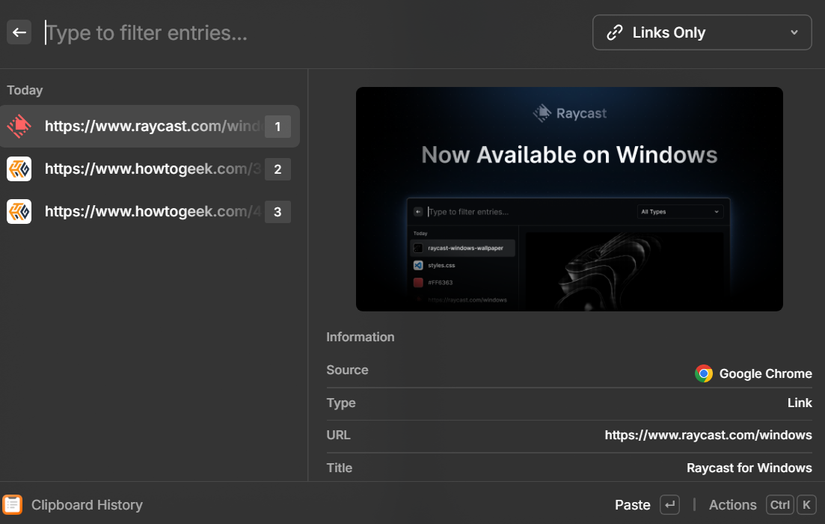
A particularly valuable integrated feature within Raycast is its clipboard history. This tool, often unappreciated until experienced, becomes indispensable. Raycast maintains a continuous record of copied items, preventing the accidental loss of previous clipboard contents when new items are copied. Users can quickly access this history by activating Raycast and typing a few characters, making recent clipboard entries readily available.
This feature requires no separate application or new workflow; it integrates directly into the existing command palette. For users who frequently switch between documents, terminals, and browsers, this immediate access significantly reduces time and mental effort. It eliminates the need to re-copy text or backtrack, allowing for seamless retrieval of needed items. While seemingly minor, this quality-of-life improvement contributes substantially to overall efficiency.
Operation is straightforward: activate Raycast, type “Clipboard,” and a searchable list of recent copies appears instantly. From this list, users can paste an item directly, re-copy it, or perform other actions, all without removing hands from the keyboard. This eliminates the need to navigate menus or recall the last copied item, providing immediate access that quickly becomes an essential part of the workflow.
Free AI during the Windows beta
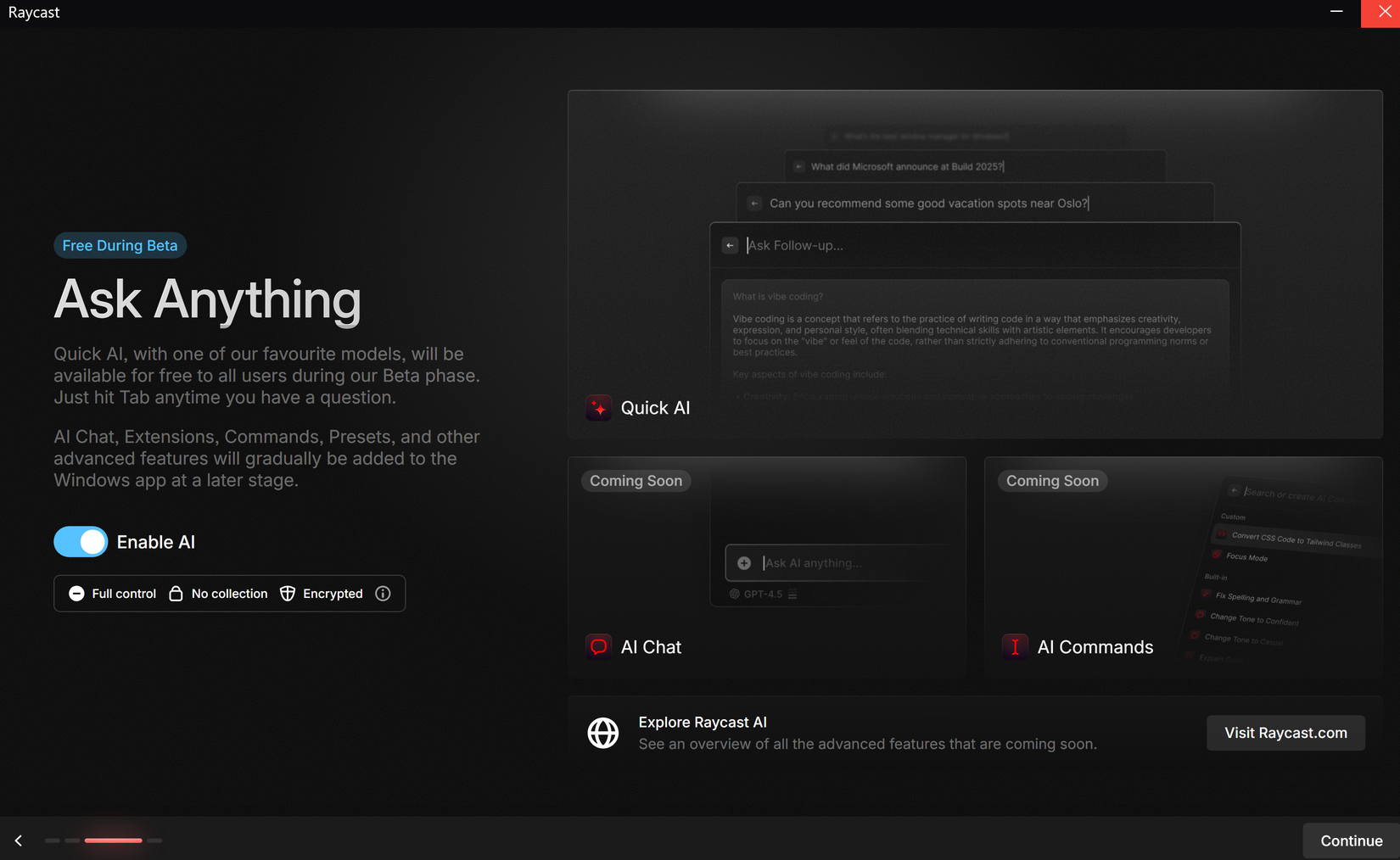
Another compelling aspect to consider is the availability of free AI features during the Windows beta phase, allowing for easy experimentation without commitment. For many, AI tools are interesting and occasionally useful, but not the primary draw. However, for users who heavily rely on AI, this offers an additional benefit. For those who do not, the AI features remain unobtrusive.
More under the hood
The full scope of Raycast’s capabilities extends beyond these highlights, encompassing features for window management, advanced automations, snippets, and various integrations. These additional functionalities are not underdeveloped; rather, their exploration simply requires more time. This breadth of features positions it well as a comprehensive productivity tool.
Raycast’s appeal lies not in attempting to offer every feature simultaneously, but in providing a core set of functionalities that deliver immediate impact, with additional features serving as valuable enhancements. Even in its beta stage, it integrates seamlessly into existing workflows. Should it maintain this focused development as it matures, Raycast has the potential to become a permanent and unobtrusive fixture for enhancing system productivity.
