Close Menu
    Latest Post

    How to Use the Multisport Workout Mode on Apple Watch

    January 13, 2026

    Philips Hue Essential Lights: Great Value, But Original Bulbs Offer Superior Dimming

    January 13, 2026

    Russia-Aligned Hackers Exploit Viber to Target Ukrainian Government and Military

    January 13, 2026
    Facebook X (Twitter) Instagram
    Trending
    • How to Use the Multisport Workout Mode on Apple Watch
    • Philips Hue Essential Lights: Great Value, But Original Bulbs Offer Superior Dimming
    • Russia-Aligned Hackers Exploit Viber to Target Ukrainian Government and Military
    • US Nears Trade Deal with Taiwan, Including TSMC Fab Commitment in Arizona
    • Enhanced Search Suggestions in Firefox
    • Biologists Treat LLMs Like Aliens to Uncover Their Secrets
    • Behind the Scenes: Developing the Question Assistant
    • Was Windows 8 Really That Bad? A Revisit 13 Years Later
    Facebook X (Twitter) Instagram Pinterest Vimeo
    NodeTodayNodeToday
    • Home
    • AI
    • Dev
    • Guides
    • Products
    • Security
    • Startups
    • Tech
    • Tools
    NodeTodayNodeToday
    Home»Guides»How to Use the Multisport Workout Mode on Apple Watch
    Guides

    How to Use the Multisport Workout Mode on Apple Watch

    Samuel AlejandroBy Samuel AlejandroJanuary 13, 2026No Comments3 Mins Read
    Share Facebook Twitter Pinterest LinkedIn Tumblr Reddit Telegram Email
    src 1qr09kj featured
    Share
    Facebook Twitter LinkedIn Pinterest Email

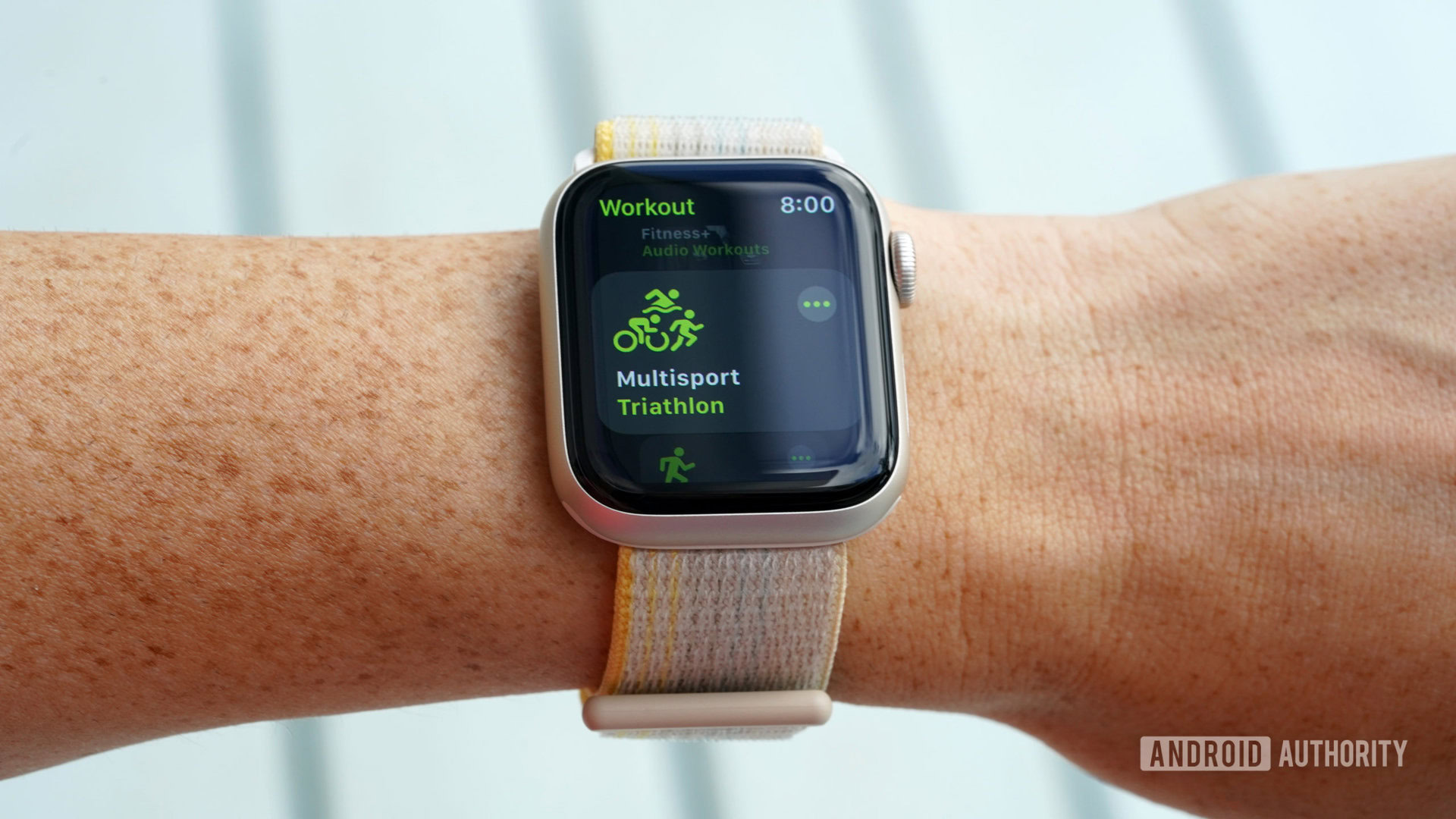
    With the WatchOS 9 update, Apple enhanced its features for endurance sports athletes directly on the device. A notable addition is the new Multisport mode. This guide explains how to utilize this triathlon-friendly workout mode to track your activities using your Apple Watch. To begin a triathlon workout, simply open the Workout app on your Apple Watch, then scroll and tap Multisport.

    How to use the Multisport workout mode
    Apple Watch Screenshot Workout AppApple Watch Screenshot Multisport

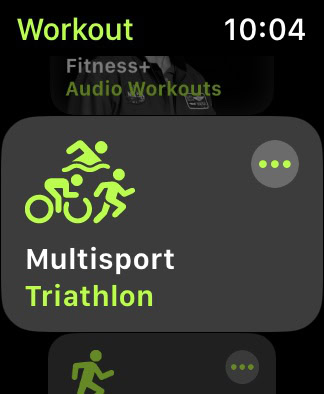
    Apple’s Multisport workout mode allows athletes to combine running, cycling, and swimming into a single, continuous workout. The Apple Watch automatically detects transitions between these activities.

    • Open the Workout app on your Apple Watch.
    • Scroll to and tap Multisport workout. The default option is Triathlon.
    • For alternative activity combinations or to create a custom workout, tap the More icon (three dots).

    How to create a custom multisport workout
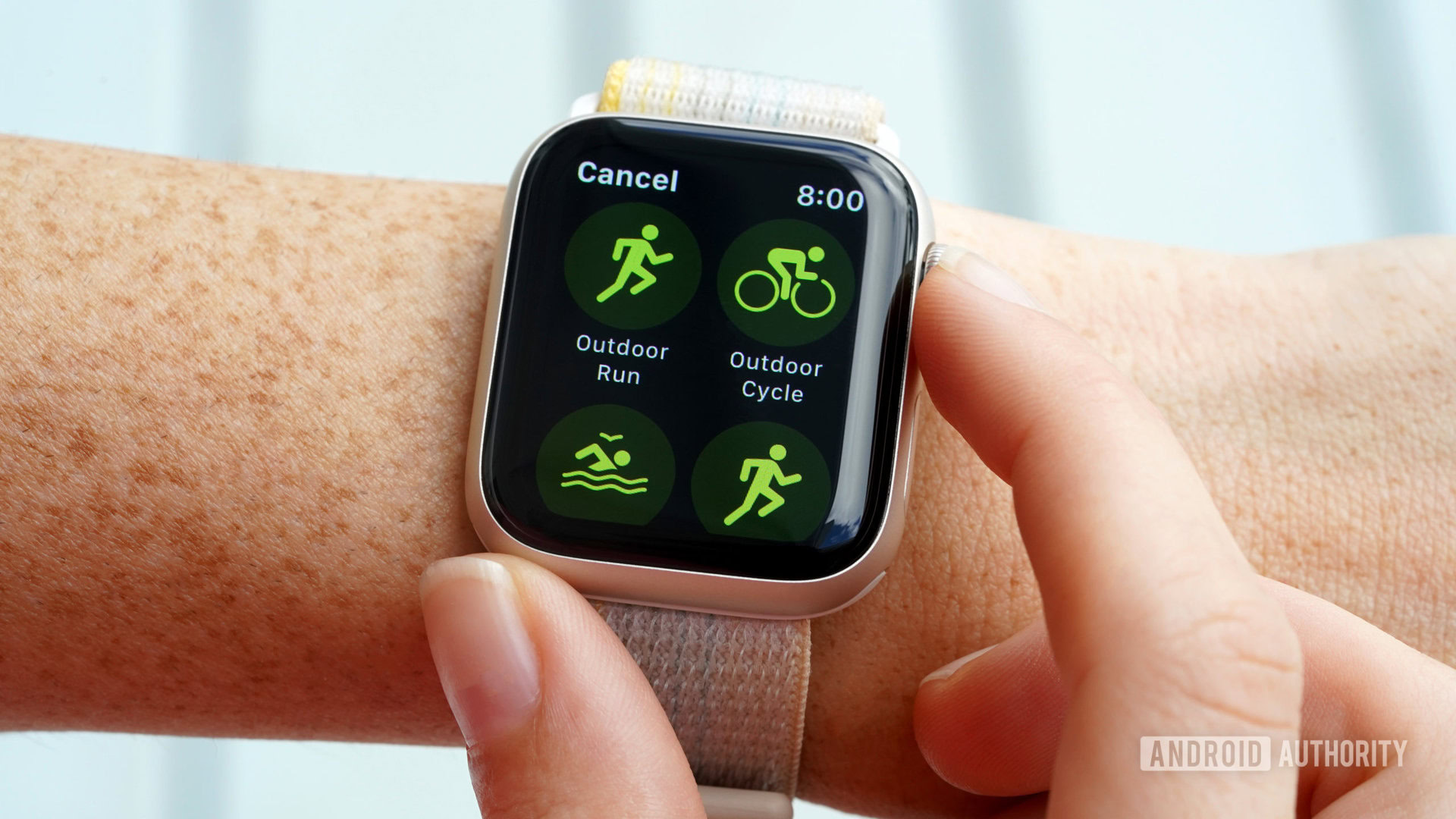
    An Apple Watch SE 2 user customizes a multisport workout.

    Users have the option to build a multisport workout from scratch. This allows for tailored workouts with unique activity combinations, customized views, and specific goals. Multisport workouts can incorporate any mix of the following activities:

    • Outdoor Run
    • Outdoor Cycle
    • Open Water Swim
    • Indoor Run
    • Indoor Cycle
    • Pool Swim

    Apple Watch Screenshot Workout AppApple Watch Screenshot MultisportApple Watch Screenshot Create WorkoutApple Watch Screenshot Add ActivityApple Watch Screenshot Custom TitleApple Watch Screenshot Create Workout Green

    Creating custom multisport or modified triathlon workouts on your Apple Watch involves a few simple steps:

    • Open the Workout app and navigate to Multisport.
    • Tap the More icon (three dots).
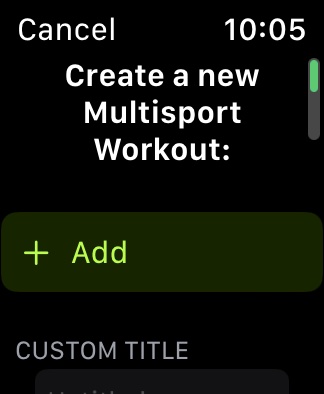
    • Scroll down and tap Create Workout.
    • Tap Add, then select the first activity for your workout.
      • Add subsequent activities as needed.
      • After adding, tap each activity to adjust workout views, alerts, or to change the order of the segments.
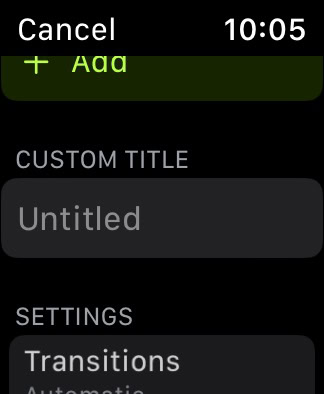
    • Tap Untitled under Custom Title, then enter a name for your new workout.
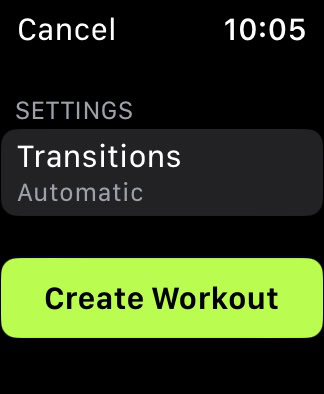
    • Tap Create Workout to save.

    A specific limitation in customization is that consecutive indoor and outdoor versions of the same activity cannot be included. For instance, a workout can feature Outdoor Run, Outdoor Cycle, Indoor Run, but not Outdoor Run followed immediately by Indoor Run, Outdoor Cycle. Similarly, an Outdoor Cycle cannot directly follow an Indoor Cycle, nor can a Pool Swim immediately follow an Open Water Swim.

    Frequently Asked Questions

    Which Apple Watch is best for triathletes?

    The Apple Watch Ultra is considered the top choice for triathletes and other race participants due to its Precision Start feature.

    Can an Apple Watch Ultra endure an Ironman-length event?

    Yes. Apple states the Apple Watch Ultra provides up to 36 hours of battery life, which can be extended to approximately 60 hours when using the device’s Low Power Mode.

    How do I delete a Multisport workout on the Apple Watch?

    To delete a Multisport workout: tap the More icon (three dots) on the Multisport workout tile. Then, tap the pencil icon next to the workout you wish to remove, scroll down, and tap Delete Workout. Confirm by tapping Delete.

    Share. Facebook Twitter Pinterest LinkedIn Tumblr Email
    Previous ArticlePhilips Hue Essential Lights: Great Value, But Original Bulbs Offer Superior Dimming
    Samuel Alejandro

    Related Posts

    Guides

    Was Windows 8 Really That Bad? A Revisit 13 Years Later

    January 12, 2026
    Guides

    M2 iPad Pro vs M1 iPad Pro: A Comprehensive Comparison

    January 12, 2026
    Products

    Razer Thinks AI Headphones Are Preferable to Smart Glasses

    January 11, 2026
    Add A Comment
    Leave A Reply Cancel Reply

    Latest Post

    ChatGPT Mobile App Surpasses $3 Billion in Consumer Spending

    December 21, 202512 Views

    Automate Your iPhone’s Always-On Display for Better Battery Life and Privacy

    December 21, 202510 Views

    Creator Tayla Cannon Lands $1.1M Investment for Rebuildr PT Software

    December 21, 20259 Views
    Stay In Touch
    • Facebook
    • YouTube
    • TikTok
    • WhatsApp
    • Twitter
    • Instagram
    About

    Welcome to NodeToday, your trusted source for the latest updates in Technology, Artificial Intelligence, and Innovation. We are dedicated to delivering accurate, timely, and insightful content that helps readers stay ahead in a fast-evolving digital world.

    At NodeToday, we cover everything from AI breakthroughs and emerging technologies to product launches, software tools, developer news, and practical guides. Our goal is to simplify complex topics and present them in a clear, engaging, and easy-to-understand way for tech enthusiasts, professionals, and beginners alike.

    Latest Post

    How to Use the Multisport Workout Mode on Apple Watch

    January 13, 20260 Views

    Philips Hue Essential Lights: Great Value, But Original Bulbs Offer Superior Dimming

    January 13, 20260 Views

    Russia-Aligned Hackers Exploit Viber to Target Ukrainian Government and Military

    January 13, 20260 Views
    Recent Posts
    • How to Use the Multisport Workout Mode on Apple Watch
    • Philips Hue Essential Lights: Great Value, But Original Bulbs Offer Superior Dimming
    • Russia-Aligned Hackers Exploit Viber to Target Ukrainian Government and Military
    • US Nears Trade Deal with Taiwan, Including TSMC Fab Commitment in Arizona
    • Enhanced Search Suggestions in Firefox
    Facebook X (Twitter) Instagram Pinterest
    • About Us
    • Contact Us
    • Privacy Policy
    • Terms & Conditions
    • Disclaimer
    • Cookie Policy
    © 2026 NodeToday.

    Type above and press Enter to search. Press Esc to cancel.