
Close Menu
    Latest Post

    Suspected Russian Actor Linked to CANFAIL Malware Attacks on Ukrainian Organizations

    February 22, 2026

    Trump Reinstates De Minimis Exemption Suspension Despite Supreme Court Ruling

    February 22, 2026

    How Cloudflare Mitigated a Vulnerability in its ACME Validation Logic

    February 21, 2026
    Facebook X (Twitter) Instagram
    Trending
    • Suspected Russian Actor Linked to CANFAIL Malware Attacks on Ukrainian Organizations
    • Trump Reinstates De Minimis Exemption Suspension Despite Supreme Court Ruling
    • How Cloudflare Mitigated a Vulnerability in its ACME Validation Logic
    • Demis Hassabis and John Jumper Receive Nobel Prize in Chemistry
    • How to Cancel Your Google Pixel Watch Fitbit Premium Trial
    • GHD Speed Hair Dryer Review: Powerful Performance and User-Friendly Design
    • An FBI ‘Asset’ Helped Run a Dark Web Site That Sold Fentanyl-Laced Drugs for Years
    • The Next Next Job, a framework for making big career decisions
    Facebook X (Twitter) Instagram Pinterest Vimeo
    NodeTodayNodeToday
    • Home
    • AI
    • Dev
    • Guides
    • Products
    • Security
    • Startups
    • Tech
    • Tools
    NodeTodayNodeToday
    Home»Guides»How to Join the Google Home Public Preview for Early Access Features
    Guides

    How to Join the Google Home Public Preview for Early Access Features

    Samuel AlejandroBy Samuel AlejandroFebruary 11, 2026No Comments2 Mins Read
    Share Facebook Twitter Pinterest LinkedIn Tumblr Reddit Telegram Email
    src f55for featured
    Share
    Facebook Twitter LinkedIn Pinterest Email

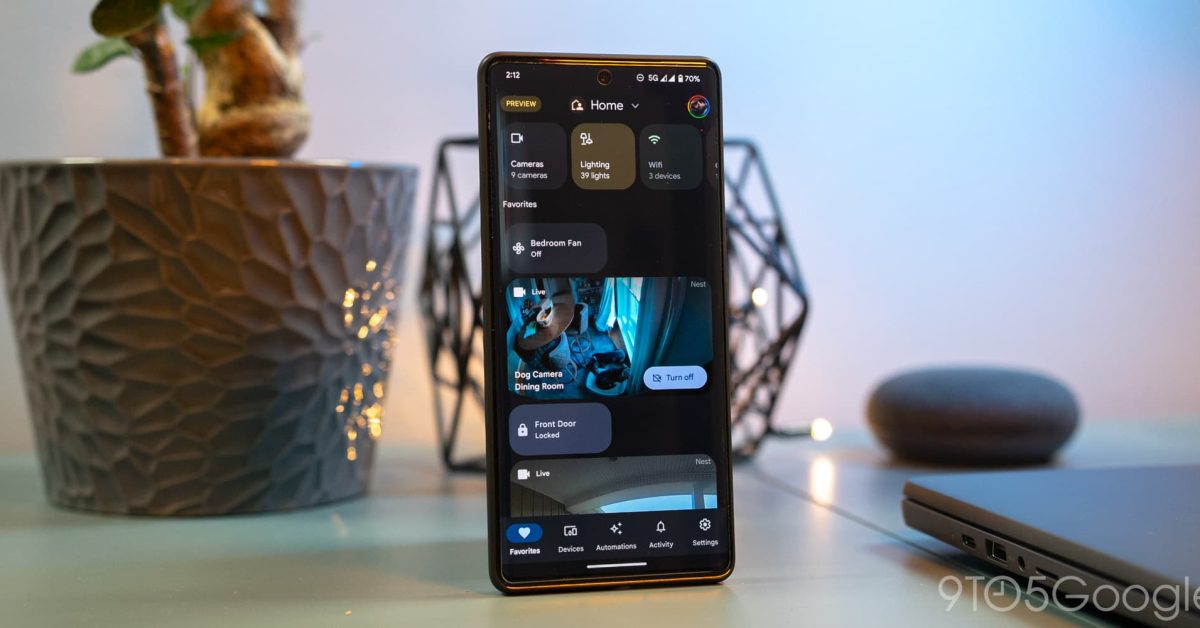
    Google frequently introduces new features and improvements for its smart home ecosystem. For users eager to experience these updates before their official public release, the Google Home Public Preview program offers an exclusive opportunity. This program allows participants to test upcoming functionalities on their compatible devices, such as Nest Hubs, Chromecast, and various Google Assistant-enabled speakers.

    Joining the Public Preview is a straightforward process, enabling users to provide feedback and help shape the future of Google Home. Here’s a step-by-step guide on how to enroll:

    How to Join the Google Home Public Preview Program

    1. Open the Google Home App: Launch the Google Home application on your smartphone or tablet.
    2. Access Settings: On the main screen, locate and tap the “Settings” icon.
    3. Find Public Preview: Scroll down through the settings menu until you find the “Public Preview” option. Tap on it.
    4. Initiate Enrollment: Within the Public Preview section, you will see an option to “Join.” Tap this button to proceed.
    5. Review Terms: Carefully read the terms and conditions associated with the program. Once reviewed, tap “Join program” to confirm your understanding and agreement.
    6. Select Devices: The app will then prompt you to choose which of your eligible Google Home devices you wish to enroll in the preview. This could include devices like your Nest Hub, Chromecast, or various smart speakers. Select all desired devices.
    7. Confirm Enrollment: After selecting your devices, confirm your choices to finalize the enrollment process.

    Image 1

    Once enrolled, your selected devices will begin receiving preview updates as they become available. It’s important to remember that preview features might not always be fully stable and could occasionally exhibit bugs or unexpected behavior, as they are still under development.

    How to Leave the Google Home Public Preview Program

    Should you decide to stop participating in the Public Preview program, the process to opt out is just as simple:

    1. Open the Google Home App: Launch the Google Home application.
    2. Access Settings: Tap the “Settings” icon.
    3. Find Public Preview: Scroll to and tap on the “Public Preview” option.
    4. Leave Program: Instead of “Join,” you will now see an option to “Leave program.” Tap this button.
    5. Confirm Exit: Confirm your decision to leave the program. Your devices will then revert to receiving standard public software updates.

    Participating in the Google Home Public Preview offers a unique chance to get a sneak peek at upcoming innovations and contribute to their development. Users can easily join or leave the program at any time through the Google Home app.

    Share. Facebook Twitter Pinterest LinkedIn Tumblr Email
    Previous ArticleVibe Coding Nothing’s Apps: Fun, But Not Always Useful
    Next Article Stack Gives Back 2025 Campaign Highlights
    Samuel Alejandro

    Related Posts

    Guides

    How to Cancel Your Google Pixel Watch Fitbit Premium Trial

    February 21, 2026
    Guides

    Unlock Instant Gaming Performance on Your Laptop with This GPU Setting

    February 21, 2026
    Guides

    How to craft a bow in Minecraft

    February 20, 2026
    Add A Comment
    Leave A Reply Cancel Reply

    Latest Post

    ChatGPT Mobile App Surpasses $3 Billion in Consumer Spending

    December 21, 202513 Views

    Creator Tayla Cannon Lands $1.1M Investment for Rebuildr PT Software

    December 21, 202511 Views

    Automate Your iPhone’s Always-On Display for Better Battery Life and Privacy

    December 21, 202510 Views
    Stay In Touch
    • Facebook
    • YouTube
    • TikTok
    • WhatsApp
    • Twitter
    • Instagram
    About

    Welcome to NodeToday, your trusted source for the latest updates in Technology, Artificial Intelligence, and Innovation. We are dedicated to delivering accurate, timely, and insightful content that helps readers stay ahead in a fast-evolving digital world.

    At NodeToday, we cover everything from AI breakthroughs and emerging technologies to product launches, software tools, developer news, and practical guides. Our goal is to simplify complex topics and present them in a clear, engaging, and easy-to-understand way for tech enthusiasts, professionals, and beginners alike.

    Latest Post

    Suspected Russian Actor Linked to CANFAIL Malware Attacks on Ukrainian Organizations

    February 22, 20260 Views

    Trump Reinstates De Minimis Exemption Suspension Despite Supreme Court Ruling

    February 22, 20260 Views

    How Cloudflare Mitigated a Vulnerability in its ACME Validation Logic

    February 21, 20260 Views
    Recent Posts
    • Suspected Russian Actor Linked to CANFAIL Malware Attacks on Ukrainian Organizations
    • Trump Reinstates De Minimis Exemption Suspension Despite Supreme Court Ruling
    • How Cloudflare Mitigated a Vulnerability in its ACME Validation Logic
    • Demis Hassabis and John Jumper Receive Nobel Prize in Chemistry
    • How to Cancel Your Google Pixel Watch Fitbit Premium Trial
    Facebook X (Twitter) Instagram Pinterest
    • About Us
    • Contact Us
    • Privacy Policy
    • Terms & Conditions
    • Disclaimer
    • Cookie Policy
    © 2026 NodeToday.

    Type above and press Enter to search. Press Esc to cancel.