


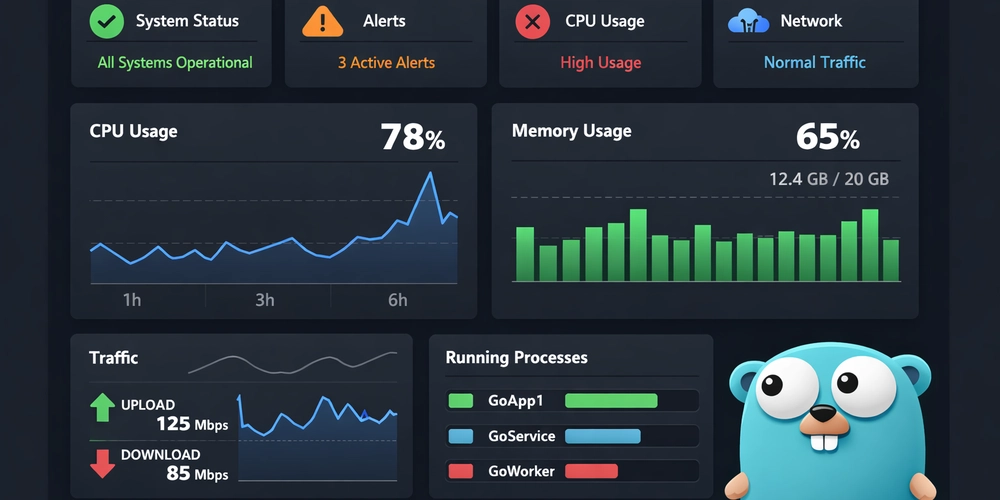

Monitoring is a critical part of running reliable software, yet many teams only discover outages after users complaints starts rolling in. Imagine getting a Slack message at 2 AM, indicating that APIs have been down for over an hour without anyone noticing until customers complained. A monitoring service addresses this by enabling proactive incident response, preventing problems from escalating.
This tutorial details building a status monitoring application from scratch. Upon completion, the system will:
- Probe services on a schedule (HTTP, TCP, DNS, and more)
- Detect outages and send alerts to various communication channels (Teams, Slack, etc)
- Track incidents with automatic open/close functionality
- Expose metrics for Prometheus and Grafana dashboards
- Run within Docker containers
Go is utilized for this application due to its speed, compilation into a single binary for cross-platform support, and robust concurrency handling, which is essential for simultaneously monitoring multiple endpoints.
What We’re Building
This article details building a Go application ‘StatusD’. It reads a configuration file containing a list of services to monitor, probes them, creates incidents, and dispatches notifications when issues arise.
Tech Stack Used:
- Golang
- PostgreSQL
- Grafana (Prometheus for metric)
- Docker
- Nginx
The high-level architecture is shown below:
┌─────────────────────────────────────────────────────────────────┐
│                        Docker Compose                           │
│  ┌──────────┐  ┌──────────┐  ┌──────────┐  ┌──────────────────┐ │
│  │ Postgres │  │Prometheus│  │  Grafana │  │      Nginx       │ │
│  │    DB    │  │ (metrics)│  │(dashboard)│  │ (reverse proxy) │ │
│  └────┬─────┘  └────┬─────┘  └────┬─────┘  └────────┬─────────┘ │
│       │             │             │                  │          │
│       └─────────────┴─────────────┴──────────────────┘          │
│                              │                                  │
│                    ┌─────────┴─────────┐                        │
│                    │      StatusD      │                        │
│                    │   (our Go app)    │                        │
│                    └─────────┬─────────┘                        │
│                              │                                  │
└──────────────────────────────┼──────────────────────────────────┘
                               │
              ┌────────────────┼────────────────┐
              ▼                ▼                ▼
         ┌────────┐       ┌────────┐       ┌────────┐
         │Service │       │Service │       │Service │
         │   A    │       │   B    │       │   C    │
         └────────┘       └────────┘       └────────┘
Project Structure
Understanding the project structure is essential before beginning to code. The structure is as follows:
status-monitor/
├── cmd/statusd/
│   └── main.go              # Application entry point
├── internal/
│   ├── models/
│   │   └── models.go        # Data structures (Asset, Incident, etc.)
│   ├── probe/
│   │   ├── probe.go         # Probe registry
│   │   └── http.go          # HTTP probe implementation
│   ├── scheduler/
│   │   └── scheduler.go     # Worker pool and scheduling
│   ├── alert/
│   │   └── engine.go        # State machine and notifications
│   ├── notifier/
│   │   └── teams.go         # Teams/Slack integration
│   ├── store/
│   │   └── postgres.go      # Database layer
│   ├── api/
│   │   └── handlers.go      # REST API
│   └── config/
│       └── manifest.go      # Config loading
├── config/
│   ├── manifest.json        # Services to monitor
│   └── notifiers.json       # Notification channels
├── migrations/
│   └── 001_init_schema.up.sql
├── docker-compose.yml
├── Dockerfile
└── entrypoint.sh
The Core Data Models
This section defines the core data models, or ‘types,’ that represent a monitored service.
Four primary ‘types’ are defined:
-
Asset: This represents a service to be monitored.
-
ProbeResult: This captures the outcome of an Asset check, including response, latency, etc.
-
Incident: This tracks issues, specifically when a ProbeResult indicates an unexpected response, and when the service recovers.
-
Notification: This refers to an alert or message sent to designated communication channels, such as Teams, Slack, or email.
The types are defined in code as:
// internal/models/models.go
package models

import "time"

// Asset represents a monitored service
type Asset struct {
    ID                  string            `json:"id"`
    AssetType           string            `json:"assetType"` // http, tcp, dns, etc.
    Name                string            `json:"name"`
    Address             string            `json:"address"`
    IntervalSeconds     int               `json:"intervalSeconds"`
    TimeoutSeconds      int               `json:"timeoutSeconds"`
    ExpectedStatusCodes []int             `json:"expectedStatusCodes,omitempty"`
    Metadata            map[string]string `json:"metadata,omitempty"`
}

// ProbeResult contains the outcome of a single health check
type ProbeResult struct {
    AssetID   string
    Timestamp time.Time
    Success   bool
    LatencyMs int64
    Code      int    // HTTP status code
    Message   string // Error message if failed
}

// Incident tracks a service outage
type Incident struct {
    ID        string
    AssetID   string
    StartedAt time.Time
    EndedAt   *time.Time // nil if still open
    Severity  string
    Summary   string
}

// Notification is what we send to Slack/Teams
type Notification struct {
    AssetID   string
    AssetName string
    Event     string    // "DOWN", "RECOVERY", "UP"
    Timestamp time.Time
    Details   string
}
The ExpectedStatusCodes field in the Asset type is important; it allows defining what ‘healthy’ means for each service, as not all endpoints return a 200 status, with some returning 204 or redirects.
Database Schema
PostgreSQL is used to store probe results and incidents. The database schema is presented below:
-- migrations/001_init_schema.up.sql

CREATE TABLE IF NOT EXISTS assets (
    id TEXT PRIMARY KEY,
    name TEXT NOT NULL,
    address TEXT NOT NULL,
    asset_type TEXT NOT NULL DEFAULT 'http',
    interval_seconds INTEGER DEFAULT 300,
    timeout_seconds INTEGER DEFAULT 5,
    expected_status_codes TEXT,
    metadata JSONB,
    created_at TIMESTAMP DEFAULT CURRENT_TIMESTAMP
);

CREATE TABLE IF NOT EXISTS probe_events (
    id UUID PRIMARY KEY DEFAULT gen_random_uuid(),
    asset_id TEXT NOT NULL REFERENCES assets(id),
    timestamp TIMESTAMP WITH TIME ZONE NOT NULL,
    success BOOLEAN NOT NULL,
    latency_ms BIGINT NOT NULL,
    code INTEGER,
    message TEXT
);

CREATE TABLE IF NOT EXISTS incidents (
    id SERIAL PRIMARY KEY,
    asset_id TEXT NOT NULL REFERENCES assets(id),
    severity TEXT DEFAULT 'INITIAL',
    summary TEXT,
    started_at TIMESTAMP DEFAULT CURRENT_TIMESTAMP,
    ended_at TIMESTAMP
);

-- Indexes for common queries
CREATE INDEX IF NOT EXISTS idx_probe_events_asset_id_timestamp
    ON probe_events(asset_id, timestamp DESC);
CREATE INDEX IF NOT EXISTS idx_incidents_asset_id
    ON incidents(asset_id);
CREATE INDEX IF NOT EXISTS idx_incidents_ended_at
    ON incidents(ended_at);
A key aspect of the probe_events table is its indexing by asset_id and timestamp DESC. This indexing strategy enables efficient querying of a service’s probe results.
Building the Probe System
To support probing across various protocol types like HTTPS, TCP, DNS, and more without relying on complex switch statements, a registry pattern is employed.
First, the structure of a probe is defined:
// internal/probe/probe.go
package probe

import (
    "context"
    "fmt"
    "github.com/yourname/status/internal/models"
)

// Probe defines the interface for checking service health
type Probe interface {
    Probe(ctx context.Context, asset models.Asset) (models.ProbeResult, error)
}

// registry holds all probe types
var registry = make(map[string]func() Probe)

// Register adds a probe type to the registry
func Register(assetType string, factory func() Probe) {
    registry[assetType] = factory
}

// GetProbe returns a probe for the given asset type
func GetProbe(assetType string) (Probe, error) {
    factory, ok := registry[assetType]
    if !ok {
        return nil, fmt.Errorf("unknown asset type: %s", assetType)
    }
    return factory(), nil
}
The HTTP probe implementation is as follows:
// internal/probe/http.go
package probe

import (
    "context"
    "io"
    "net/http"
    "time"
    "github.com/yourname/status/internal/models"
)

func init() {
    Register("http", func() Probe { return &httpProbe{} })
}

type httpProbe struct{}

func (p *httpProbe) Probe(ctx context.Context, asset models.Asset) (models.ProbeResult, error) {
    result := models.ProbeResult{
        AssetID:   asset.ID,
        Timestamp: time.Now(),
    }

    client := &http.Client{
        Timeout: time.Duration(asset.TimeoutSeconds) * time.Second,
    }

    req, err := http.NewRequestWithContext(ctx, http.MethodGet, asset.Address, nil)
    if err != nil {
        result.Success = false
        result.Message = err.Error()
        return result, err
    }

    start := time.Now()
    resp, err := client.Do(req)
    result.LatencyMs = time.Since(start).Milliseconds()

    if err != nil {
        result.Success = false
        result.Message = err.Error()
        return result, err
    }
    defer resp.Body.Close()

    // Read body (limit to 1MB)
    io.ReadAll(io.LimitReader(resp.Body, 1024*1024))

    result.Code = resp.StatusCode

    // Check if status code is expected
    if len(asset.ExpectedStatusCodes) > 0 {
        for _, code := range asset.ExpectedStatusCodes {
            if code == resp.StatusCode {
                result.Success = true
                return result, nil
            }
        }
        result.Success = false
        result.Message = "unexpected status code"
    } else {
        result.Success = resp.StatusCode < 400
    }

    return result, nil
}
The init() function automatically registers the HTTP probe when the Go application starts, eliminating the need for manual code changes. To add TCP probes, one would create a tcp.go file, implement the necessary interface, and register it within its init() function.
Scheduling and Concurrency
To probe all assets on a schedule, a worker pool is utilized. This approach enables concurrent execution of multiple probes without creating a separate goroutine for each service.
// internal/scheduler/scheduler.go
package scheduler

import (
    "context"
    "sync"
    "time"
    "github.com/yourname/status/internal/models"
    "github.com/yourname/status/internal/probe"
)

type JobHandler func(result models.ProbeResult)

type Scheduler struct {
    workers int
    jobs    chan models.Asset
    tickers map[string]*time.Ticker
    handler JobHandler
    mu      sync.Mutex
    done    chan struct{}
    wg      sync.WaitGroup
}

func NewScheduler(workerCount int, handler JobHandler) *Scheduler {
    return &Scheduler{
        workers: workerCount,
        jobs:    make(chan models.Asset, 100),
        tickers: make(map[string]*time.Ticker),
        handler: handler,
        done:    make(chan struct{}),
    }
}

func (s *Scheduler) Start(ctx context.Context) {
    for i := 0; i < s.workers; i++ {
        s.wg.Add(1)
        go s.worker(ctx)
    }
}

func (s *Scheduler) ScheduleAssets(assets []models.Asset) error {
    s.mu.Lock()
    defer s.mu.Unlock()

    for _, asset := range assets {
        interval := time.Duration(asset.IntervalSeconds) * time.Second
        ticker := time.NewTicker(interval)
        s.tickers[asset.ID] = ticker

        s.wg.Add(1)
        go s.scheduleAsset(asset, ticker)
    }
    return nil
}

func (s *Scheduler) scheduleAsset(asset models.Asset, ticker *time.Ticker) {
    defer s.wg.Done()
    for {
        select {
        case <-s.done:
            ticker.Stop()
            return
        case <-ticker.C:
            s.jobs <- asset
        }
    }
}

func (s *Scheduler) worker(ctx context.Context) {
    defer s.wg.Done()
    for {
        select {
        case <-s.done:
            return
        case asset := <-s.jobs:
            p, err := probe.GetProbe(asset.AssetType)
            if err != nil {
                continue
            }
            result, _ := p.Probe(ctx, asset)
            s.handler(result)
        }
    }
}

func (s *Scheduler) Stop() {
    close(s.done)
    close(s.jobs)
    s.wg.Wait()
}
Each asset is assigned a dedicated ticker goroutine responsible solely for scheduling. When an asset needs checking, its ticker dispatches a probe job to a channel. A fixed number of worker goroutines monitor this channel and perform the actual probing tasks.
Probes are not executed directly within ticker goroutines because they can block during network responses or timeouts. Workers are used to manage concurrency; for instance, with 4 workers and 100 assets, only 4 probes will run concurrently, even if multiple tickers activate simultaneously. The channel buffers pending jobs, and a sync.WaitGroup ensures a clean shutdown for all workers.
Incident Detection: The State Machine
A single probe failure does not automatically trigger an incident, as it could be a transient network issue. However, persistent failures lead to incident creation. Upon recovery, the incident is closed, and notifications are sent.
This process functions as a state machine: UP → DOWN → UP.
The engine is constructed as follows:
// internal/alert/engine.go
package alert

import (
    "context"
    "fmt"
    "sync"
    "time"
    "github.com/yourname/status/internal/models"
    "github.com/yourname/status/internal/store"
)

type NotifierFunc func(ctx context.Context, notification models.Notification) error

type AssetState struct {
    IsUp           bool
    LastProbeTime  time.Time
    OpenIncidentID string
}

type Engine struct {
    store      store.Store
    notifiers  map[string]NotifierFunc
    mu         sync.RWMutex
    assetState map[string]AssetState
}

func NewEngine(store store.Store) *Engine {
    return &Engine{
        store:      store,
        notifiers:  make(map[string]NotifierFunc),
        assetState: make(map[string]AssetState),
    }
}

func (e *Engine) RegisterNotifier(name string, fn NotifierFunc) {
    e.mu.Lock()
    defer e.mu.Unlock()
    e.notifiers[name] = fn
}

func (e *Engine) Process(ctx context.Context, result models.ProbeResult, asset models.Asset) error {
    e.mu.Lock()
    defer e.mu.Unlock()

    state := e.assetState[result.AssetID]
    state.LastProbeTime = result.Timestamp

    // State hasn't changed? Nothing to do.
    if state.IsUp == result.Success {
        e.assetState[result.AssetID] = state
        return nil
    }

    // Save probe event
    if err := e.store.SaveProbeEvent(ctx, result); err != nil {
        return err
    }

    if result.Success && !state.IsUp {
        // Recovery!
        return e.handleRecovery(ctx, asset, state)
    } else if !result.Success && state.IsUp {
        // Outage!
        return e.handleOutage(ctx, asset, state, result)
    }

    return nil
}

func (e *Engine) handleOutage(ctx context.Context, asset models.Asset, state AssetState, result models.ProbeResult) error {
    incidentID, err := e.store.CreateIncident(ctx, asset.ID, fmt.Sprintf("Service %s is down", asset.Name))
    if err != nil {
        return err
    }

    state.IsUp = false
    state.OpenIncidentID = incidentID
    e.assetState[asset.ID] = state

    notification := models.Notification{
        AssetID:   asset.ID,
        AssetName: asset.Name,
        Event:     "DOWN",
        Timestamp: result.Timestamp,
        Details:   result.Message,
    }

    return e.sendNotifications(ctx, notification)
}

func (e *Engine) handleRecovery(ctx context.Context, asset models.Asset, state AssetState) error {
    if state.OpenIncidentID != "" {
        e.store.CloseIncident(ctx, state.OpenIncidentID)
    }

    state.IsUp = true
    state.OpenIncidentID = ""
    e.assetState[asset.ID] = state

    notification := models.Notification{
        AssetID:   asset.ID,
        AssetName: asset.Name,
        Event:     "RECOVERY",
        Timestamp: time.Now(),
        Details:   "Service has recovered",
    }

    return e.sendNotifications(ctx, notification)
}

func (e *Engine) sendNotifications(ctx context.Context, notification models.Notification) error {
    for name, notifier := range e.notifiers {
        if err := notifier(ctx, notification); err != nil {
            fmt.Printf("notifier %s failed: %v\n", name, err)
        }
    }
    return nil
}
A key design choice involves tracking asset state in memory (assetState) for rapid lookups, while incidents are persisted to the database for durability. This allows state to be rebuilt from open incidents if the process restarts.
Sending Notifications
When an issue occurs, it is crucial to inform relevant parties. Notifications must be dispatched to various communication channels.
The Teams notifier is defined as:
// internal/notifier/teams.go
package notifier

import (
    "bytes"
    "context"
    "encoding/json"
    "fmt"
    "net/http"
    "time"
    "github.com/yourname/status/internal/models"
)

type TeamsNotifier struct {
    webhookURL string
    client     *http.Client
}

func NewTeamsNotifier(webhookURL string) *TeamsNotifier {
    return &TeamsNotifier{
        webhookURL: webhookURL,
        client:     &http.Client{Timeout: 10 * time.Second},
    }
}

func (t *TeamsNotifier) Notify(ctx context.Context, n models.Notification) error {
    emoji := "🟢"
    if n.Event == "DOWN" {
        emoji = "🔴"
    }

    card := map[string]interface{}{
        "type": "message",
        "attachments": []map[string]interface{}{
            {
                "contentType": "application/vnd.microsoft.card.adaptive",
                "content": map[string]interface{}{
                    "$schema": "http://adaptivecards.io/schemas/adaptive-card.json",
                    "type":    "AdaptiveCard",
                    "version": "1.4",
                    "body": []map[string]interface{}{
                        {
                            "type":   "TextBlock",
                            "text":   fmt.Sprintf("%s %s - %s", emoji, n.AssetName, n.Event),
                            "weight": "Bolder",
                            "size":   "Large",
                        },
                        {
                            "type": "FactSet",
                            "facts": []map[string]interface{}{
                                {"title": "Service", "value": n.AssetName},
                                {"title": "Status", "value": n.Event},
                                {"title": "Time", "value": n.Timestamp.Format(time.RFC1123)},
                                {"title": "Details", "value": n.Details},
                            },
                        },
                    },
                },
            },
        },
    }

    body, _ := json.Marshal(card)
    req, _ := http.NewRequestWithContext(ctx, "POST", t.webhookURL, bytes.NewReader(body))
    req.Header.Set("Content-Type", "application/json")

    resp, err := t.client.Do(req)
    if err != nil {
        return err
    }
    defer resp.Body.Close()

    if resp.StatusCode >= 300 {
        return fmt.Errorf("Teams webhook returned %d", resp.StatusCode)
    }
    return nil
}
Teams utilizes Adaptive Cards for enhanced formatting. Similar notifiers can be defined for other communication platforms, such as Slack or Discord.
The REST API
Endpoints are required to query the status of monitored services. Chi, a lightweight router supporting route parameters like /assets/{id}, is employed for this purpose.
The APIs are defined as:
// internal/api/handlers.go
package api

import (
    "encoding/json"
    "net/http"
    "github.com/go-chi/chi/v5"
    "github.com/go-chi/chi/v5/middleware"
    "github.com/yourname/status/internal/store"
)

type Server struct {
    store store.Store
    mux   *chi.Mux
}

func NewServer(s store.Store) *Server {
    srv := &Server{store: s, mux: chi.NewRouter()}

    srv.mux.Use(middleware.Logger)
    srv.mux.Use(middleware.Recoverer)

    srv.mux.Route("/api", func(r chi.Router) {
        r.Get("/health", srv.health)
        r.Get("/assets", srv.listAssets)
        r.Get("/assets/{id}/events", srv.getAssetEvents)
        r.Get("/incidents", srv.listIncidents)
    })

    return srv
}

func (s *Server) ServeHTTP(w http.ResponseWriter, r *http.Request) {
    s.mux.ServeHTTP(w, r)
}

func (s *Server) health(w http.ResponseWriter, r *http.Request) {
    w.Header().Set("Content-Type", "application/json")
    json.NewEncoder(w).Encode(map[string]string{"status": "healthy"})
}

func (s *Server) listAssets(w http.ResponseWriter, r *http.Request) {
    assets, err := s.store.GetAssets(r.Context())
    if err != nil {
        http.Error(w, err.Error(), 500)
        return
    }
    w.Header().Set("Content-Type", "application/json")
    json.NewEncoder(w).Encode(assets)
}

func (s *Server) getAssetEvents(w http.ResponseWriter, r *http.Request) {
    id := chi.URLParam(r, "id")
    events, _ := s.store.GetProbeEvents(r.Context(), id, 100)
    w.Header().Set("Content-Type", "application/json")
    json.NewEncoder(w).Encode(events)
}

func (s *Server) listIncidents(w http.ResponseWriter, r *http.Request) {
    incidents, _ := s.store.GetOpenIncidents(r.Context())
    w.Header().Set("Content-Type", "application/json")
    json.NewEncoder(w).Encode(incidents)
}
The provided code defines a small HTTP API server, exposing four read-only endpoints:
GET /api/health – Health check (to confirm service operation)
GET /api/assets – Lists all monitored services
GET /api/assets/{id}/events – Retrieves probe history for a specific service
GET /api/incidents – Lists open incidents
Dockerizing the Application
Dockerizing the application is straightforward due to Go’s compilation into a single binary. A multi-stage build is used to minimize the final image size:
# Dockerfile
FROM golang:1.24-alpine AS builder
WORKDIR /app

RUN apk add --no-cache git
COPY go.mod go.sum ./
RUN go mod download
COPY . .
RUN CGO_ENABLED=0 GOOS=linux go build -o statusd ./cmd/statusd/

FROM alpine:latest
WORKDIR /app
RUN apk --no-cache add ca-certificates
COPY --from=builder /app/statusd .
COPY entrypoint.sh .
RUN chmod +x /app/entrypoint.sh

EXPOSE 8080
ENTRYPOINT ["/app/entrypoint.sh"]
The builder stage handles code compilation. The final stage consists of Alpine Linux combined with the compiled binary, typically resulting in an image under 20MB.
The entrypoint script constructs the database connection string using environment variables:
#!/bin/sh
# entrypoint.sh

DB_HOST=${DB_HOST:-localhost}
DB_PORT=${DB_PORT:-5432}
DB_USER=${DB_USER:-status}
DB_PASSWORD=${DB_PASSWORD:-status}
DB_NAME=${DB_NAME:-status_db}

DB_CONN_STRING="postgres://${DB_USER}:${DB_PASSWORD}@${DB_HOST}:${DB_PORT}/${DB_NAME}"

exec ./statusd \
  -manifest /app/config/manifest.json \
  -notifiers /app/config/notifiers.json \
  -db "$DB_CONN_STRING" \
  -workers 4 \
  -api-port 8080
Docker Compose: Putting It All Together
A single docker-compose.yml file orchestrates the entire setup:
# docker-compose.yml
version: "3.8"

services:
  postgres:
    image: postgres:15-alpine
    container_name: status_postgres
    environment:
      POSTGRES_USER: status
      POSTGRES_PASSWORD: changeme
      POSTGRES_DB: status_db
    volumes:
      - postgres_data:/var/lib/postgresql/data
      - ./migrations:/docker-entrypoint-initdb.d
    healthcheck:
      test: ["CMD-SHELL", "pg_isready -U status"]
      interval: 10s
      timeout: 5s
      retries: 5
    networks:
      - status_network

  statusd:
    build: .
    container_name: status_app
    environment:
      - DB_HOST=postgres
      - DB_PORT=5432
      - DB_USER=status
      - DB_PASSWORD=changeme
      - DB_NAME=status_db
    volumes:
      - ./config:/app/config:ro
    depends_on:
      postgres:
        condition: service_healthy
    networks:
      - status_network

  prometheus:
    image: prom/prometheus:latest
    container_name: status_prometheus
    volumes:
      - ./docker/prometheus.yml:/etc/prometheus/prometheus.yml
      - prometheus_data:/prometheus
    networks:
      - status_network
    depends_on:
      - statusd

  grafana:
    image: grafana/grafana:latest
    container_name: status_grafana
    environment:
      GF_SECURITY_ADMIN_USER: admin
      GF_SECURITY_ADMIN_PASSWORD: admin
    volumes:
      - grafana_data:/var/lib/grafana
    networks:
      - status_network
    depends_on:
      - prometheus

  nginx:
    image: nginx:alpine
    container_name: status_nginx
    volumes:
      - ./docker/nginx/nginx.conf:/etc/nginx/nginx.conf:ro
      - ./docker/nginx/conf.d:/etc/nginx/conf.d:ro
    ports:
      - "80:80"
    depends_on:
      - statusd
      - grafana
      - prometheus
    networks:
      - status_network

networks:
  status_network:
    driver: bridge

volumes:
  postgres_data:
  prometheus_data:
  grafana_data:
Key points to observe include:
- PostgreSQL healthcheck: The
statusdservice waits for Postgres to be fully operational, not just started, preventing ‘connection refused’ errors during initial boot. - Config mount: The
./configdirectory is mounted as read-only. Local edits to the manifest file are reflected in the running container. - Nginx: Handles routing external traffic to the Grafana and Prometheus dashboards.
Configuration Files
The application utilizes two configuration files: manifest.json and notifiers.json.
- The
manifest.jsonfile enumerates the assets designated for monitoring. Each asset requires an ID, a probe type, and an address.intervalSecondsdictates the checking frequency (e.g., 60 for once per minute).expectedStatusCodesallows defining ‘healthy’ states, accommodating endpoints that might return 301 redirects or 204 No Content.
// config/manifest.json
{
  "assets": [
    {
      "id": "api-prod",
      "assetType": "http",
      "name": "Production API",
      "address": "https://api.example.com/health",
      "intervalSeconds": 60,
      "timeoutSeconds": 5,
      "expectedStatusCodes": [200],
      "metadata": {
        "env": "prod",
        "owner": "platform-team"
      }
    },
    {
      "id": "web-prod",
      "assetType": "http",
      "name": "Production Website",
      "address": "https://www.example.com",
      "intervalSeconds": 120,
      "timeoutSeconds": 10,
      "expectedStatusCodes": [200, 301]
    }
  ]
}
- The
notifiers.jsonfile governs alert distribution. It defines notification channels (e.g., Teams, Slack) and establishes policies for which channels activate on specific events. AthrottleSecondsvalue of 300, for example, prevents excessive notifications for the same issue, limiting them to once every 5 minutes.
// config/notifiers.json
{
  "notifiers": {
    "teams": {
      "type": "teams",
      "webhookUrl": "https://outlook.office.com/webhook/your-webhook-url"
    }
  },
  "notificationPolicy": {
    "onDown": ["teams"],
    "onRecovery": ["teams"],
    "throttleSeconds": 300,
    "repeatAlerts": false
  }
}
Running It
docker-compose up -d
With these configurations, five services are launched:
- PostgreSQL stores data
- StatusD probes services
- Prometheus collects metrics
- Grafana displays dashboards (http://localhost:80)
- Nginx routes all traffic
To inspect the logs:
docker logs -f status_app
The expected output is:
Loading assets manifest...
Loaded 2 assets
Loading notifiers config...
Loaded 1 notifiers
Connecting to database...
Starting scheduler...
[✓] Production API (api-prod): 45ms
[✓] Production Website (web-prod): 120ms
Summary
This tutorial guides the creation of a monitoring system capable of:
- Reading services from a JSON config
- Probing them on a schedule using a worker pool
- Detecting outages and creating incidents
- Sending notifications to Teams/Slack
- Exposing metrics for Prometheus
- Running in Docker with one command
This tutorial provides the foundation for deploying a functional monitoring system. However, several advanced topics were not covered and could be explored in a subsequent part, including:
- Circuit breakers to prevent cascading failures when a service is flapping
- Multi-tier escalation to alert managers if the engineer on-call does not respond
- Alert deduplication to prevent notification storms
- Adaptive probe intervals to check more frequently during incidents
- Hot-reload configuration without restarting the service
- SLA calculations and compliance tracking
