



Firefox 145 introduces significant privacy enhancements designed to combat browser fingerprinting. This hidden tracking method allows websites to identify users even when cookies are blocked or private browsing is active. These new protections align with Mozilla’s ongoing commitment to fostering a more transparent and privacy-focused online environment.
Fingerprinting creates a covert digital identity by gathering subtle details about a user’s configuration, such as time zone or operating system settings. These details collectively form a unique “fingerprint” that can identify individuals across different websites and browsing sessions. A unique fingerprint enables trackers to continuously identify users invisibly, facilitating tracking without their awareness or permission. This form of online tracking can persist for months, even when private browsing modes are utilized.
User privacy has consistently been a central focus for Firefox. Since 2020, Firefox’s integrated Enhanced Tracking Protection (ETP) has blocked known trackers and intrusive practices. Features like Total Cookie Protection and the newly expanded fingerprinting defenses underscore a commitment to online freedom through privacy-by-design innovations. Since 2021, Firefox has progressively strengthened its anti-fingerprinting measures, targeting the most frequently collected data points used for suspected fingerprinting.
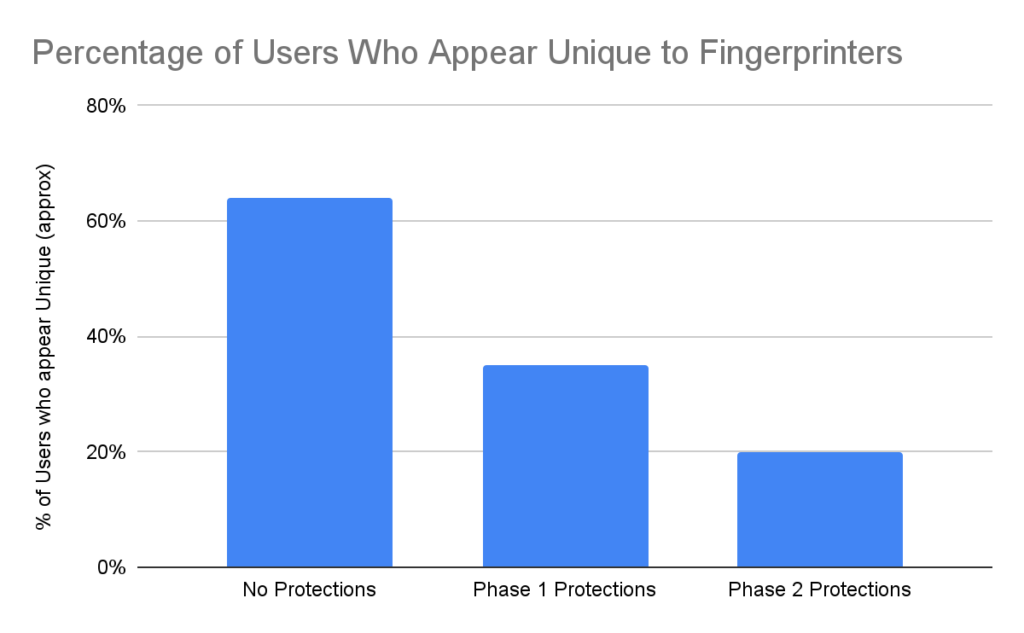
The second phase of defenses against persistent fingerprinters, which operate beyond known tracker lists, has been completed. These new fingerprinting protections are expected to reduce the number of Firefox users trackable by fingerprinters by half.
Building Stronger Defenses
Based on a global analysis of how browsers are fingerprinted in real-world scenarios, Mozilla has developed novel and effective defenses against these techniques. Firefox stands out as the first browser to possess such deep insight into fingerprinting and to deploy highly effective measures to mitigate it. Similar to Total Cookie Protection, these new defenses are initially available in Private Browsing Mode and ETP Strict mode, with plans to enable them by default.
How Firefox Provides Protection
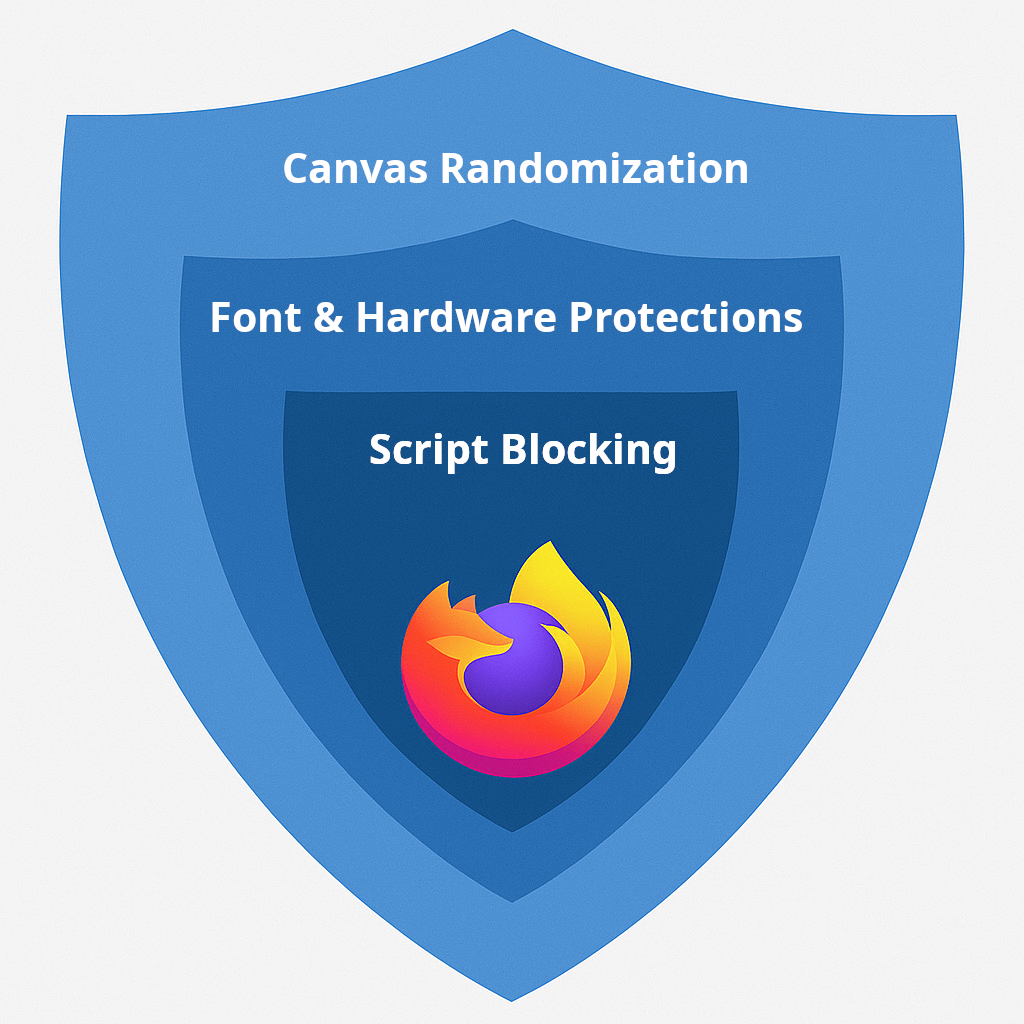
Fingerprinting protections operate on multiple layers, enhancing Firefox’s existing privacy features. For instance, Firefox has consistently blocked known tracking and fingerprinting scripts through its Enhanced Tracking Protection.
In addition to blocking trackers, Firefox restricts the information accessible to websites. This privacy-by-design strategy proactively reduces a user’s digital fingerprint. While browsers allow websites to request information for legitimate features, such as graphics hardware details for game optimization, trackers can exploit this same information solely to construct a browser fingerprint and track users across the internet.
Since 2021, Firefox has progressively improved its fingerprinting protections, addressing the most widespread techniques. These include mitigating data leaks related to graphics card rendering, installed fonts, and even subtle variations in mathematical computations. The initial phase focused on sealing the largest and most common sources of fingerprinting information.
Subsequent Firefox releases have addressed the next significant sources of user information exploited by online fingerprinters. This involves enhancing font protections and preventing websites from accessing hardware specifics such as processor core count, touchscreen multi-touch capability, and dock or taskbar dimensions. A comprehensive list of these detailed protections can be found in the documentation.
Research indicates that these enhancements have reduced the percentage of users identified as unique by nearly half.
The new Firefox protections strike a balance between disrupting fingerprinters and preserving web usability. While more aggressive blocking might seem appealing, it risks breaking legitimate website functionalities. For example, calendar, scheduling, and conferencing tools genuinely require access to a user’s real time zone. Firefox’s strategy involves targeting the most vulnerable fingerprinting vectors (the methods and scripts employed by trackers) while ensuring that essential site functionalities remain intact. This results in layered defenses that substantially reduce tracking without compromising the browsing experience. Further details are available regarding specific behaviors, how to identify issues on a site, and how to disable protections for individual sites, allowing users to maintain control. The objective is robust privacy protection that does not hinder user experience.
Future Privacy Enhancements
When using a Private Browsing window or ETP Strict mode, Firefox actively works to reduce user trackability. This latest phase of fingerprinting protections represents a significant achievement in providing intelligent, automatic privacy safeguards that require no additional extensions or configurations. Firefox continues its dedication to user privacy, empowering individuals to experience the web on their own terms. Users can upgrade to the latest Firefox to enhance their privacy control.
