
Close Menu
    Latest Post

    Edifier S880DB MKII Speakers: Feature-Rich with a Minor Bass Limitation

    January 7, 2026

    Medium’s CEO Details Path to Profitability After $2.6M Monthly Losses

    January 7, 2026

    Meta Acquires Chinese-Founded AI Startup Manus

    January 7, 2026
    Facebook X (Twitter) Instagram
    Trending
    • Edifier S880DB MKII Speakers: Feature-Rich with a Minor Bass Limitation
    • Medium’s CEO Details Path to Profitability After $2.6M Monthly Losses
    • Meta Acquires Chinese-Founded AI Startup Manus
    • Design System Annotations: Why Accessibility is Often Overlooked in Component Design (Part 1)
    • The Red-Teaming Resistance Leaderboard: Evaluating LLM Safety
    • Automating Your DevOps: Writing Scripts that Save Time and Headaches
    • The Most Overlooked Way to Stop Spam Calls on Android and iPhone
    • SteelSeries Arctis Nova 7P Gen 2 review: a highly versatile headset that’s become a daily driver
    Facebook X (Twitter) Instagram Pinterest Vimeo
    NodeTodayNodeToday
    • Home
    • AI
    • Dev
    • Guides
    • Products
    • Security
    • Startups
    • Tech
    • Tools
    NodeTodayNodeToday
    Home»Guides»How to Install the iOS 18 Public Beta on Your iPhone
    Guides

    How to Install the iOS 18 Public Beta on Your iPhone

    Samuel AlejandroBy Samuel AlejandroDecember 31, 2025No Comments2 Mins Read
    Share Facebook Twitter Pinterest LinkedIn Tumblr Reddit Telegram Email
    src k6wftb featured
    Share
    Facebook Twitter LinkedIn Pinterest Email

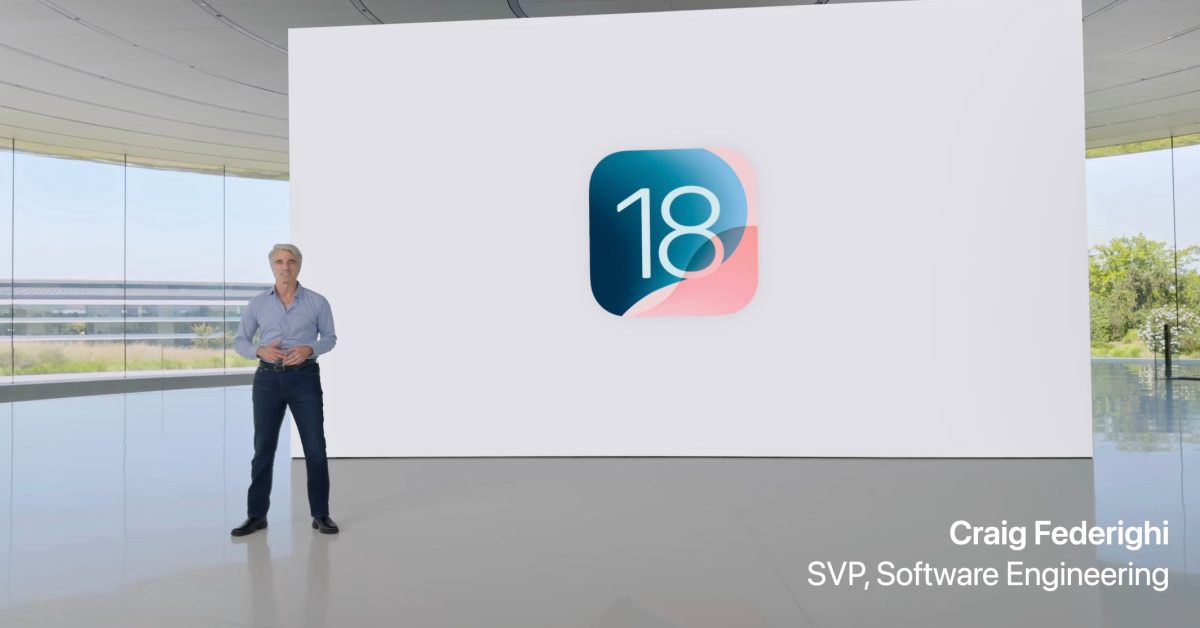
    Apple has released the public beta for iOS 18, offering users an early look at the upcoming features and improvements. Installing the public beta allows you to test new functionalities and provide feedback to Apple. This guide outlines the process for installing the iOS 18 public beta on your compatible iPhone.

    Before You Begin: Important Considerations

    Before proceeding with the installation, it is crucial to understand that beta software can be unstable and may contain bugs. It is generally recommended to install beta versions on a secondary device if possible. If you are using your primary device, ensure you have a complete backup.

    1. Back Up Your iPhone

    Creating a backup of your device is an essential step. This allows you to restore your iPhone to its current state if you encounter any issues with the beta or decide to revert to a stable iOS version.

    • iCloud Backup: Go to Settings > [Your Name] > iCloud > iCloud Backup and tap “Back Up Now.”
    • Computer Backup: Connect your iPhone to a computer, open Finder (macOS Catalina or later) or iTunes (macOS Mojave or earlier, or Windows), select your device, and create an encrypted backup.

    2. Enroll in the Apple Beta Software Program

    To access the public beta, you must be enrolled in the Apple Beta Software Program.

    1. Visit the Apple Beta Software Program website on your iPhone.
    2. Tap “Sign Up” or “Sign In” with your Apple ID.
    3. Accept the terms and conditions.

    3. Install the iOS 18 Public Beta

    Once enrolled and backed up, you can proceed with the installation.

    1. On your iPhone, go to Settings > General > Software Update.
    2. Tap on “Beta Updates.”
    3. Select “iOS 18 Public Beta.”
    4. Go back to the previous screen, and the iOS 18 Public Beta update should appear.
    5. Tap “Download and Install.”
    6. Follow the on-screen prompts to complete the installation. Your iPhone will restart during this process.

    Here are the things I love most about iOS 26 | Stylized iOS 26 graphic with a liquid glass heart

    After the installation is complete, your iPhone will be running iOS 18 public beta. You can now explore the new features and provide feedback to Apple through the Feedback Assistant app.

    Share. Facebook Twitter Pinterest LinkedIn Tumblr Email
    Previous ArticleNoise Luna Ring (Gen 2) Review: A Subscription-Free Oura Alternative
    Next Article Intent Prototyping: A Practical Guide To Building With Clarity (Part 2)
    Samuel Alejandro

    Related Posts

    Guides

    The Most Overlooked Way to Stop Spam Calls on Android and iPhone

    January 7, 2026
    Guides

    Stop using the wrong Gemini: The one setting you need to change for Gemini 3

    January 6, 2026
    Guides

    How to Make Money on Pinterest

    January 6, 2026
    Add A Comment
    Leave A Reply Cancel Reply

    Latest Post

    ChatGPT Mobile App Surpasses $3 Billion in Consumer Spending

    December 21, 202512 Views

    Automate Your iPhone’s Always-On Display for Better Battery Life and Privacy

    December 21, 202510 Views

    Creator Tayla Cannon Lands $1.1M Investment for Rebuildr PT Software

    December 21, 20259 Views
    Stay In Touch
    • Facebook
    • YouTube
    • TikTok
    • WhatsApp
    • Twitter
    • Instagram
    About

    Welcome to NodeToday, your trusted source for the latest updates in Technology, Artificial Intelligence, and Innovation. We are dedicated to delivering accurate, timely, and insightful content that helps readers stay ahead in a fast-evolving digital world.

    At NodeToday, we cover everything from AI breakthroughs and emerging technologies to product launches, software tools, developer news, and practical guides. Our goal is to simplify complex topics and present them in a clear, engaging, and easy-to-understand way for tech enthusiasts, professionals, and beginners alike.

    Latest Post

    Edifier S880DB MKII Speakers: Feature-Rich with a Minor Bass Limitation

    January 7, 20260 Views

    Medium’s CEO Details Path to Profitability After $2.6M Monthly Losses

    January 7, 20260 Views

    Meta Acquires Chinese-Founded AI Startup Manus

    January 7, 20260 Views
    Recent Posts
    • Edifier S880DB MKII Speakers: Feature-Rich with a Minor Bass Limitation
    • Medium’s CEO Details Path to Profitability After $2.6M Monthly Losses
    • Meta Acquires Chinese-Founded AI Startup Manus
    • Design System Annotations: Why Accessibility is Often Overlooked in Component Design (Part 1)
    • The Red-Teaming Resistance Leaderboard: Evaluating LLM Safety
    Facebook X (Twitter) Instagram Pinterest
    • About Us
    • Contact Us
    • Privacy Policy
    • Terms & Conditions
    • Disclaimer
    • Cookie Policy
    © 2026 NodeToday.

    Type above and press Enter to search. Press Esc to cancel.