


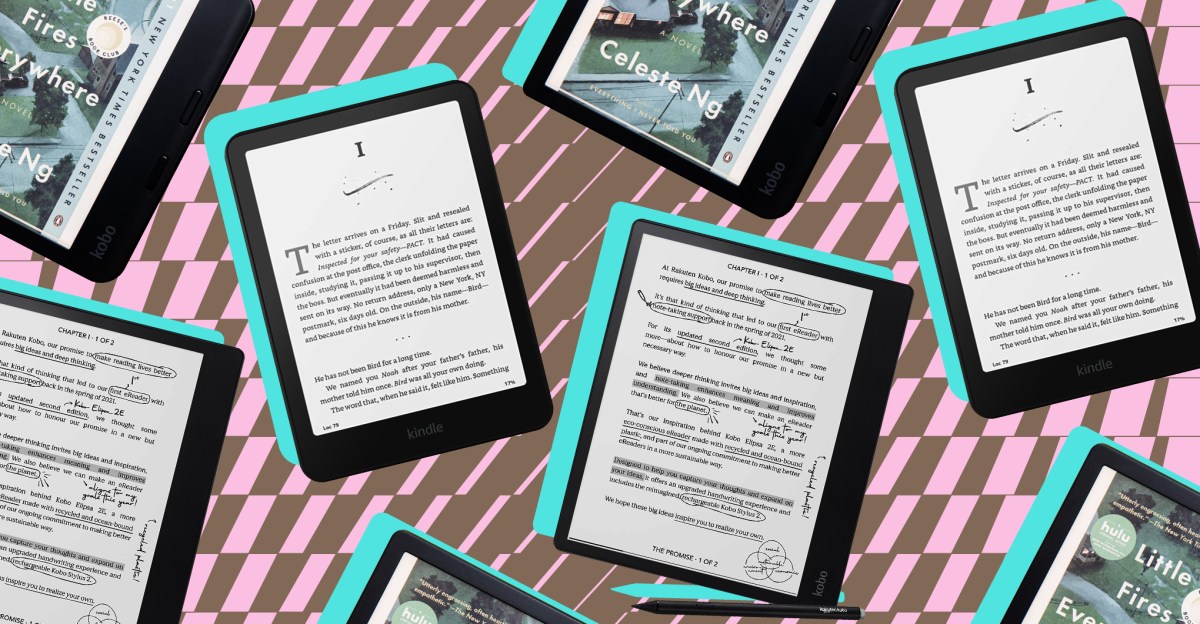
Any ebook reader can store a vast library of books in a compact form, similar to a smartphone. However, an e-reader provides a more book-like experience, reducing distractions and eye strain. Many models include features like adjustable frontlighting. Some are truly pocketable, others are waterproof, offer physical page-turning buttons, or even support note-taking.
Having extensively reviewed numerous e-readers over the years, from popular models like the Kindle Paperwhite to lesser-known alternatives such as the PocketBook Era, this guide highlights the best options for various needs, whether for durability, water resistance, or a comfortable reading experience.
Featured Products
Kindle Paperwhite (2024)


- $135 at Amazon (ad-supported)
- $135 at Best Buy (ad-supported)
Kobo Libra Colour (32GB, ad-free)


- $200 at Amazon
- $200 at Rakuten Kobo
Kindle (2024)


- $90 at Amazon (with ads)
- $90 at Best Buy (with ads)
Kobo Elipsa 2E


- $350 at Walmart
- $350 at Target
What to Look For in an E-Reader
How E-Readers Are Tested
When evaluating a new e-reader, it is used as a primary device for at least a full week. During this period, the e-reader serves as the main method for consuming ebooks, audiobooks, and most web articles. If the device includes note-taking capabilities, it is utilized for annotating books, jotting down reminders, to-do lists, and general notes, as well as for light journaling and doodling. Reading typically occurs for about an hour daily, extending on weekends, in various settings like the beach, bed, or bathtub. Books are purchased directly from the e-reader’s store, borrowed from libraries via Overdrive, and various file formats are sideloaded to assess ease of use.
Comfort
Ease of use and readability are crucial. A sharp display and responsive performance are essential for an enjoyable reading experience, as are the device’s size and weight.
Build Quality
Some e-readers offer specific features like waterproofing, allowing for reading in diverse environments. Others include physical buttons, enhancing the device’s intuitive operation.
Supported Content Types
Easy and direct access to a broad selection of digital titles, including audiobooks and various file formats, is a key consideration.
Affordability
The price should be justified by the e-reader’s features and overall offering.
In This Article
- The best Kindle
- The best non-Amazon ebook reader
- The best cheap ebook reader
- The best ebook reader for taking notes
- Other ebook readers tested
- What’s coming next
The Best Kindle
Kindle Paperwhite (2024)
- The Good
- Features the best-looking screen among e-readers
- Offers a slightly larger screen without significantly increasing device size
- Provides faster page turns, loading, and a more responsive user interface
- Includes a hint of color (without being a full-color screen)
- The Bad
- Upgrades are not as substantial compared to the previous Paperwhite model
- Lacks stylus support and physical page-turn buttons
- Signature Edition wireless charging can be frustrating without magnets
- The Signature Edition’s back panel feels less grippy
Dimensions: 7 x 5 x .3 inches / Weight: 211 grams / Screen area and resolution: 7-inch screen, 300ppi resolution / Storage: 16GB / Other features: IPX8 waterproofing, Bluetooth audio support
For those who primarily purchase ebooks from Amazon, the 12th-generation Kindle Paperwhite is often the best choice. Priced starting at $159.99, it offers a more affordable option than the Kobo Libra Colour while providing many similar features. These include a spacious 7-inch, 300ppi display with excellent contrast and an adjustable warm white frontlight, ensuring a clear and pleasant reading experience. The warm light also helps improve sleep by reducing blue light emission.
The warm white frontlighting is a significant advantage over the cool white light of the $109.99 base-model Kindle. Additionally, unlike the base Kindle, the Paperwhite boasts IPX8 water resistance. The $199.99 Signature Edition Paperwhite further includes an auto-adjusting frontlight and no lockscreen advertisements, along with wireless charging, a rare feature for an e-reader.

The latest Kindle Paperwhite offers a sharp display that’s easy to read.
Amazon holds a dominant position in the US ebook market, granting Kindle owners access to benefits unavailable to users of other e-readers. Amazon’s hardware strategy often involves offering substantial discounts to draw users into its content ecosystem. If one has Prime and frequently buys Kindle ebooks, the Paperwhite is an excellent option, as its ebooks and audiobooks are often on sale, and Prime members receive additional free content through Prime Reading. While rivals like Kobo also offer sales, they typically cannot match Amazon’s deep discounts.
However, there are some drawbacks. The Paperwhite displays lockscreen ads unless an additional $20 is paid to remove them. It can also be too large for comfortable one-handed holding. Perhaps the most significant flaw of the Kindle Paperwhite, shared by all Kindles except Fire tablets, is the difficulty in reading books purchased outside of Amazon’s store. Kindle ebook formats are proprietary and exclusively work on Kindle devices. Unlike Kobo and other e-readers, Kindles do not support EPUB files, an open format widely used by nearly every platform except Amazon. Consequently, if one frequently buys books from Kobo’s bookstore (or Barnes & Noble, Google Play Books, etc.), those books cannot be easily read on a Kindle without using a workaround. Methods exist to convert and transfer file formats for Kindle compatibility and vice versa, but these require extra steps.
Nevertheless, if one does not purchase books from other sources or is content with Amazon’s offerings, the Kindle Paperwhite provides a satisfying experience.
Read the Kindle Paperwhite review.
The Best Non-Amazon Ebook Reader


Kobo Libra Colour (32GB, ad-free)
- The Good
- Features a pleasant color screen with sharp 300ppi black-and-white resolution
- Includes physical page-turning buttons
- Offers built-in stylus support
- Compatible with Overdrive
- The Bad
- Transferring books from other stores to the device can be challenging
- More expensive than the Kindle Paperwhite
- Lacks the vibrancy of some other color e-readers
- Does not offer wireless charging
Dimensions: 5.69 x 6.34 x 0.33 inches / Weight: 199.5 grams / Screen area and resolution: 7-inch screen, 300ppi (black-and-white), 150ppi (color) / Storage: 32GB / Other features: Physical page-turning buttons, waterproofing, Kobo Stylus 2 support, Bluetooth audio support
The Kobo Libra Colour serves as an excellent alternative to Amazon’s e-readers, particularly for international readers or those preferring to avoid Amazon’s ecosystem. Kobo’s latest offering includes many prominent features found in the 12th-generation Kindle Paperwhite, such as waterproofing, USB-C support, and a 300ppi display, along with additional benefits that enhance usability and enjoyment.
Its color display is the most notable feature. The Libra Colour incorporates E Ink’s latest Kaleido color screen technology, delivering soft, pastel-like hues that remain visible in direct sunlight. While not as sharp as monochrome reading (resolution drops to 150ppi for color content), it adds a pleasant touch, making a wider range of content more enjoyable. Book covers and comics, though still subdued, gain an extra layer of depth, even if the colors are not as vivid as those on a traditional LED tablet or as vibrant as the Kindle Colorsoft Signature Edition.
Unlike the Kindle Colorsoft Signature Edition, the Libra Colour supports a digital pen – the Kobo Stylus 2 (sold separately). This allows users to highlight text in various colors or take notes using Kobo’s integrated notebooks. It also leverages advanced capabilities from the Kobo Elipsa 2E, enabling the solving of math equations, converting handwriting to typed text, and inserting diagrams. This transforms the Libra Colour into a compact notebook, though its seven-inch display might feel somewhat restrictive for extensive writing.
Beyond the color display, the Libra Colour offers other advantages. It is ad-free, unlike the base Paperwhite, and features physical page-turning buttons, which often feel more intuitive than tapping the display sides, as required on modern Amazon e-readers. This speedy e-reader also supports more file formats, including EPUB files, and simplifies borrowing books from the Overdrive library system. Kobo previously supported the bookmarking app Pocket, a significant selling point for offline article reading. Although Pocket is no longer available, Kobo recently replaced it with Instapaper, accessible via a free update.

Color highlighting is also available.
However, at $229.99, the Libra Colour is $70 more expensive than the entry-level Paperwhite, and that price does not include Kobo’s $69.99 stylus, which is necessary for certain functions. This price difference widens when the Paperwhite is on sale, which occurs more frequently than for the Libra Colour. The Kobo cannot easily access Amazon’s extensive ebook library, which can be frustrating for those with existing Kindle collections. While possible, it requires converting file formats using third-party applications, a process that can be complex and time-consuming.
Nonetheless, if these factors are not a concern, the Kobo Libra Colour provides an excellent digital reading experience among the e-readers listed, and it is a personal favorite.
Read the Kobo Libra Colour review.
The Best Cheap Ebook Reader
Kindle (2024)
- The Good
- Features an excellent, high-resolution display
- Easy to hold with one hand
- Faster than its predecessor with improved battery life
- Available in appealing color options
- The Bad
- Lacks waterproofing
- Does not have adjustable color temperature
- Slightly more expensive than its predecessor
Dimensions: 6.2 x 4.3 x 0.32 inches / Weight: 158 grams / Screen area and resolution: 6-inch screen, 300ppi resolution / Storage: 16GB / Other features: USB-C support, Bluetooth audio support
The base-model Kindle (priced at $109.99 with ads) is recognized as the best affordable e-reader. Its 300ppi resolution ensures text is clearer and easier to read compared to other e-readers in its price range with lower-resolution screens. Additionally, it features USB-C for relatively fast charging.
Reading on its six-inch screen feels somewhat more confined than on the larger displays of the Kindle Paperwhite and Kobo Libra Colour. However, its compact size makes it pocketable, lightweight, and easy for smaller hands to hold. Combined with its relatively low price, the Kindle is also an excellent e-reader for children, especially the Amazon Kindle Kids Edition, which costs an additional $20. The kid-friendly version shares the same specifications but is ad-free, includes parental controls, a two-year extended replacement guarantee, and a protective case. It also comes with six months of Amazon Kids Plus, providing free access to thousands of children’s books and audiobooks. After the initial period, a subscription costs $79 per year (or $48 with Amazon Prime).

Amazon’s latest Kindle is one of the most pocketable e-readers available.
The base Kindle lacks additional conveniences such as the waterproofing found in the entry-level Kobo Clara BW and Paperwhite. It also does not feature the physical page-turning buttons present on Barnes & Noble’s entry-level e-reader, the Nook GlowLight 4e (though the Kindle is significantly faster than the Nook). As an Amazon e-reader, it is also tied to the Amazon ecosystem, requiring an extra payment to remove advertisements. However, for those who can forgo these features, the Kindle provides essential functionality for under $110.
The Best Ebook Reader for Taking Notes
Kobo Elipsa 2E
- The Good
- Offers intuitive note-taking features
- Functions as an excellent e-reader
- Includes an adjustable warm light
- Provides useful note-taking capabilities, including handwriting-to-text conversion
- The Bad
- Lacks native support for Kindle books
- The 227ppi display is not as sharp as competitors
- Does not include note-summarization features
Dimensions: 7.6 x 8.94 x 0.30 inches / Weight: 390 grams / Screen area and resolution: 10.3-inches, 227ppi resolution / Storage: 32GB / Other features: Handwriting to text conversion, magnetic stylus, Bluetooth audio support
Among the large e-readers evaluated, the Kobo Elipsa 2E distinguished itself as a capable e-reader with robust note-taking functionalities. It allows for direct writing on pages, much like a physical book. While the Kindle Scribe also supports annotating book pages, its method involves resizable text boxes that can disrupt page formatting and hinder basic actions like circling words. In contrast, note-taking on the Elipsa 2E feels considerably more intuitive and natural.
The Elipsa 2E provides other useful note-taking tools and capabilities. Similar to the Kobo Libra Colour, it can solve math equations. Users can also insert diagrams and drawings, which the device automatically refines for a cleaner appearance. Notes can be synced with Dropbox or viewed online, and handwriting can be converted to typed text. The Kindle Scribe offers handwriting-to-text conversion as well, but Kobo’s implementation is faster and integrates directly into the original notebook document, rather than on a separate page. The only feature missing from the Elipsa 2E is the Scribe’s note-summarization capability, a trade-off that is acceptable given the superior ease of note-taking.
Finally, the Kobo Elipsa 2E includes double the storage (32GB) for the same price as the base Kindle Scribe. While one can opt for the 32GB Kindle Scribe for an additional $20 or upgrade to 64GB for $40 more, considering the Scribe’s limitations, saving money and choosing the Kobo Elipsa 2E is recommended instead.

Doodling is possible on the Kobo Elipsa 2E using various ink shades, pens, and brushes.
Beyond its note-taking features, the Kobo Elipsa 2E is also a competent e-reader, sharing the strengths and weaknesses of other Kobo devices. It supports a wide array of file formats, but Kindle books cannot be easily read without prior conversion. Its 227ppi display is slightly less sharp than the 300ppi screens found on the Kindle Scribe and Kobo Libra Colour. However, the 10.3-inch screen helps balance this, making text easier to read, so it is not a significant drawback. Additionally, the Elipsa 2E features an adjustable warm light for nighttime reading. This is a feature that rival e-readers with more advanced note-taking capabilities, such as the $409.99 Onyx Boox Go 10.3 (which allows inserting links to notes), lack.
Other Ebook Readers Tested
Several other e-readers have been tested that, while not highlighted above, are still noteworthy:
Kindle Colorsoft Signature Edition
The Kindle Colorsoft Signature Edition is Amazon’s first Kindle to incorporate E Ink’s color screen technology, distinguishing itself from other color e-paper devices through its customizations. It offers enhanced contrast, more vibrant colors, and quicker screen refreshes. With a price tag of $279.99, it is currently the most expensive Kindle model that does not support a stylus for note-taking. It includes premium features like wireless charging, which are convenient but not strictly necessary for a device with months of battery life. For those seeking a color screen within the Amazon ecosystem, the Colorsoft Signature is the best choice.
Kindle Colorsoft
Amazon recently introduced a more budget-friendly alternative to the $279.99 Kindle Colorsoft Signature Edition: the Kindle Colorsoft. It is $30 cheaper and provides a nearly identical reading experience. As expected, Amazon omitted some features to achieve this lower price point. For instance, wireless charging is absent, which is a manageable omission. Storage is halved to 16GB, which is sufficient for primary ebook reading. However, for a color e-reader, ample storage for graphic novels is often desired, and 16GB might prove inadequate.
A significant drawback for nighttime readers is the absence of an auto-adjusting front light, which greatly simplifies reading in low light (though brightness and color temperature can be manually adjusted). At this price, such a feature is expected, especially since Kobo’s $159.99 Clara Color includes one. Given that the Colorsoft Signature Edition costs only $30 more and offers an auto-adjusting front light, 32GB of storage, and wireless charging, that model would be preferable for those within Amazon’s ecosystem. Unless the standard Colorsoft is significantly discounted, its regular price does not offer great value.
Kobo Clara Colour
For a non-Amazon alternative that is more affordable than the Kobo Libra Colour, the Kobo Clara Colour, the successor to the Kobo Clara 2E, is worth considering. At $159.99, this ad-free e-reader is more expensive than the Kobo Clara 2E, but the extra $10 is justified. It retains the same six-inch display and IPX8 waterproof design, but now incorporates color. It is also noticeably faster, a welcome improvement given the occasional lag experienced with the Clara 2E. Physical buttons and stylus support are not included with the Clara Colour, but this is a reasonable trade-off at its price point. The company recently announced a white version with a slightly larger 1,900mAh battery compared to the black model’s 1,500mAh (without a price increase), which Kobo states can last over a month on a single charge.
Nook Glowlight 4 Plus
In 2023, Barnes and Noble released the Nook Glowlight 4 Plus. For individuals with a substantial collection of digital books from Barnes and Noble, this could be a viable Kindle alternative. Otherwise, the Kobo Libra Colour is generally recommended. The $199.99 Nook Glowlight 4 Plus is a competent e-reader offering a pleasant 300ppi screen, waterproofing, physical page-turning buttons, and even a headphone jack. However, its performance is not as responsive, making setup, in-device book purchases, and interface navigation a slow process. The screen also occasionally froze, necessitating device restarts mid-read.
Boox Palma 2
Despite the advantages of E Ink display technology, a smartphone often remains a more convenient reading device due to its pocket-friendly nature. The Boox Palma 2 is a smartphone-sized E Ink device that is equally easy to carry, yet offers more capabilities than a standard e-reader. Its 6.3-inch E Ink display is excellent for reading books, and the $315.98 Palma 2 runs Android 13, allowing for the installation of productivity apps like email and messaging, provided Wi-Fi access is available, as this compact e-reader lacks cellular connectivity. For owners of the original Palma, an upgrade to the sequel is not particularly warranted. However, for those seeking a smaller alternative to Kindles and Kobos, the Palma 2 could be a worthwhile investment.
Boox Go 10.3
The $409.99 Onyx Boox Go 10.3 is another ad-free e-reader suitable for note-taking. It excels as a note-taking device, offering an impressive array of writing tools and more prebuilt notebook templates than Kobo’s Elipsa 2E. Writing notes in its integrated notebook felt very similar to writing on paper, and its slim design gives the device the feel of a traditional notebook. Like all Boox devices, it provides quick access to the Google Play Store, enabling the download of multiple reading apps, including both Kindle and Kobo applications. The device’s crisp 300ppi display is also sharper than that of the Kobo Elipsa 2E, which is an advantage.
However, compared to the user-friendly Elipsa 2E, the Go 10.3 lacks a front light and presents a steeper learning curve. Notes taken on a Kindle or Kobo device will not transfer to the Boox (and vice versa), and it is not possible to annotate books within either the Kindle or Kobo apps using the Boox. Access to Google Play can also be a double-edged sword, as it allows easy access to distracting applications such as games, streaming services, and TikTok. While too slow for the latter, it is sufficiently fast and comfortable for engaging with apps like Word Search, which can lead to distractions. For some users, an e-reader should be free of such diversions, as this is a key differentiator from a tablet. Nevertheless, for those with greater self-control, the Go 10.3 might be a suitable option.
Boox Go Color 7 Gen II
In April, Boox introduced the Go Color 7 Gen II, retailing for $249.99. This water-resistant e-reader features a 300ppi display that reduces to 150ppi when displaying color content, similar to its Kobo and Kindle counterparts. However, like the Kobo Libra Colour, this ad-free model includes physical page-turning buttons and supports note-taking. A stylus is not included, requiring an additional $45.99 purchase for Boox’s pressure-sensitive InkSense pen if note-taking is desired. Furthermore, consistent with other Boox devices, it operates on Android, providing access to a wide array of apps and online bookstores via the Google Play Store.
While the convenience of not having to sideload Kindle and Kobo libraries, along with greater flexibility in fine-tuning color settings, was appreciated, the Kobo Libra Colour is ultimately preferred. During testing, the Go Color 7 Gen II felt frustratingly sluggish compared to the Libra Colour, which is disappointing given the Boox costs $50 more. Responsiveness is a fundamental aspect of the reading experience, so Boox’s model is only recommended for readers who prioritize Android app flexibility over performance.
Kindle Scribe Colorsoft
The $629.99 Kindle Scribe Colorsoft is Amazon’s first color e-reader also designed for note-taking. While not personally tested, a review by Victoria Song praised its thin, lightweight design, extended battery life, and minimal ghosting effect. However, the 11-inch display was considered too large for comfortable reading or note-taking, and the subdued E Ink colors limit its appeal for artists seeking to create more than basic doodles. It is also a notable drawback that many of its best annotation features, including in-line writing and AI-powered summarization and search tools, do not extend to other document types like PDFs.
What’s Coming Next
- Amazon recently announced new versions of its Kindle Scribe, optimized for note-taking. The $499.99 monochrome model with a front light is currently available, but the cheaper entry-level version without a front light, priced at $429.99, is not yet released. Both feature a thinner design and a larger 11-inch display, along with a new AI-powered search tool for quick document summarization. Amazon has also updated the homescreen with a Quick Notes section and redesigned the stylus to be larger and rounder, aiming for a more intuitive writing experience. Hands-on impressions are available.
