

Close Menu
    Latest Post

    Verifying 5G Standalone Activation on Your iPhone

    March 1, 2026

    Hands on: the Galaxy S26 and S26 Plus are more of the same for more money

    March 1, 2026

    IronCurtain: A Secure AI Agent Designed to Prevent Rogue Actions

    March 1, 2026
    Facebook X (Twitter) Instagram
    Trending
    • Verifying 5G Standalone Activation on Your iPhone
    • Hands on: the Galaxy S26 and S26 Plus are more of the same for more money
    • IronCurtain: A Secure AI Agent Designed to Prevent Rogue Actions
    • Kwasi Asare’s Entrepreneurial Journey: Risk, Reputation, and Resilience
    • The Rubin Observatory’s alert system sent 800,000 pings on its first night
    • GitHub Actions Now Supports Unzipped Artifact Uploads and Downloads
    • Project Genie: Experimenting with Infinite, Interactive Worlds
    • Text Generation Using Diffusion Models and ROI with LLMs
    Facebook X (Twitter) Instagram Pinterest Vimeo
    NodeTodayNodeToday
    • Home
    • AI
    • Dev
    • Guides
    • Products
    • Security
    • Startups
    • Tech
    • Tools
    NodeTodayNodeToday
    Home»Guides»How to Add or Remove a Yelp Review
    Guides

    How to Add or Remove a Yelp Review

    Samuel AlejandroBy Samuel AlejandroFebruary 27, 2026No Comments4 Mins Read
    Share Facebook Twitter Pinterest LinkedIn Tumblr Reddit Telegram Email
    src 1imx9ld featured
    Share
    Facebook Twitter LinkedIn Pinterest Email

    In today’s digital landscape, reviews are commonplace for nearly every product and service. While platforms like Google and Facebook are prominent, Yelp remains a significant review website. Businesses continue to value feedback on Yelp, and many consumers consult Yelp reviews before making purchasing decisions. This guide outlines the process for adding or removing a Yelp review.

    To add a Yelp review, users must create an account, then navigate to the business’s Yelp page. A star rating is assigned, and the review is written. Reviews typically appear almost immediately. Removing a Yelp review requires the original reviewer to delete it voluntarily; Yelp does not remove reviews at a business’s request.

    How to Add a Yelp Review

    On the Web

    To begin, a free Yelp account is required. Navigate to yelp.com and select the Sign Up button located in the top-right corner.

    yelp homepage

    An account can be created using an email address or by linking with Facebook, Google, or Apple. After entering the necessary details, click the Sign Up button at the bottom.
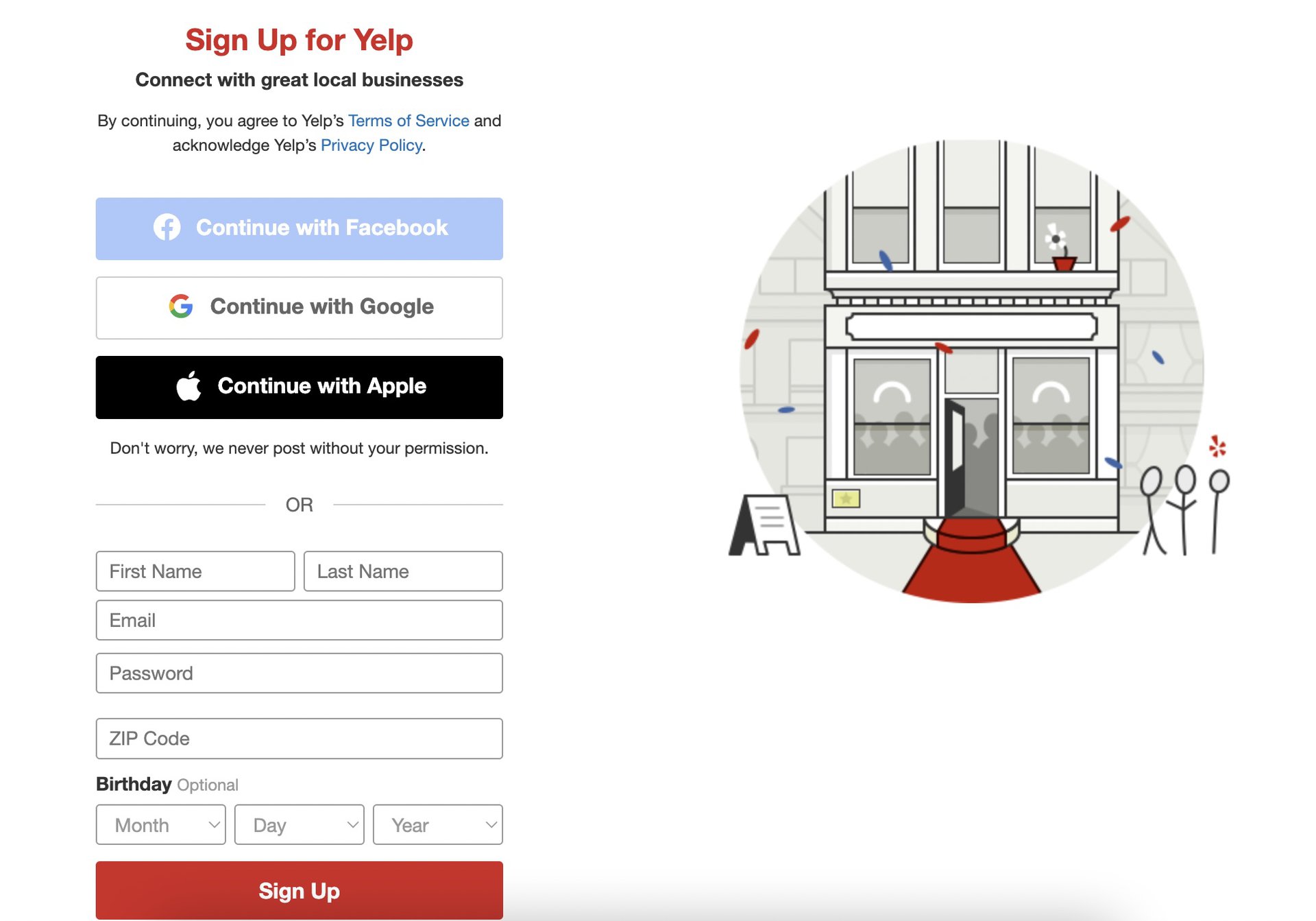
    yelp homepage signup

    A verification link will be sent to the provided email address; clicking this link will activate the account.

    To initiate a review, search for the desired business. Select the correct search result, or use the map to locate and click the appropriate geographical pin if direct searching is difficult.
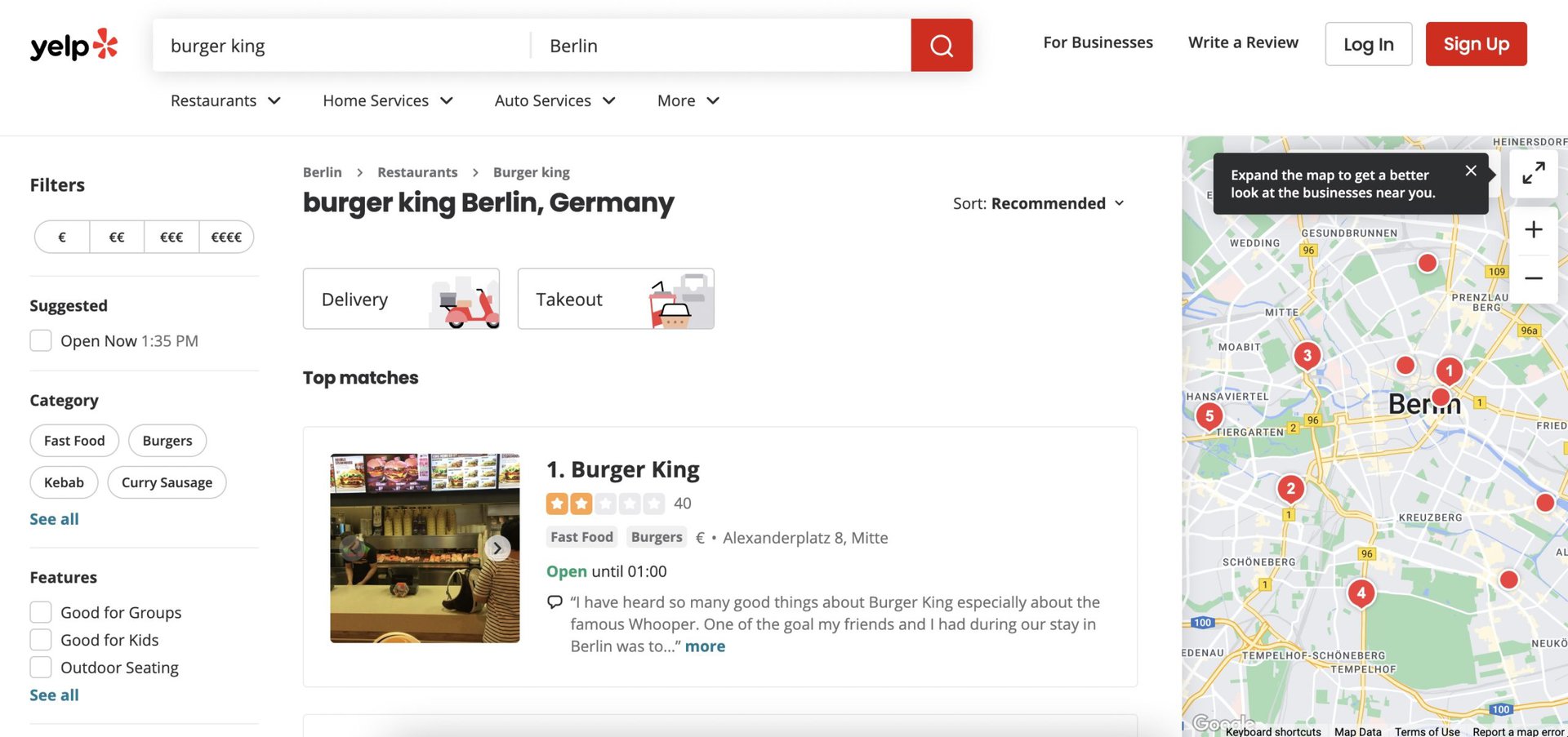
    yelp business search results

    From the business page, click the Write a review button. Users also have the option to add photos of the business, such as interior or exterior shots, by clicking Add photo.
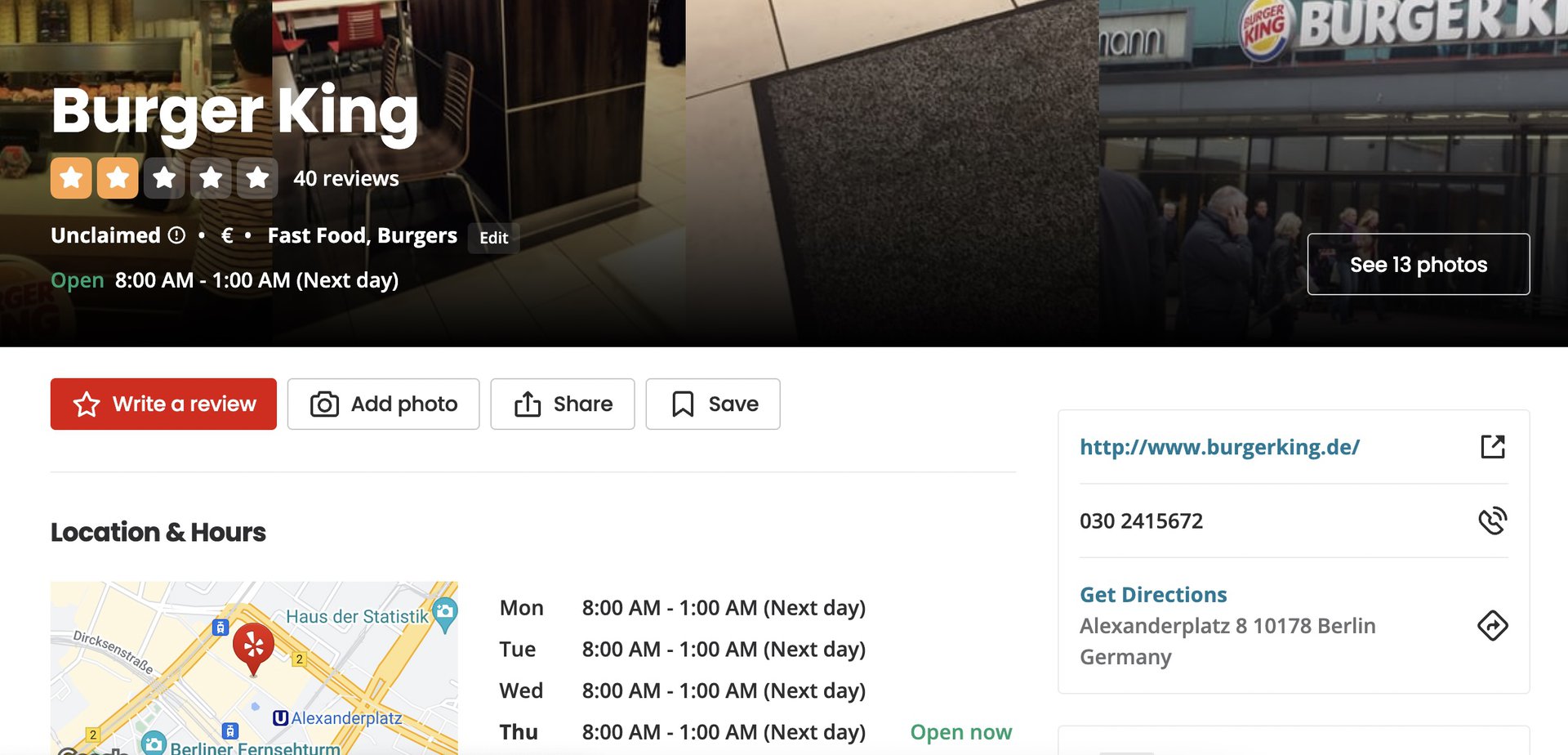
    yelp business page

    On the review submission page, compose the review and then click the Post Review button. It is advisable to review Yelp’s guidelines beforehand to ensure compliance.
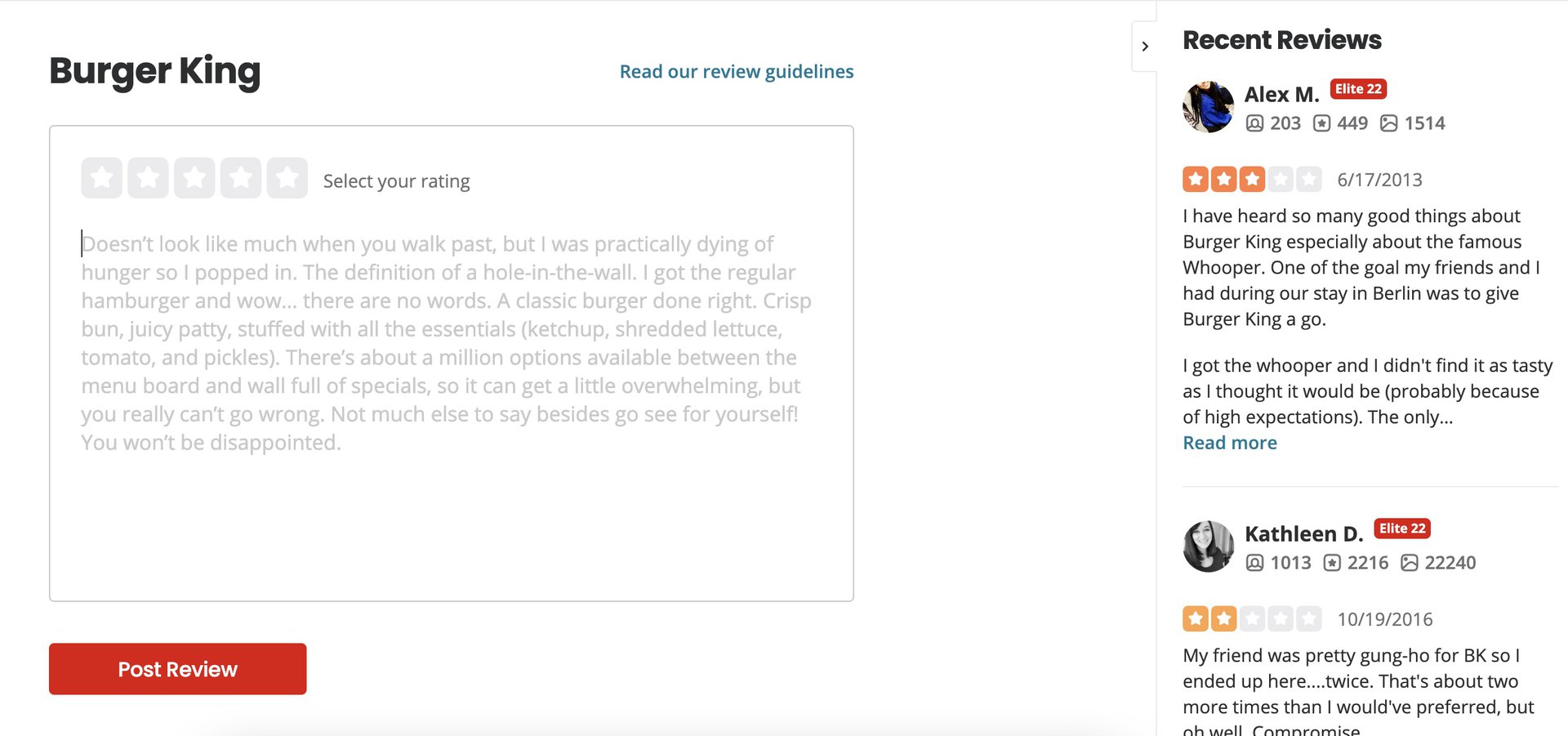
    write yelp review

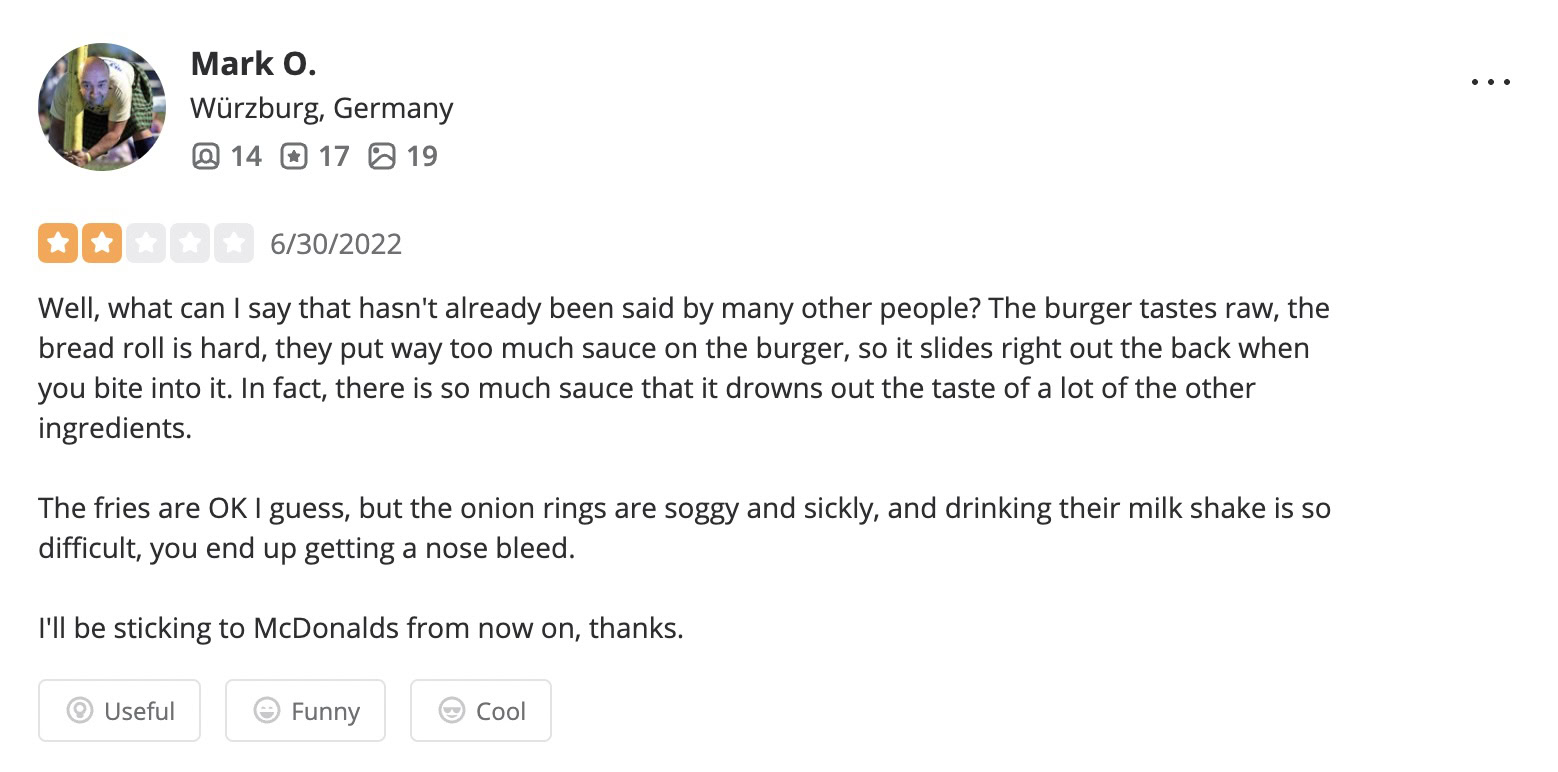
    The submitted review should then be visible on the business page.
    yelp business review

    On the App

    The Yelp mobile app features a similar signup and login process to the website. After signing up and verifying an email, navigate to the business intended for review. A convenient feature of the app is its ability to use GPS to detect the user’s location and suggest highly-rated local businesses.

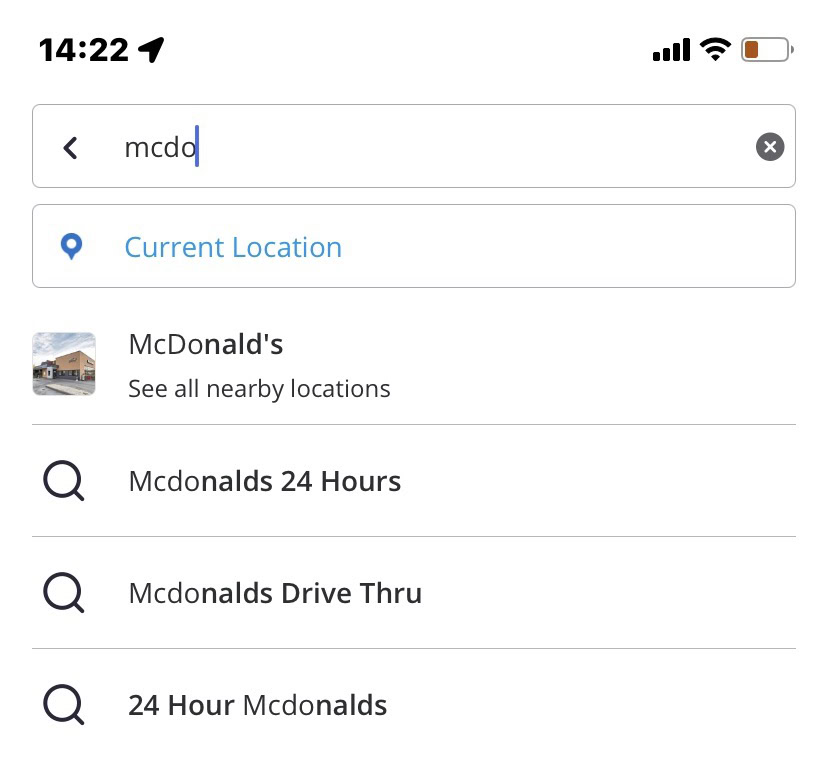
    If a user is physically at the business location, finding it for review is simplified by tapping Current Location.
    yelp app search

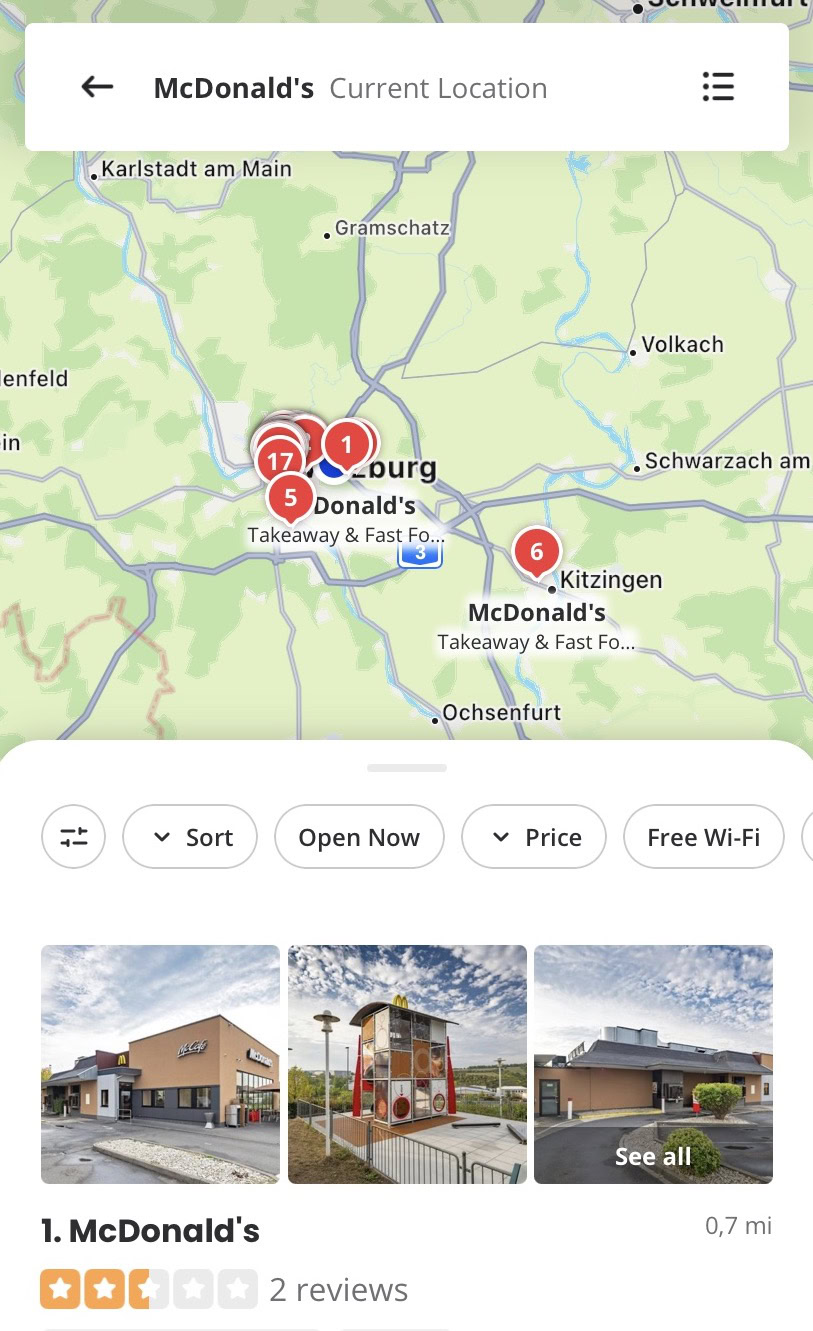
    A list of nearby businesses will appear. Select the desired business from the list, or zoom in/out on the map to tap its corresponding pin.
    yelp app search results

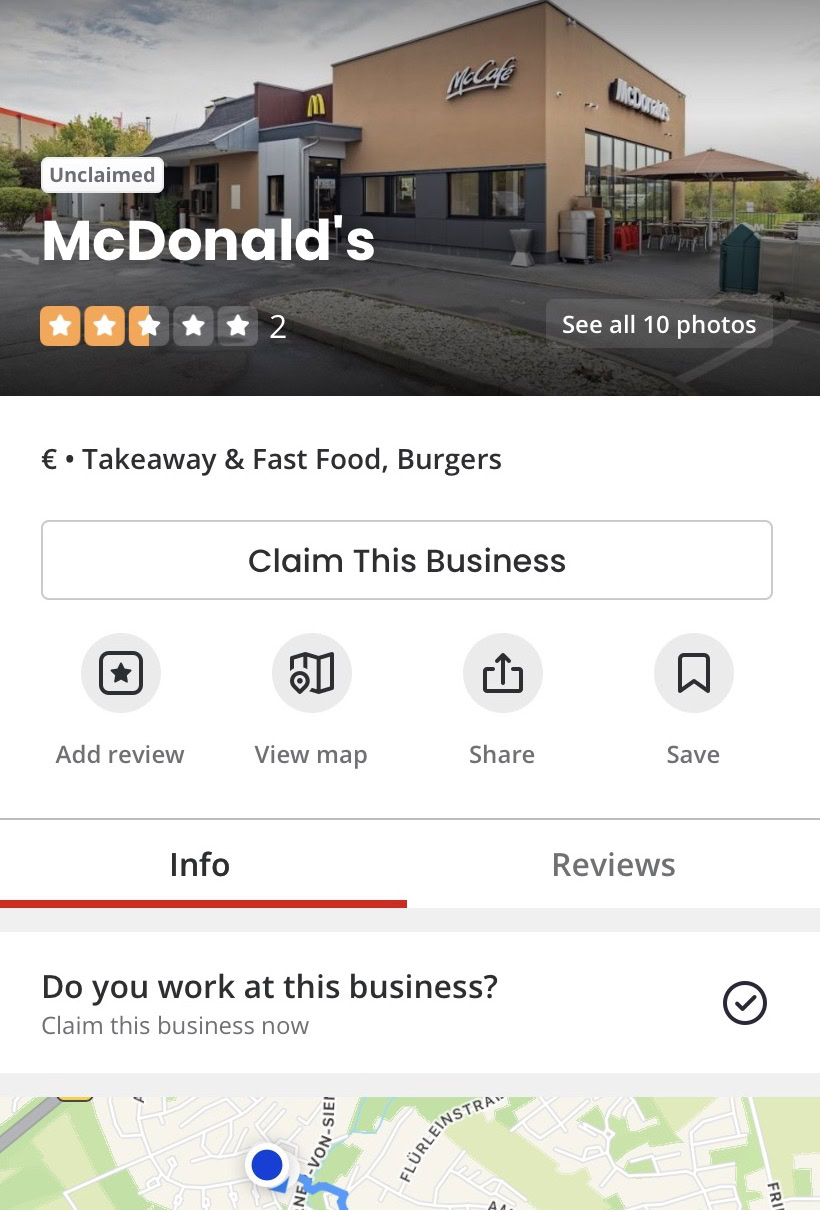
    From the business page, tap Add review and compose the review, following the same procedure as on the Yelp website.
    yelp app business page

    How to Delete a Yelp Review

    It is important to note that only the original author of a Yelp review can delete it. Business owners cannot pay Yelp to remove unfavorable reviews. Yelp will only consider removing a review if it violates their guidelines, such as containing profanity, racist remarks, prejudiced statements, or irrelevant details.

    If a review adheres to Yelp’s guidelines, it will remain online, irrespective of the business’s opinion. Users cannot be compelled to remove a review against their will.

    On the Web and App

    To delete a Yelp review, whether on the website or the app, locate the specific review and click the three horizontal dots positioned to its right. Then, select Remove review.
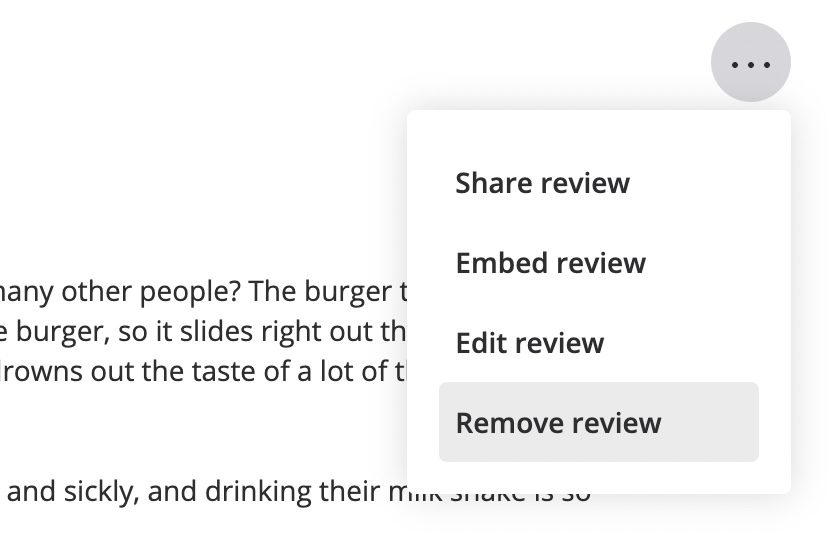
    yelp review remove link

    Yelp will prompt for a reason for the review’s removal. If a specific reason is not preferred, selecting Other is an option. Clicking Remove Review will delete it immediately, though it might persist on archival sites like the Wayback Machine.
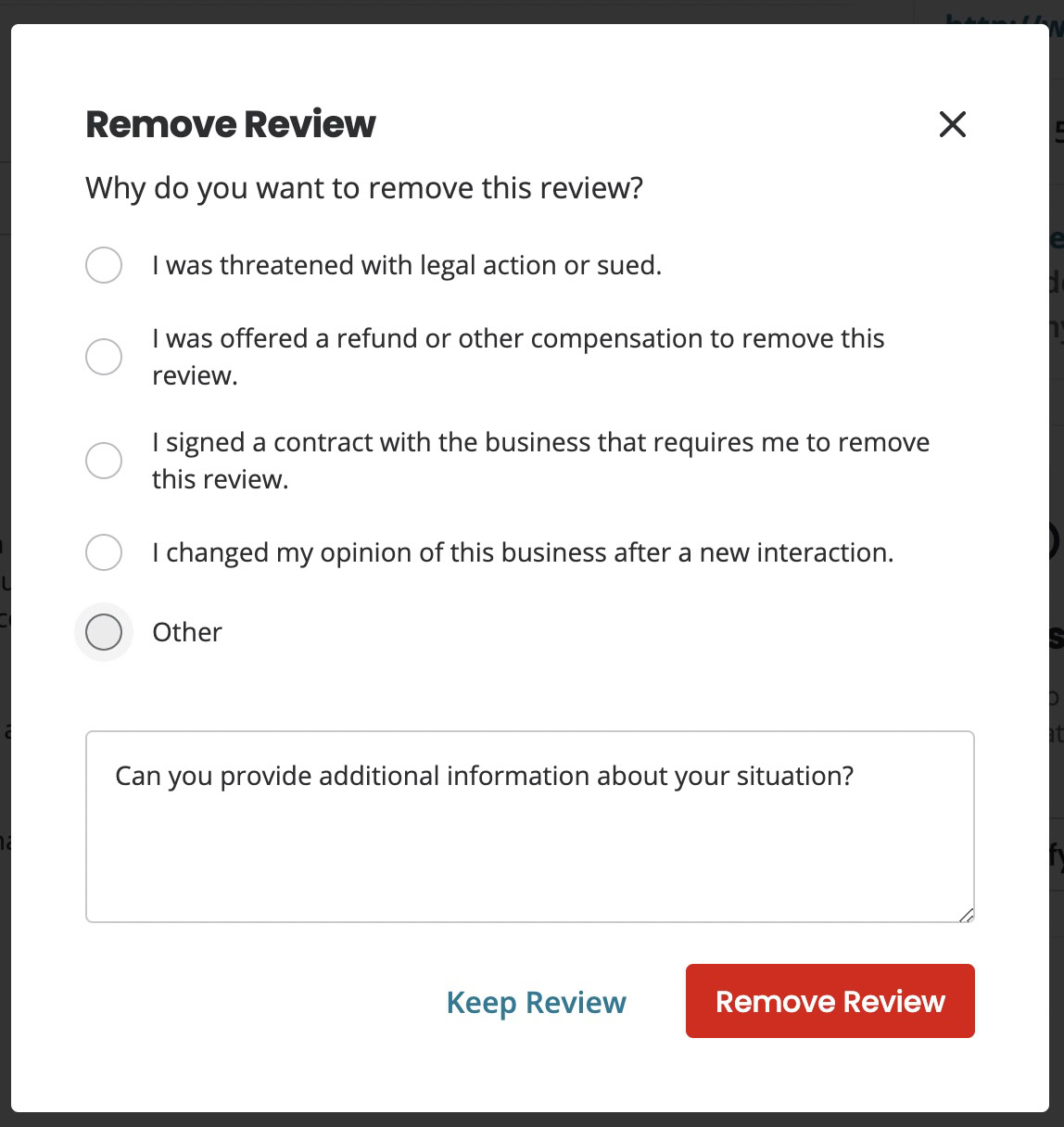
    yelp review remove reason

    Frequently Asked Questions

    Is Yelp still relevant?

    Yelp’s relevance is subjective. Many individuals continue to use the platform for business reviews and to inform their purchasing decisions. However, Google and Facebook are often considered more dominant platforms for leaving business reviews today.

    Can bad Yelp reviews be paid to be removed?

    No, Yelp does not remove reviews for payment. Reviews are only considered for removal if they violate the platform’s guidelines. If a review complies with Yelp’s guidelines, its removal is solely at the discretion of the original reviewer.

    Do Yelp reviews appear in Google search results?

    Yes, Yelp reviews can appear in Google search results.

    Share. Facebook Twitter Pinterest LinkedIn Tumblr Email
    Previous ArticleRazer BlackShark V3 X Review: Affordable Gaming Headset Delivers Core Value
    Next Article Perplexity’s New Computer: A Bet on Diverse AI Models
    Samuel Alejandro

    Related Posts

    Guides

    Verifying 5G Standalone Activation on Your iPhone

    March 1, 2026
    Products

    Hands on: the Galaxy S26 and S26 Plus are more of the same for more money

    March 1, 2026
    Guides

    Modern PC hardware failure rates aren’t increasing, the expectations are just higher

    March 1, 2026
    Add A Comment
    Leave A Reply Cancel Reply

    Latest Post

    ChatGPT Mobile App Surpasses $3 Billion in Consumer Spending

    December 21, 202517 Views

    Automate Your iPhone’s Always-On Display for Better Battery Life and Privacy

    December 21, 202515 Views

    Creator Tayla Cannon Lands $1.1M Investment for Rebuildr PT Software

    December 21, 202514 Views
    Stay In Touch
    • Facebook
    • YouTube
    • TikTok
    • WhatsApp
    • Twitter
    • Instagram
    About

    Welcome to NodeToday, your trusted source for the latest updates in Technology, Artificial Intelligence, and Innovation. We are dedicated to delivering accurate, timely, and insightful content that helps readers stay ahead in a fast-evolving digital world.

    At NodeToday, we cover everything from AI breakthroughs and emerging technologies to product launches, software tools, developer news, and practical guides. Our goal is to simplify complex topics and present them in a clear, engaging, and easy-to-understand way for tech enthusiasts, professionals, and beginners alike.

    Latest Post

    Verifying 5G Standalone Activation on Your iPhone

    March 1, 20264 Views

    Hands on: the Galaxy S26 and S26 Plus are more of the same for more money

    March 1, 20265 Views

    IronCurtain: A Secure AI Agent Designed to Prevent Rogue Actions

    March 1, 20264 Views
    Recent Posts
    • Verifying 5G Standalone Activation on Your iPhone
    • Hands on: the Galaxy S26 and S26 Plus are more of the same for more money
    • IronCurtain: A Secure AI Agent Designed to Prevent Rogue Actions
    • Kwasi Asare’s Entrepreneurial Journey: Risk, Reputation, and Resilience
    • The Rubin Observatory’s alert system sent 800,000 pings on its first night
    Facebook X (Twitter) Instagram Pinterest
    • About Us
    • Contact Us
    • Privacy Policy
    • Terms & Conditions
    • Disclaimer
    • Cookie Policy
    © 2026 NodeToday.

    Type above and press Enter to search. Press Esc to cancel.