


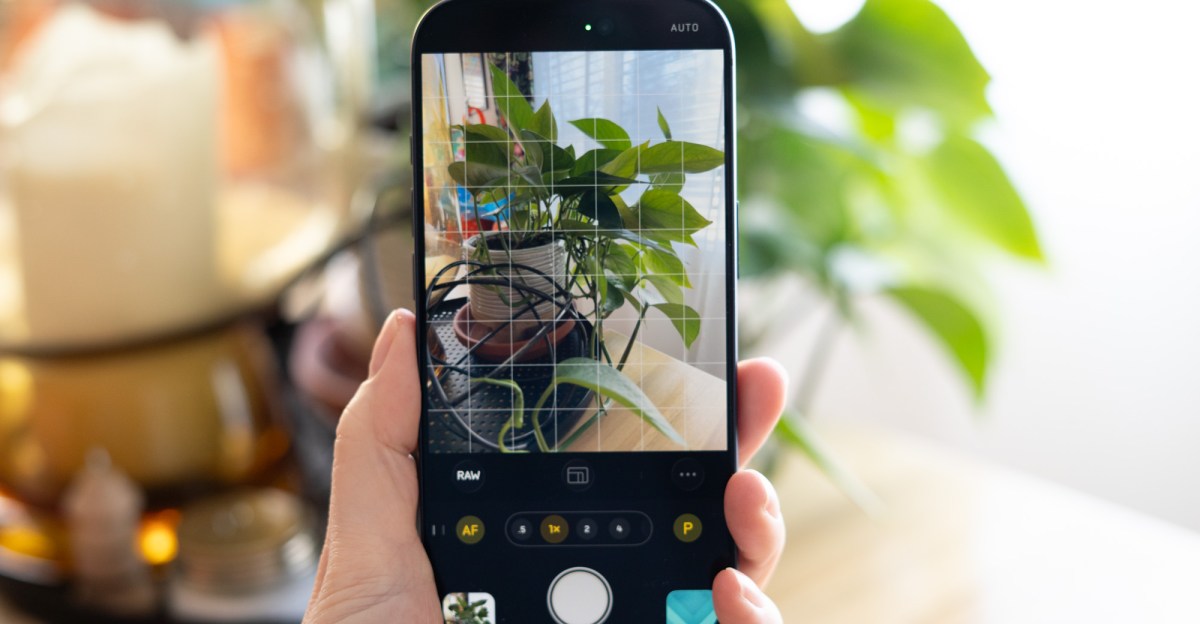
 Backlit is back.
Using an iPhone camera like a traditional camera often presents challenges. When shooting RAW alongside the default HEIC, the intention is usually to edit the RAW file to personal taste, often using professional software like Lightroom on a MacBook. However, iPhone photos can be difficult to manage with external software. Transferring image files between devices can be complex, with questions arising about whether HDR gain maps are retained or why edits in Lightroom might appear different on the phone. This often leads to relying on the iPhone’s native camera processing, avoiding the complexities of external editing.
While convenient, relying solely on iPhone processing has drawbacks. The native camera tends to over-sharpen images and aggressively raise shadows. To counter this, many utilize the app’s built-in Photographic Styles, such as Rich Contrast, or turn to third-party solutions like Halide’s Process Zero.
Halide introduced Process Zero to its popular iPhone camera app last year. This mode aims to reduce the excessive processing typically applied by the native camera, resulting in images with deeper shadows and less aggressive sharpening. This feature appeals to those who prefer a less processed, more natural phone camera aesthetic.
Initially, there might be skepticism about Process Zero. Those familiar with the pre-computational photography era of less capable phone cameras often appreciate the lower noise and improved low-light performance of current camera technology. A higher contrast photo style can achieve a desired look, even if it feels more like using a computer than a camera. However, Halide recently released the second version of Process Zero in beta, incorporating HDR support and the ability to shoot in Apple’s ProRAW format, which has generated renewed interest.
These new features might seem contrary to Process Zero’s core principle of minimal processing. Technically, some processing is always necessary to convert sensor data into a usable image. However, version two’s enhancements are significant. HDR support, for instance, does not result in an overly processed, artificial look. Instead, it allows the brightest areas of a photo to be brighter, enhancing contrast between light and dark regions. This is distinct from the flat, HDR-like appearance often produced by phone cameras attempting to represent a wide tonal range for SDR screens, a concept supported by computational photography pioneer Marc Levoy.
Another addition is the option to shoot HEIC + RAW. This means that in addition to the Process Zero image, a DNG file is captured that has undergone some of Apple’s computational pipeline. Apple’s ProRAW format combines multiple frames for noise reduction while retaining the extensive data expected from a RAW file, allowing for preferred tone mapping adjustments. This additional RAW capture can be toggled on or off, serving as a backup without affecting the Process Zero output.
Regardless of whether RAW is captured, users can adjust tone mapping within the Halide app using a new feature called Tone Fusion. This feature primarily boosts shadows, offering user control and a less intense effect compared to Apple’s default processing. Even at its maximum setting, it avoids the tendency of native iPhone processing to artificially shift blown-out skies to blue.


 Default Process Zero output
An often-underestimated advantage of Process Zero, or similar tools like Adobe’s Project Indigo, is its impact on the photographic experience. While a similar look could be achieved by shooting ProRAW in the native camera app and editing in Lightroom, Process Zero delivers appealing results directly from the camera. This immediate satisfaction can change the perception of phone photography, making it feel less like a struggle with files and more like a creative process.
Using a specialized camera app can also foster a more photographic mindset. For instance, during a photo walk in Seattle’s Pioneer Square and International District, a previously unnoticed sign at Union Station indicated the great hall was open to the public. The presence of a dedicated camera app encouraged exploration, leading to the discovery of the stunning interior, a place that might otherwise have been overlooked.
HDR is good
The photos captured with Process Zero inside Union Station were impressive. With a ProRAW file available as a backup, there was confidence in having a workable image, but the JPEGs proved excellent without further editing. The late afternoon sun illuminated the station’s large windows; Process Zero allowed bright spots to clip, maintaining focus on the interior rather than attempting to recover all highlights and boost every shadow. The HDR gain map enhanced the brightest areas, creating a strong contrast between the fully lit windows and the golden sunlight filtering onto the wall. HDR capabilities are indeed beneficial.
Process Zero v2 is currently in a public preview as part of Halide’s Mark III update, so further changes may occur before its final release. However, the current iteration of Process Zero is promising. The era of computational photography has brought significant advancements beyond merely over-processed JPEGs; the ability to capture quality photos in diverse lighting conditions with small phone sensors is a remarkable technological achievement. Integrating some of these benefits into Process Zero, when desired, enhances the minimalist experience rather than detracting from it, and is sufficient to win over skeptics.
