
Close Menu
    Latest Post

    Verifying 5G Standalone Activation on Your iPhone

    March 1, 2026

    Hands on: the Galaxy S26 and S26 Plus are more of the same for more money

    March 1, 2026

    IronCurtain: A Secure AI Agent Designed to Prevent Rogue Actions

    March 1, 2026
    Facebook X (Twitter) Instagram
    Trending
    • Verifying 5G Standalone Activation on Your iPhone
    • Hands on: the Galaxy S26 and S26 Plus are more of the same for more money
    • IronCurtain: A Secure AI Agent Designed to Prevent Rogue Actions
    • Kwasi Asare’s Entrepreneurial Journey: Risk, Reputation, and Resilience
    • The Rubin Observatory’s alert system sent 800,000 pings on its first night
    • GitHub Actions Now Supports Unzipped Artifact Uploads and Downloads
    • Project Genie: Experimenting with Infinite, Interactive Worlds
    • Text Generation Using Diffusion Models and ROI with LLMs
    Facebook X (Twitter) Instagram Pinterest Vimeo
    NodeTodayNodeToday
    • Home
    • AI
    • Dev
    • Guides
    • Products
    • Security
    • Startups
    • Tech
    • Tools
    NodeTodayNodeToday
    Home»Guides»These are the 3 greatest open-source Microsoft tools you aren’t using
    Guides

    These are the 3 greatest open-source Microsoft tools you aren’t using

    Samuel AlejandroBy Samuel AlejandroFebruary 9, 2026No Comments3 Mins Read
    Share Facebook Twitter Pinterest LinkedIn Tumblr Reddit Telegram Email
    src 19oqdk4 featured
    Share
    Facebook Twitter LinkedIn Pinterest Email

    While Microsoft is often associated with Windows updates and AI integrations, the company also provides several valuable open-source tools that can greatly improve the user experience.

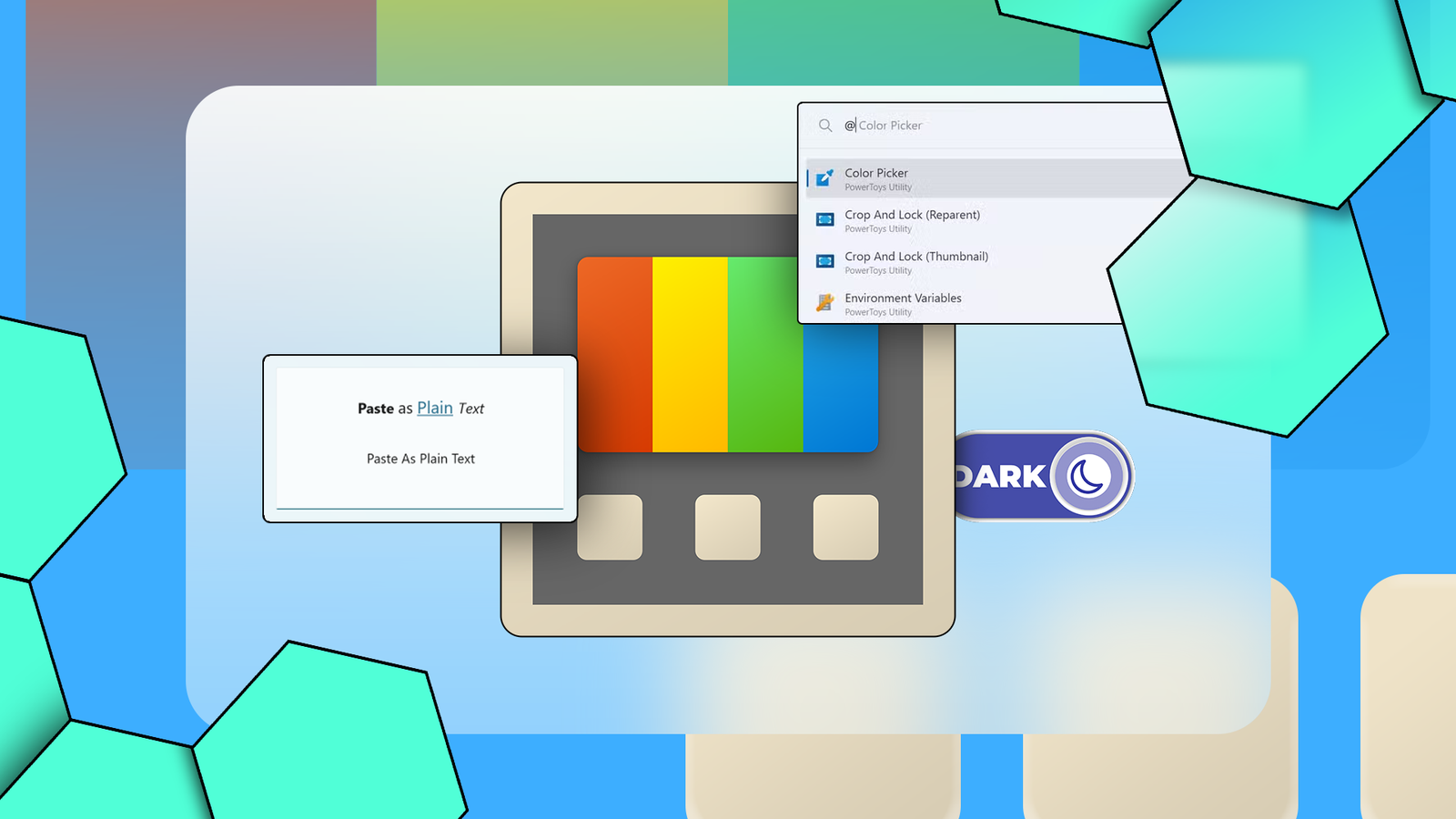
    Illustration of the Microsoft PowerToys logo surrounded by interface snippets showing features like Paste as Plain Text, Color Picker, and Dark Mode.

    PowerToys: An Essential Utility Collection for Windows

    Windows users frequently search for individual applications to perform specific tasks. Microsoft, however, offers a comprehensive program called PowerToys, which bundles numerous utilities into a single, convenient package, though it is not widely advertised.

    PowerToys includes approximately 30 different utility programs, offering a wide array of functions. These range from basic quality-of-life improvements to entirely new ways of interacting with a PC.

    4

    For instance, the Mouse Highlighter feature allows users to quickly tap the control key to highlight their mouse cursor, making it easier to locate on screen.

    The Command Palette provides an innovative method for Windows interaction, similar to macOS’s Spotlight search. This tool can streamline the process of finding and launching applications, potentially replacing the traditional Start Menu for many users.
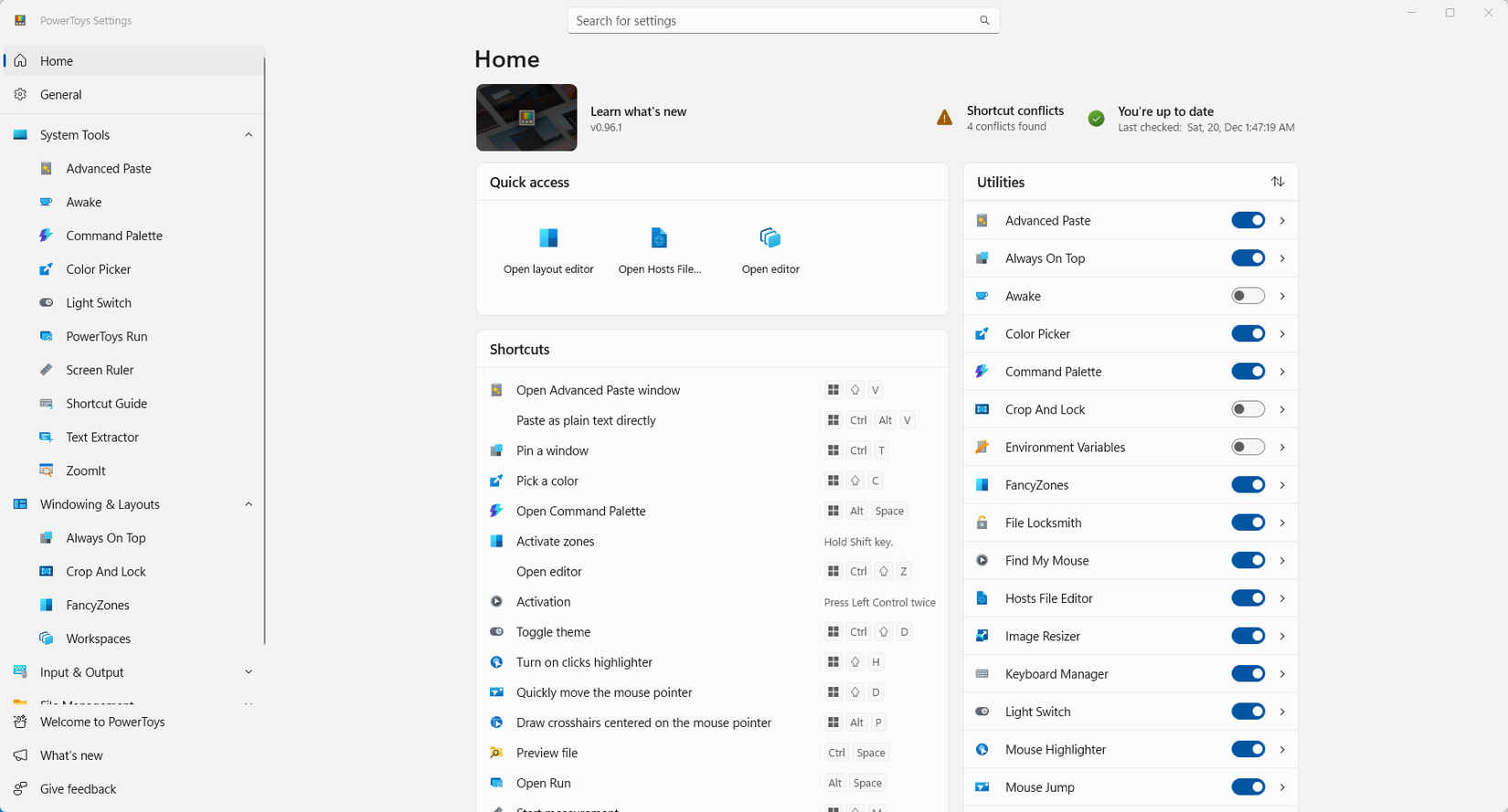
    Microsoft PowerToys homescreen.

    Another highly useful feature is Keyboard Manager, which enables users to remap most keyboard shortcuts or create new custom ones. Shortcuts can even be made application-specific, maximizing the utility of a limited number of keys.

    PowerToys can become an indispensable part of a daily Windows routine. It offers something beneficial for almost every user.

    Winget: Bringing Linux-Style Package Management to Windows

    Most modern operating systems, including macOS, iOS, Android, and Linux, utilize a centralized store for application distribution. While Windows has its own Microsoft Store, it may not always be the preferred option.

    Winget is a command-line utility built into Windows that functions much like Linux’s APT or DNF. It allows users to download, install, update, and uninstall programs and packages efficiently.

    A significant advantage of Winget is its capability for bulk updates. Unlike the typical one-by-one updates of Windows applications, Winget enables users to update all installed programs simultaneously with a single command, offering considerable convenience.

    Winget is not restricted to its default repositories; users can add additional repositories, mirroring the flexibility found in Linux package managers.

    For those who prefer a graphical interface over command-line tools, UniGetUI is available. This user interface for Winget provides a more intuitive experience and also supports other Windows package managers such as Scoop, Chocolaty, and PIP.

    Using UniGetUI can significantly reduce the need to interact with the default Windows Settings app for program modification or removal.
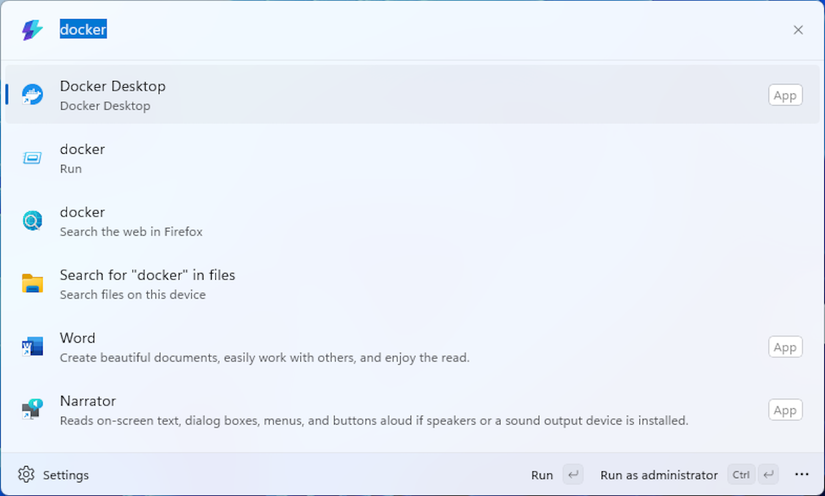
    The Command Palette search result screen.

    Windows Subsystem for Linux (WSL): Linux Benefits Within Windows

    Linux users often highlight the advantages of their operating system over Windows. With the Windows Subsystem for Linux (WSL), users can access many benefits of Linux without needing to leave the Windows environment.
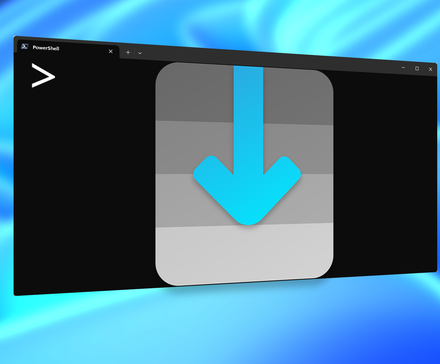
    The UniGetUI icon on a Terminal window.

    WSL facilitates the execution of popular Linux distributions within an efficient virtual machine, accessible directly from the Windows Terminal. This provides immediate access to a vast array of Linux command-line tools and programs, many of which offer superior functionality compared to their Windows counterparts.

    In recent years, WSL has evolved to support graphical user interfaces, allowing Linux applications that rely on a UI to be displayed directly on the Windows desktop.

    For individuals who prefer Linux for development or specific tasks, WSL offers a quick and easy way to enter a Linux environment without the need to switch laptops, set up a traditional virtual machine, or plug in an external SSD and boot into a Linux OS.

    WSL is a highly convenient solution for those requiring access to both Linux and Windows. Even for users who do not strictly need Linux, it provides a safe and straightforward method to explore the Linux command line without the complexities of dual-booting or installing Linux to a separate drive.

    Share. Facebook Twitter Pinterest LinkedIn Tumblr Email
    Previous ArticleThis DIY kit turned my favorite mechanical keyboard into my favorite electrocapacitive keyboard
    Next Article Calling AWS Bedrock from Code
    Samuel Alejandro

    Related Posts

    Guides

    Verifying 5G Standalone Activation on Your iPhone

    March 1, 2026
    Security

    IronCurtain: A Secure AI Agent Designed to Prevent Rogue Actions

    March 1, 2026
    Guides

    Modern PC hardware failure rates aren’t increasing, the expectations are just higher

    March 1, 2026
    Add A Comment
    Leave A Reply Cancel Reply

    Latest Post

    ChatGPT Mobile App Surpasses $3 Billion in Consumer Spending

    December 21, 202517 Views

    Automate Your iPhone’s Always-On Display for Better Battery Life and Privacy

    December 21, 202515 Views

    Creator Tayla Cannon Lands $1.1M Investment for Rebuildr PT Software

    December 21, 202514 Views
    Stay In Touch
    • Facebook
    • YouTube
    • TikTok
    • WhatsApp
    • Twitter
    • Instagram
    About

    Welcome to NodeToday, your trusted source for the latest updates in Technology, Artificial Intelligence, and Innovation. We are dedicated to delivering accurate, timely, and insightful content that helps readers stay ahead in a fast-evolving digital world.

    At NodeToday, we cover everything from AI breakthroughs and emerging technologies to product launches, software tools, developer news, and practical guides. Our goal is to simplify complex topics and present them in a clear, engaging, and easy-to-understand way for tech enthusiasts, professionals, and beginners alike.

    Latest Post

    Verifying 5G Standalone Activation on Your iPhone

    March 1, 20264 Views

    Hands on: the Galaxy S26 and S26 Plus are more of the same for more money

    March 1, 20265 Views

    IronCurtain: A Secure AI Agent Designed to Prevent Rogue Actions

    March 1, 20264 Views
    Recent Posts
    • Verifying 5G Standalone Activation on Your iPhone
    • Hands on: the Galaxy S26 and S26 Plus are more of the same for more money
    • IronCurtain: A Secure AI Agent Designed to Prevent Rogue Actions
    • Kwasi Asare’s Entrepreneurial Journey: Risk, Reputation, and Resilience
    • The Rubin Observatory’s alert system sent 800,000 pings on its first night
    Facebook X (Twitter) Instagram Pinterest
    • About Us
    • Contact Us
    • Privacy Policy
    • Terms & Conditions
    • Disclaimer
    • Cookie Policy
    © 2026 NodeToday.

    Type above and press Enter to search. Press Esc to cancel.