


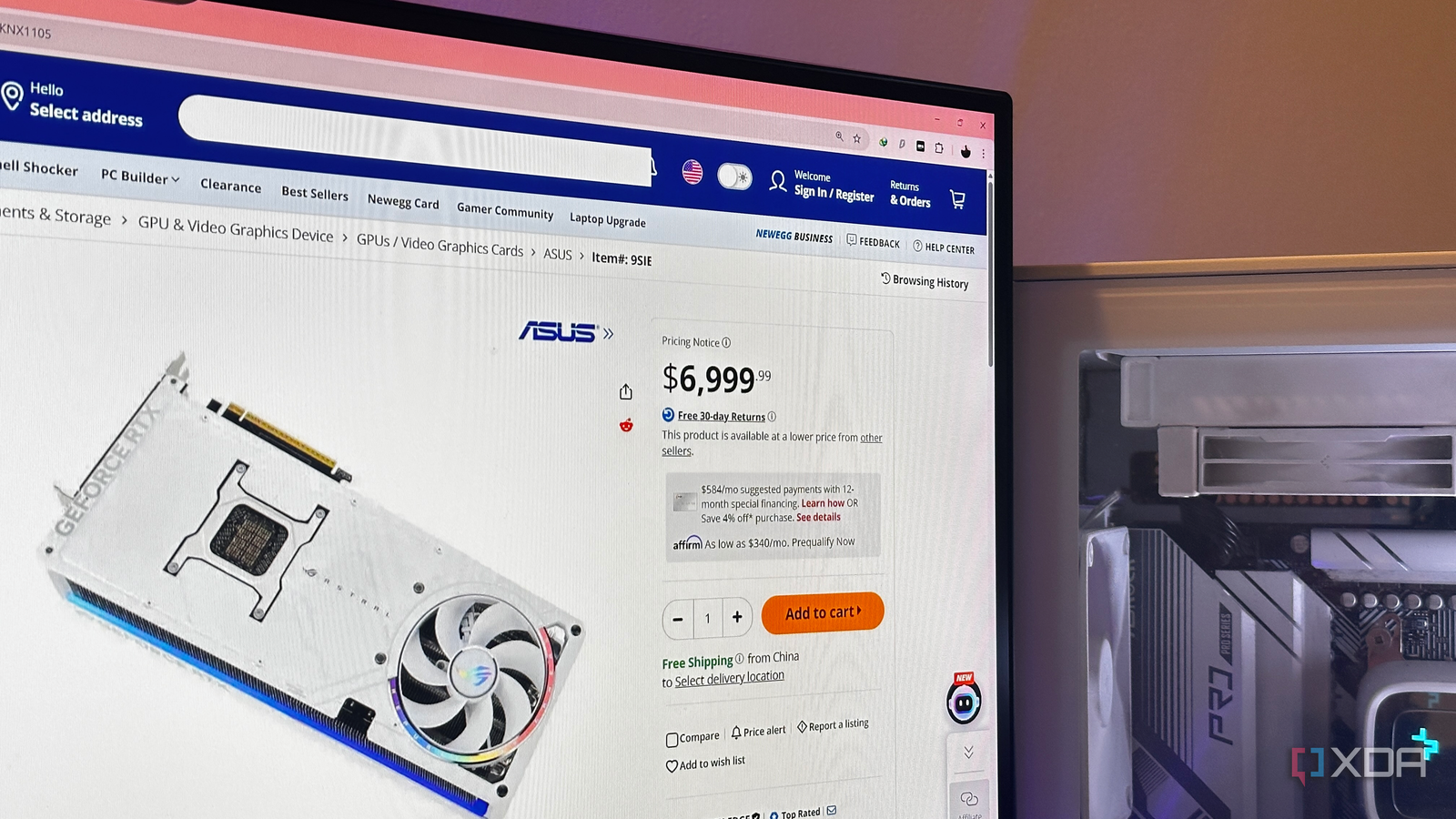
The process of buying PC hardware can feel outdated. It often involves opening numerous tabs, navigating between YouTube benchmarks, Reddit discussions, detailed spec sheets, and various price listings. This extensive research can lead to an overload of numbers, shifting focus from actual gaming performance to technical specifications like boost clocks, VRAM, and core counts.
A notable browser extension simplifies this experience by integrating real-world gaming performance directly onto product pages. This eliminates the need to leave an online store to understand a graphics card’s capabilities. Instead of abstract specifications, users receive estimated frames per second (FPS) for popular games, along with pricing information, right on the shopping page. This feature addresses the common issue of product pages lacking comprehensive gaming benchmarks.

GPU Buying Can Be Challenging
The Core Issue: Context Over Choice
After narrowing down a GPU wishlist to a few graphics cards, considerable effort is still required. Users often juggle multiple tabs: retailer pages on one side and benchmark videos on the other, mentally compiling a spreadsheet. The goal is to answer two fundamental questions: how well does this card actually perform, and where is the best price available? Attempting to do both simultaneously can be unnecessarily draining.
Memorizing performance charts for every potential card is impractical. Consequently, many individuals rely on specifications, assuming that more VRAM or higher clock speeds inherently mean better or faster cards. This aligns with marketing strategies, as spec sheets often sell more easily than real-world frame rates.
However, games prioritize delivered FPS over bullet-point specifications. This is where tools like FPS Grid become valuable. By presenting performance estimates directly on shopping pages, it eliminates constant tab-switching and reorients the decision-making process around practical outcomes: how games will run, and whether an increased investment translates into significant performance gains or merely more impressive numbers on a product box.

FPS Grid Streamlines the Process
A Highly Anticipated Tool for GPU Shoppers
FPS Grid proves to be a genuinely useful extension, with its method of presenting information being particularly noteworthy. According to its creator, the extension aggregates approximately 4,000 benchmarks collected over seven months from more than forty websites. Instead of displaying this data in separate dashboards or charts, it integrates all relevant information directly onto the product page being viewed. This eliminates tab-hopping or mental calculations, providing real-world gaming performance alongside the price tag.
Beyond gaming benchmarks, the extension offers FPS overlays and live pricing support across the US, Canada, France, and Croatia. Another clever feature allows users to set their current GPU as a baseline. This provides enhanced context for potential upgrades, showing what a new GPU can achieve in the latest AAA titles, including specific resolutions and graphics presets.
Furthermore, FPS Grid suggests graphics cards with similar performance, a valuable quality-of-life feature. It sources prices from Amazon and Newegg, and also provides additional links for users to compare prices independently.
For those who prefer organized data, a save-and-compare feature is available. A single-click copy button also allows users to export the performance grid for custom comparisons, such as in Google Sheets.
While this tool does not entirely replace in-depth research, it significantly reduces the busywork associated with it, which is often the most tedious part of the process.

Unexpectedly Broad Compatibility
Benchmarks Across Various Websites and Regions
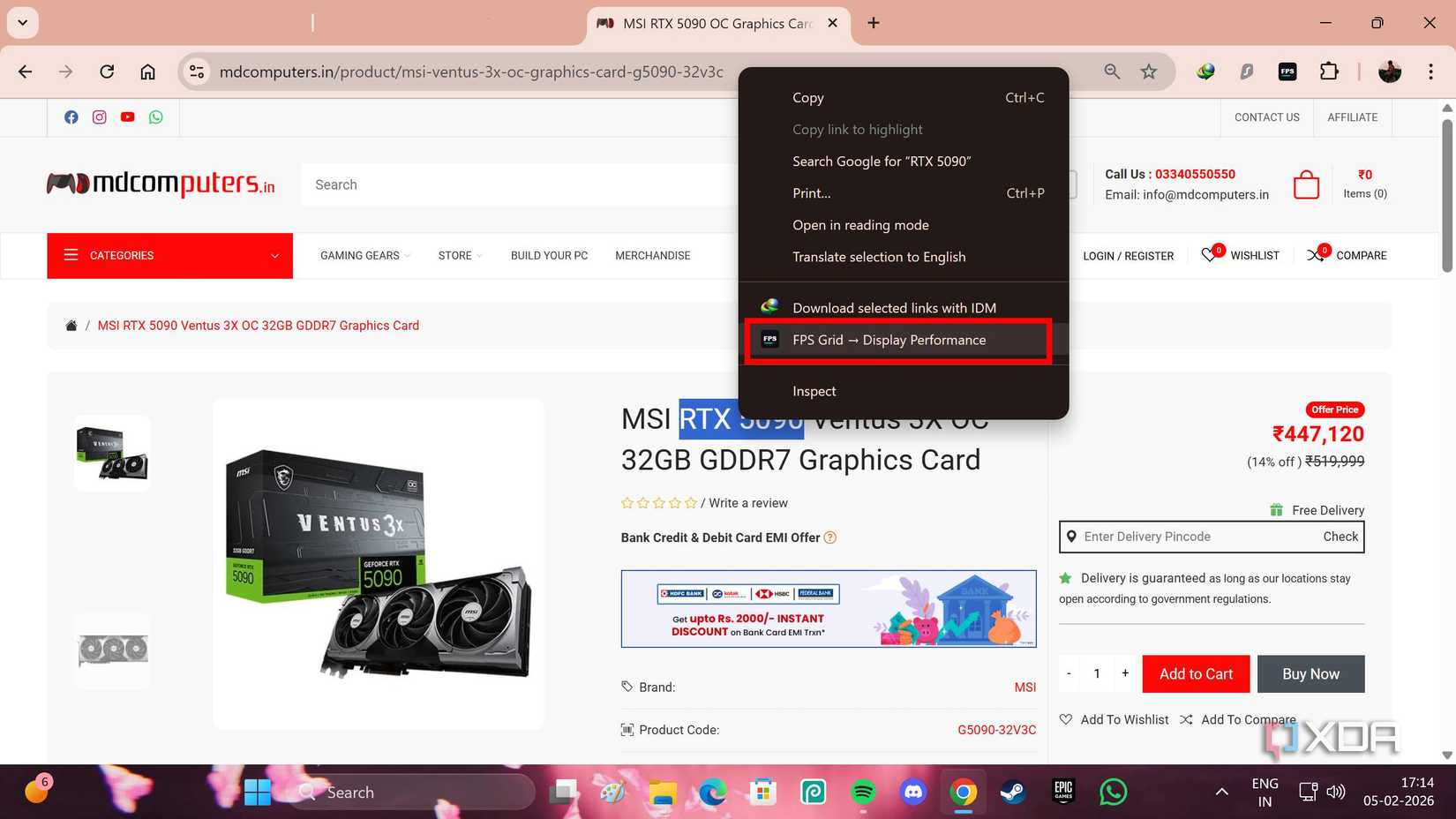
FPS Grid is a relatively new extension and is expected to continue evolving. However, its current capabilities are extensive. While its official support page primarily mentions compatibility with Amazon and Newegg, it also functions effectively on unsupported pages. Regardless of the country or local PC parts website being browsed, users can highlight the GPU model, right-click to access the browser’s context menu (available for Chrome or Firefox), and select FPS Grid → Display Performance. This allows for quick access to gaming benchmarks for the GPU displayed on screen.
The extension can save considerable time typically spent searching YouTube for PC benchmarks of popular titles like Baldur’s Gate 3, Assassin’s Creed Shadows, Forza Horizon 5, and Cyberpunk 2077. It proves particularly useful for high-end builds, as FPS Grid currently supports benchmarks for processors such as the AMD Ryzen 7 9800X3D, with some benchmarks also including the Ryzen 9 9950X3D and the Intel Core i9-14900K.
Benchmark and Price Accuracy Verified
Accuracy is Paramount for Reliable Data
FPS Grid garnered significant interest upon its release, with its creator highlighting its potential. The extension appears highly beneficial on paper, and its interface is impressive. However, its utility hinges on accuracy, especially when dealing with precise numerical data.
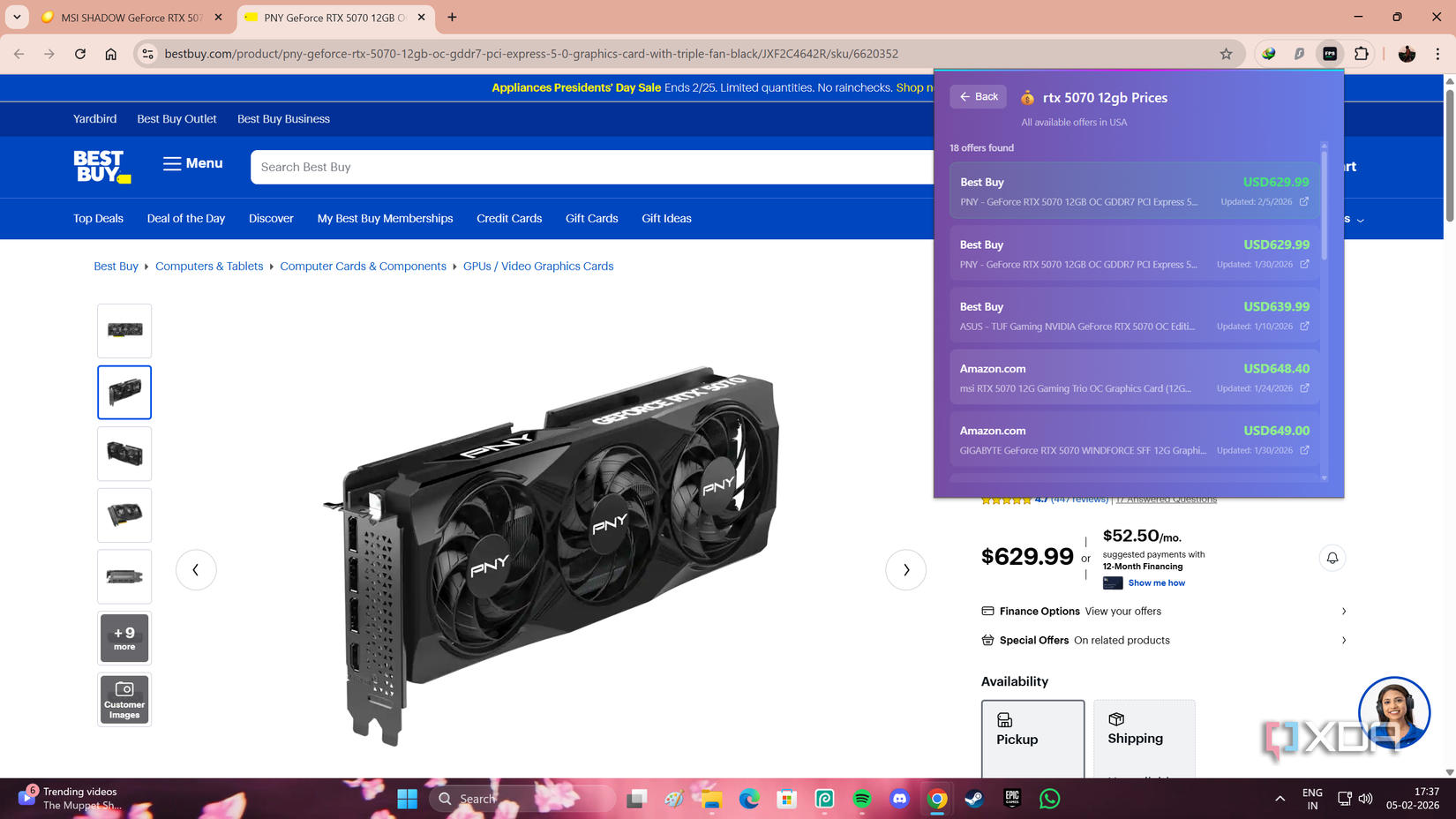
The extension needed to provide accurate benchmarks and correct pricing across various countries, supporting information from Best Buy, Amazon, and Newegg. Fortunately, it delivered on both fronts. Gaming performance benchmarks, based on preset and resolution, showed only minor, acceptable variations. Crucially, the pricing information displayed by the extension was consistently accurate for each storefront and GPU model.

A Valuable Tool, Not a Complete Replacement for Research
FPS Grid significantly reduces the complexity involved in browsing GPUs.
Acquiring PC hardware can be an enjoyable and rewarding experience, provided it doesn’t feel like a chore. For years, comparing graphics cards has often approached the level of a demanding task due to the sheer volume of information users face. While FPS Grid does not miraculously resolve every purchasing decision, it functions like any effective tool or utility: it removes a substantial amount of friction from the process.
It is not intended to replace in-depth research, nor should it. However, it certainly merits a place among browser extensions. For users who frequently review GPU benchmarks or monitor new offers, FPS Grid presents a highly practical solution.
