
Close Menu
    Latest Post

    Verifying 5G Standalone Activation on Your iPhone

    March 1, 2026

    Hands on: the Galaxy S26 and S26 Plus are more of the same for more money

    March 1, 2026

    IronCurtain: A Secure AI Agent Designed to Prevent Rogue Actions

    March 1, 2026
    Facebook X (Twitter) Instagram
    Trending
    • Verifying 5G Standalone Activation on Your iPhone
    • Hands on: the Galaxy S26 and S26 Plus are more of the same for more money
    • IronCurtain: A Secure AI Agent Designed to Prevent Rogue Actions
    • Kwasi Asare’s Entrepreneurial Journey: Risk, Reputation, and Resilience
    • The Rubin Observatory’s alert system sent 800,000 pings on its first night
    • GitHub Actions Now Supports Unzipped Artifact Uploads and Downloads
    • Project Genie: Experimenting with Infinite, Interactive Worlds
    • Text Generation Using Diffusion Models and ROI with LLMs
    Facebook X (Twitter) Instagram Pinterest Vimeo
    NodeTodayNodeToday
    • Home
    • AI
    • Dev
    • Guides
    • Products
    • Security
    • Startups
    • Tech
    • Tools
    NodeTodayNodeToday
    Home»Guides»How to Fast Charge Your 13-inch or 15-inch MacBook Air
    Guides

    How to Fast Charge Your 13-inch or 15-inch MacBook Air

    Samuel AlejandroBy Samuel AlejandroFebruary 5, 2026No Comments2 Mins Read
    Share Facebook Twitter Pinterest LinkedIn Tumblr Reddit Telegram Email
    src 5n7pi7 featured
    Share
    Facebook Twitter LinkedIn Pinterest Email

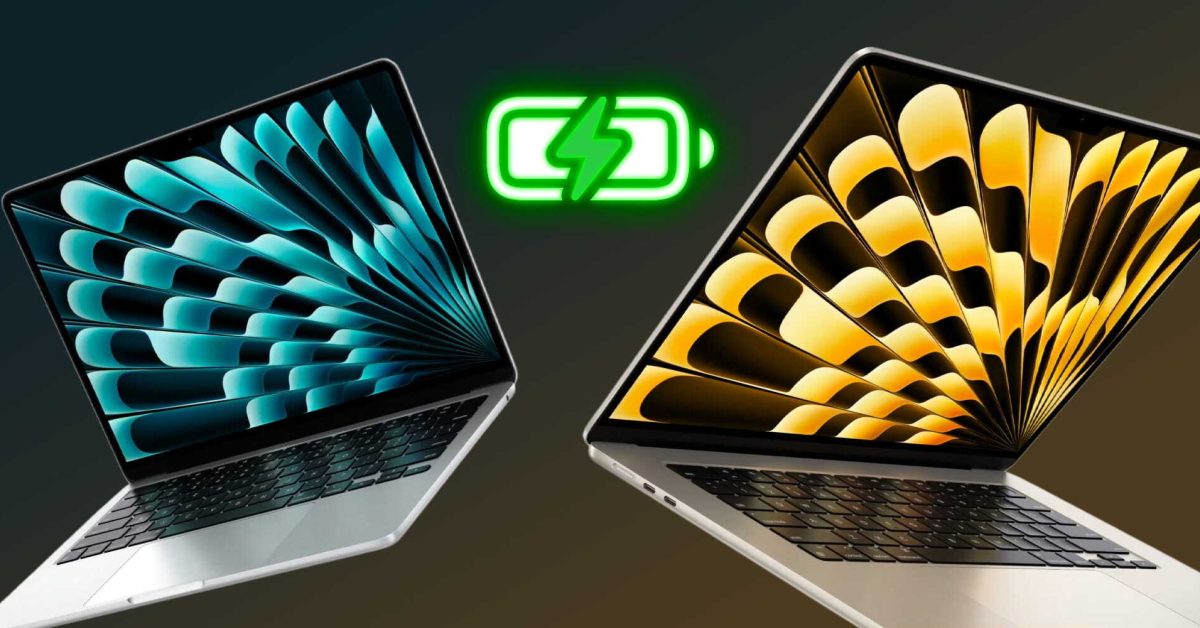
    Modern MacBook Air models, including the 13-inch and 15-inch versions with M2 and M3 chips, offer a convenient fast charging capability. This feature allows users to significantly reduce the time it takes to power up their device, getting back to work or play faster.

    What is Fast Charging?

    Fast charging enables your MacBook Air to reach up to 50% battery capacity in approximately 30 minutes. This is particularly useful when you need a quick power boost before heading out or during a short break.

    Essential Equipment for Fast Charging

    To take advantage of fast charging, specific power accessories are required. The standard 30W or 35W USB-C power adapters that come with some MacBook Air models are not sufficient for this feature.

    Required Power Adapter

    You will need a USB-C power adapter with a wattage of 70W or higher. Compatible options include:

    • Apple 70W USB-C Power Adapter
    • Apple 96W USB-C Power Adapter
    • Apple 140W USB-C Power Adapter

    Any third-party USB-C power adapter that delivers 70W or more and supports USB Power Delivery (USB-PD) should also work effectively.

    Required Charging Cable

    The type of cable needed depends on the charging port available on your MacBook Air:

    • USB-C to MagSafe 3 Cable: This cable is recommended for MacBook Air models equipped with a MagSafe 3 port. It provides a secure and efficient connection for fast charging.
    • USB-C to USB-C Cable: If your MacBook Air is charged via a USB-C port, a USB-C to USB-C cable capable of handling the higher wattage is necessary.

    Compatible MacBook Air Models

    Fast charging is supported on the following MacBook Air models:

    • MacBook Air (13-inch, M2, 2022)
    • MacBook Air (15-inch, M2, 2023)
    • MacBook Air (13-inch, M3, 2024)
    • MacBook Air (15-inch, M3, 2024)

    By ensuring you have the correct power adapter and cable, you can fully utilize the fast charging capabilities of your MacBook Air, keeping it powered and ready for your tasks.

    Apple event won't promise upcoming Apple Intelligence features

    Tim Cook revealed standout AI feature for users, and it’s rumored to get even better

    Share. Facebook Twitter Pinterest LinkedIn Tumblr Email
    Previous ArticleYamaha True X Surround 90A Dolby Atmos Soundbar: Premium Performance, Premium Price Tag
    Next Article Don’t Let Your Backend Write Checks Your Frontend Can’t Cache
    Samuel Alejandro

    Related Posts

    Guides

    Verifying 5G Standalone Activation on Your iPhone

    March 1, 2026
    Guides

    Modern PC hardware failure rates aren’t increasing, the expectations are just higher

    March 1, 2026
    Guides

    Android 17 Beta 2 Introduces Apple-Like Handoff and “Bubbles” Multitasking

    February 28, 2026
    Add A Comment
    Leave A Reply Cancel Reply

    Latest Post

    ChatGPT Mobile App Surpasses $3 Billion in Consumer Spending

    December 21, 202517 Views

    Automate Your iPhone’s Always-On Display for Better Battery Life and Privacy

    December 21, 202515 Views

    Creator Tayla Cannon Lands $1.1M Investment for Rebuildr PT Software

    December 21, 202514 Views
    Stay In Touch
    • Facebook
    • YouTube
    • TikTok
    • WhatsApp
    • Twitter
    • Instagram
    About

    Welcome to NodeToday, your trusted source for the latest updates in Technology, Artificial Intelligence, and Innovation. We are dedicated to delivering accurate, timely, and insightful content that helps readers stay ahead in a fast-evolving digital world.

    At NodeToday, we cover everything from AI breakthroughs and emerging technologies to product launches, software tools, developer news, and practical guides. Our goal is to simplify complex topics and present them in a clear, engaging, and easy-to-understand way for tech enthusiasts, professionals, and beginners alike.

    Latest Post

    Verifying 5G Standalone Activation on Your iPhone

    March 1, 20264 Views

    Hands on: the Galaxy S26 and S26 Plus are more of the same for more money

    March 1, 20265 Views

    IronCurtain: A Secure AI Agent Designed to Prevent Rogue Actions

    March 1, 20264 Views
    Recent Posts
    • Verifying 5G Standalone Activation on Your iPhone
    • Hands on: the Galaxy S26 and S26 Plus are more of the same for more money
    • IronCurtain: A Secure AI Agent Designed to Prevent Rogue Actions
    • Kwasi Asare’s Entrepreneurial Journey: Risk, Reputation, and Resilience
    • The Rubin Observatory’s alert system sent 800,000 pings on its first night
    Facebook X (Twitter) Instagram Pinterest
    • About Us
    • Contact Us
    • Privacy Policy
    • Terms & Conditions
    • Disclaimer
    • Cookie Policy
    © 2026 NodeToday.

    Type above and press Enter to search. Press Esc to cancel.