


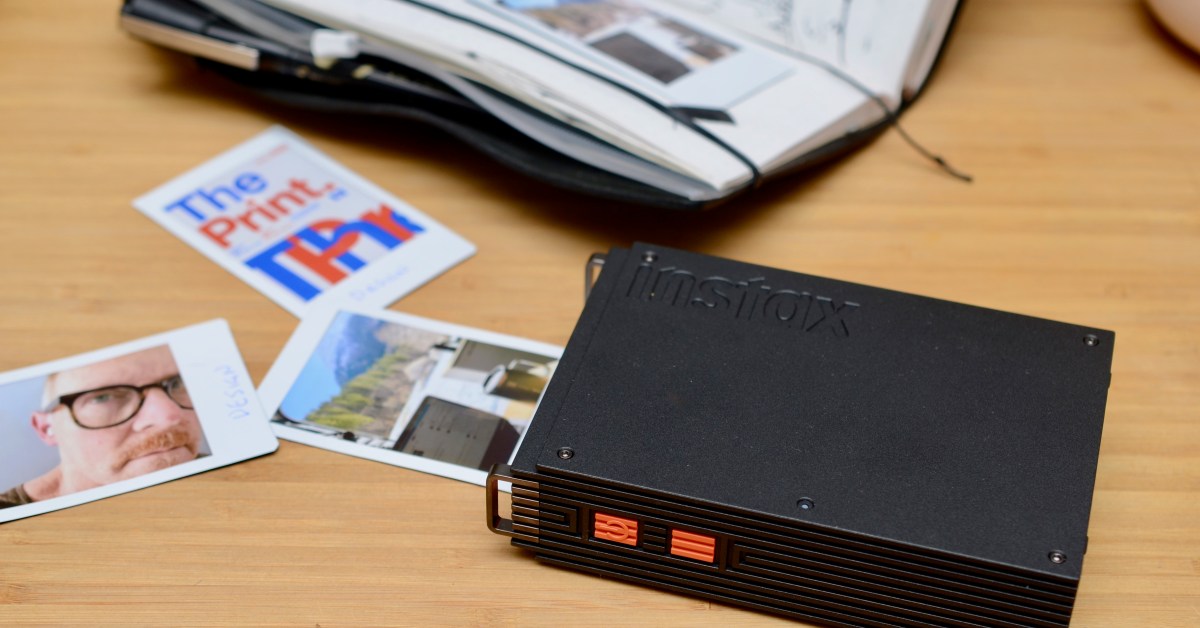


The Fujifilm Instax Mini Link 3 printer has been a popular accessory for travel journaling. Its instant film prints, however, can sometimes appear soft and muddy. The new $169.95 Instax Mini Link+ aims to address this.
The primary enhancement is a new Design Print mode, intended to make text and intricate illustrations clearer. While this specific improvement was not significantly observed, the Mini Link+ features improved internal processing that boosts contrast, colors, and sharpness, revealing more detail in various photos. This broader enhancement is likely more beneficial for most users.
Testing confirms the new Mini Link+ is an upgrade, but it is important to remember that this, or any instant film Instax printer, has limitations, especially for images measuring only 62 x 46mm (2.44 x 1.81 inches).


Fujifilm Instax Mini Link+
- Best Instax Mini printer yet
- Improved colors, sharpness, and contrast on most photos
- Fun for creatives
- Little improvement on text heavy illustrations
- Expensive
- App is overwrought
$170 at Amazon$170 at B&H Photo$170 at Instax
The Fujifilm Instax printers utilize Instax Mini instant film, typically priced around $30 for 20 sheets, equating to approximately $1.50 per photo. To print, users must download the “Instax Mini Link” app, available for both iOS and Android.
The app offers numerous features, including visualizing photos in virtual reality, using the printer as a remote camera shutter, organizing images, and adding text, stickers, and filters. It also allows Pinterest account connection. However, for users primarily interested in quickly printing photos from their phone’s library, the app’s extensive features might feel excessive.
 It comes with a lanyard.
 The Mini Link+ (left) is only slightly larger than the Mini Link 3 (right).
 It uses the same Instax Mini instant film. Each cartridge holds 10 sheets.
 It can even be used as a remote shutter button for your phone.
To print, an image must first be imported into the Instax Mini Link app. After selecting print, users can choose between Simple or Design mode, then wait approximately 20 seconds for the printout. Simple print mode aims for “smooth color tones for everyday images,” producing softer images that generally represent an improvement over most prints from the Mini Link 3. Design mode is exclusive to the Mini Link+ and is a key differentiator.
Testing various images revealed that Design prints from the Mini Link+ were generally superior for faces, landscapes, high-contrast images, and macro nature shots. However, no obvious improvement was observed for text-heavy illustrations, which was a specific selling point.
 Link+ Design mode (left), Mini Link 3 (center), Link+ Simple mode (right).
For instance, in photos with intense lighting, the older Mini Link 3 was prone to blowout. Both Simple and Design prints from the Mini Link+ managed the lighting more effectively, offering enhanced contrast, greater eye detail, and more accurate colors and skin texture.
 Link+ Design mode (left), Mini Link 3 (center), Link+ Simple mode (right).
In another example, the Mini Link 3 print appeared very soft and muddled. The Mini Link+ again provided improved contrast, with visible textures on rock faces and tree branches, and enhanced colors throughout. Details like wooden slats on a barn, individual tree lines, and wheel specifics were more pronounced in the Design print, with reduced saturation on a large pine tree.
 Link+ Design mode (left), Mini Link 3 (right).
Here, the Mini Link 3 struggled to render snow as anything more than a white smear, whereas the Mini Link+ Design print allowed for discernment of individual snowflakes and depth.
 Link+ Design mode (left), Mini Link 3 (center), Link+ Simple mode (right).
In this example, the Mini Link 3 flattened the sky and removed texture from a distant mountain. The greens and blues were more vibrant with the Simple and Design prints, and the distinction between gravel bits and grass blades was more apparent in Design mode.

 Instax Mini Link 3 (left) versus Link+ Design mode (right).
For a Spotify screenshot, Design mode sharpened the lettering and artificially enhanced white text with a black outline, particularly noticeable on the letters “a” and “s.” Simple mode did not apply this effect. The outlining does make the lettering stand out.
 Link+ Design mode (left), Mini Link 3 (center), Link+ Simple mode.
 Link+ Design mode (left), Mini Link 3 (center), Link+ Simple mode.
 Link+ Design mode (bottom), Mini Link 3 (top).
 Link+ Design mode (left), Mini Link 3 (right).
Surprisingly, little difference was found between illustrations printed by the Mini Link 3 and the Mini Link+, even in Design mode. This is unexpected, as this is an area where Fujifilm’s new printer is supposed to excel. Nevertheless, the prints are generally satisfactory for hobbyists and those looking to enhance a journal or decorate a room.


 1/7USB-C charging with a user-replaceable battery if you live in Europe.
After printing 15 photos, the Instax Mini Link+ battery remained at 80 percent. The battery charges via USB-C, and in Europe, the Fujifilm NP-70S battery is user-replaceable when its charge capacity diminishes.
Based on testing, the $169.95 Mini Link+ is the superior choice for those seeking the best photo quality from an Instax printer. It also presents a worthwhile upgrade for some Mini Link 3 owners, provided improved prints of text-heavy illustrations are not the primary expectation.
However, its price positions the Mini Link+ in direct competition with dye-sublimation printers like the Canon Selphy QX20, which produces sharp, accurate prints with enhanced resistance to water and fading. Otherwise, the Mini Link 3 remains a good printer for its price, offering a distinct soft, moody aesthetic for $100.
Photography by Thomas Ricker / The Verge
