


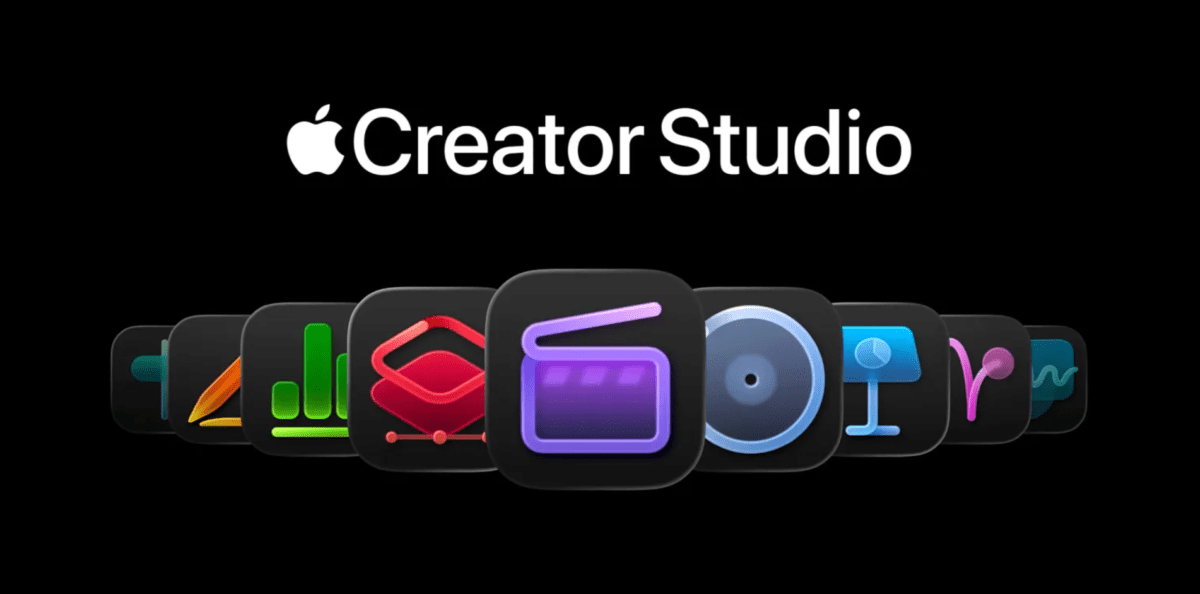
Generative AI applications capable of producing photos, videos, and music are gaining traction. However, with the launch of Apple’s new Creator Studio Pro suite, made available to the public on Wednesday, the company positions AI as a supportive tool for the creative workflow, rather than a replacement for human input.
Apple’s vision for future productivity suites emphasizes catering to the needs of creators across various fields, including filmmaking, music, and art. The goal is to enhance efficiency through AI integration.
Integrating AI into creative processes presents challenges, notably the negative reactions and legal disputes from creators concerned about AI models utilizing their work for training and subsequently generating similar content.

Conversely, Apple views AI as a utility for managing fundamental and repetitive tasks. Examples include generating slideshows from notes, identifying chords in music, locating specific video clips within extensive footage, and adjusting camera angles in images.
While the individual tools within Creator Studio Pro are not new, their bundling as a subscription product is. This suite is now available for $12.99 monthly or $129 annually.

The subscription encompasses Final Cut Pro, Motion, and Compressor for video editing; Logic Pro and MainStage for music production; Pixelmator Pro for image editing; and exclusive functionalities within Keynote, Pages, Numbers, and Freeform. The recently released Pixelmator Pro app for iPad is also part of the package.
Apple’s conventional productivity software has not matched the market presence of Google and Microsoft offerings. However, the company has consistently excelled in creative domains. By incorporating AI features, Apple likely aims to broaden the accessibility of its creative software to non-professionals, such as independent musicians or artists seeking to enhance marketing, individuals creating social media video content, or those producing and editing music or art.
The suitability of Apple’s tools versus Adobe products will ultimately depend on individual user requirements and their experience with professional creative software.
Each application within the suite has received various upgrades, both AI-driven and otherwise, coinciding with this launch. Key enhancements include:
- Final Cut Pro: Features an AI-powered transcript search for locating specific soundbites in extensive footage, an AI-driven visual search assistant for finding objects or actions to add to timelines, and beat detection for rhythmic editing based on AI analysis of music tracks. The iPad version gains a new Montage Maker for creating highlight videos, along with multiple selection support for batch edits, background export, and external monitor playback. Users also gain access to content like graphics and dynamic titles to improve videos.

- Logic Pro: Introduces a new synth player feature, derived from performances, which includes a virtual Session Player for synth keyboard and bass parts. Chord ID uses AI to analyze audio and identify chord information. Sound packs and producer packs are now available on Mac through an expanded Sound Library. The iPad application also receives new functionalities such as Quick Swipe Comping for flexible recording assembly and an AI-enhanced understanding of the loop library for improved sound discovery.

- Pixelmator Pro for Mac and iPad: Now available on iPad, this app already incorporates various AI features, including image upscaling (Super Resolution), composition suggestions (Auto Crop), artifact removal, and retouching. The Creator Suite launch brings a new Liquid Glass design, aligning with Apple’s software aesthetic, a new Warp tool for layer reshaping, and Warp-enabled mock-ups for visualizing designs on products like apparel within realistic settings.

- Keynote, Pages, Numbers, and Freeform: Subscribers to Creator Studio gain access to new features in these general productivity applications. This includes premium templates and themes in Keynote, Pages, and Numbers, along with a shared image and graphic library called the Content Hub. An AI-powered image generation and remixing feature allows users to modify the style, orientation, or camera angle of visuals using predefined options. Additional AI tools can enhance images via Super Resolution or provide composition suggestions.

- Keynote specifically incorporates several AI functionalities, such as a new tool that generates slideshows from text notes. AI can also produce presenter notes and refine slide content.

- Numbers utilizes AI to analyze spreadsheet data patterns and suggest table content through its Magic Fill feature. It can also generate a formula explaining its output, aiding user understanding.
Apple confirms that its creative applications will remain available as individual downloads, with existing users still receiving updates, including the new features. Keynote, Pages, Numbers, and Freeform will continue to be free, but their new premium functionalities will require a subscription. This approach, allowing outright purchase options, distinguishes Apple’s offering from competitors like Adobe.
Furthermore, Apple enables app sharing via Family Sharing for up to five family members, a feature not offered by Adobe. Subscriptions can be canceled at any time without penalty. Despite this, Adobe maintains strong competition with its comprehensive tools, which are also available on iOS.
Certain AI features, such as Final Cut Pro’s visual and transcript search, are powered by Apple Intelligence and operate locally on the device. Other functionalities, including advanced image generation, Keynote slides, and presenter notes, leverage third-party technologies like OpenAI. Creator Studio’s AI features are either processed on-device or utilize a private relay for traffic anonymization. Apple states these safeguards ensure user content privacy and prevent its use for AI training.
