




Notepad, which received a modern interface and new features with Windows 11, continues to be updated by Microsoft. The text editor is now gaining even more Markdown editing capabilities, along with some other enhancements.
Markdown offers a popular method for applying rich text formatting within plain text files. It utilizes symbols such as hash signs (#) for headings, asterisks (*) or underscores (_) for bold text, and brackets for links. While commonly employed in software development and documentation, it also finds use in note-taking applications like Obsidian and Apple Notes. Many generative AI tools are also capable of processing and generating Markdown.
Microsoft initially introduced Markdown support to Notepad in May 2025, allowing users to apply formatting via a new toolbar or by directly typing standard Markdown syntax. Further formatting options are now being integrated into Notepad. Users can now utilize strikethrough text effects and create nested lists within their documents. These features are accessible through keyboard shortcuts, toolbar buttons, or by simply typing the corresponding Markdown syntax.
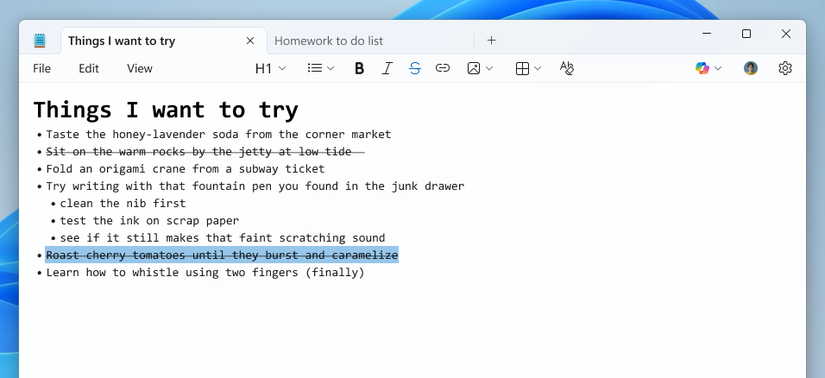
The absence of nested list support in Notepad until now might seem unexpected. For those seeking a robust free Markdown text editor on Windows, alternatives like Visual Studio Code or Notepad++ (when paired with the Markdown++ plugin) generally offer more comprehensive features.
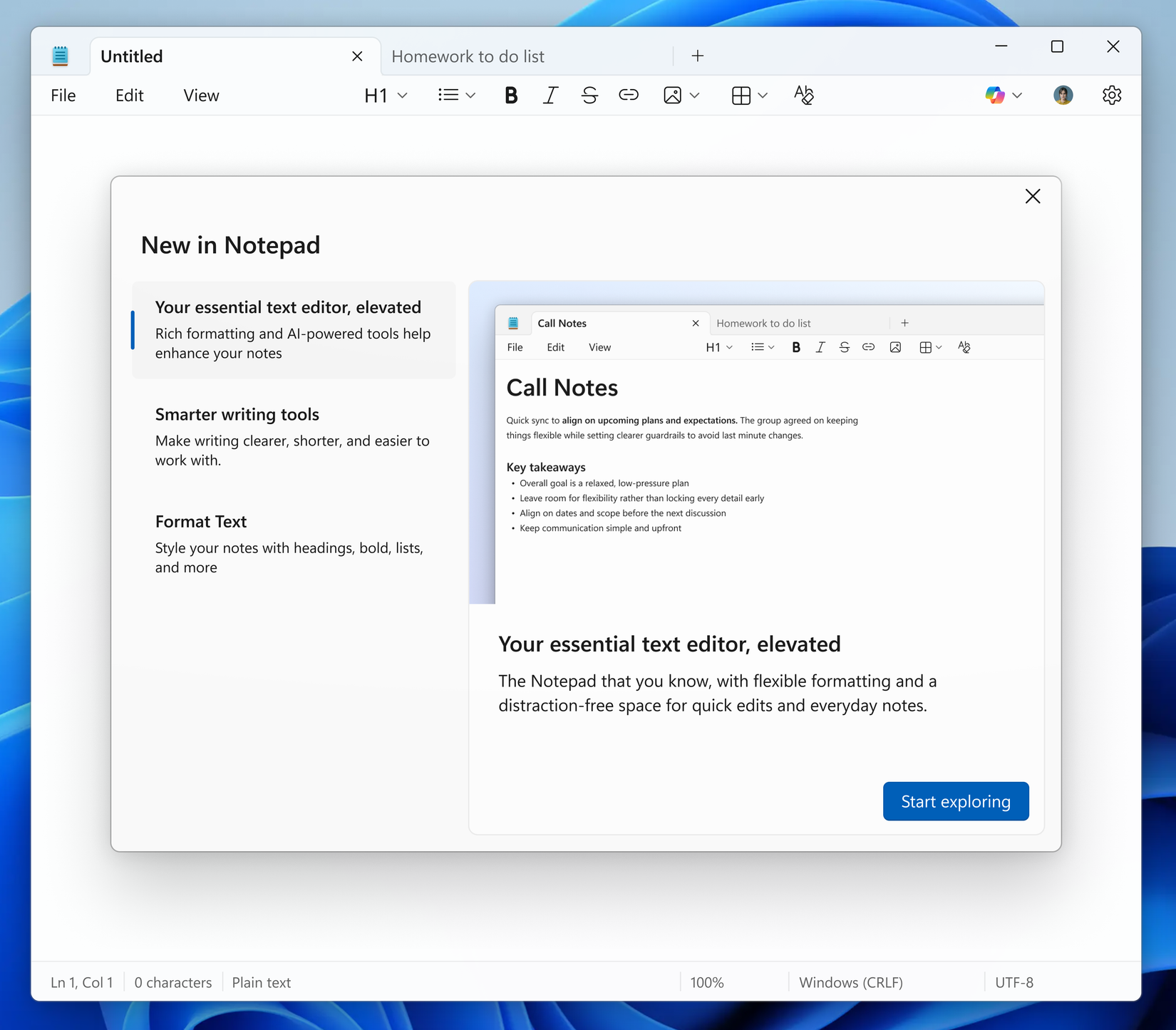
A new welcome page is also being introduced to Notepad, designed to explain its latest features, including AI writing modes and Markdown support. According to a blog post, this dialog offers a quick overview of Notepad’s capabilities, serving as a useful starting point for all users. It can be dismissed at any time and accessed again by selecting the megaphone icon in the toolbar’s top-right corner.
The AI writing features within Notepad are being retained, despite potential user preferences. The most recent update enhances support for streaming results, meaning text generated by the Write, Rewrite, and Summarize functions will begin to appear progressively before the entire output is complete. Accessing these features still requires a Microsoft account login, even if the text generation processes locally.
Beyond the Notepad enhancements, Paint is also receiving several updates in version 11.2512.191.0. The application will include a ‘Coloring book’ feature, leveraging Copilot to create coloring book-style illustrations. Additionally, its fill tool is being equipped with a tolerance slider, allowing for more precise fills and diverse creative effects.
These new features are being deployed in Notepad version 11.2512.10.0. This particular build is currently available only to Windows Insiders within the Canary and Dev Channels. Following bug resolution, the update is expected to become broadly available to all Windows 11 personal computers.
Source: Windows Blog
