


The developer community has started 2026 with a collection of insightful articles, demos, and new features. Firefox 147 and Chrome 144 have also been released, bringing exciting updates despite what is typically a slower period for new features. Here’s a summary of important developments from the beginning of 2026.
Building popover context menus with anchor positioning
Chris Coyier demonstrates how to create context menus using popovers and anchor positioning on Frontend Masters. The discussion covers interest invokers, the <menu> element, discrete transitions, @starting-style, and fallback positions, offering valuable insights into these techniques. Anchor positioning became a baseline feature this week, making it ready for production use.
Scoping CSS with @scope
An article on Frontend Masters details the use of @scope for CSS styling. This feature, highly anticipated by many, became baseline with Firefox’s final release of the year, making it a significant development for 2026. The guide explains how to effectively use @scope and scoping CSS overall.
Generating gradient borders from an image source
Ana Tudor shared a demo illustrating how to create gradient borders from an image source by blurring and masking an image with a border. This effect can be achieved in Safari using just three lines of CSS, and a cross-browser solution is also presented, utilizing the backdrop-filter and mask CSS properties. Given the current trends in gradients, blurs, and glass effects, this technique offers a versatile visual effect.
You probably don’t need tabs
Modern HTML offers many new elements for building interactive components without JavaScript. However, Stephen Margheim suggests that tab components are often over-engineered for most use cases. He explains why this is the case and proposes alternative solutions.
Using your OS as a CMS
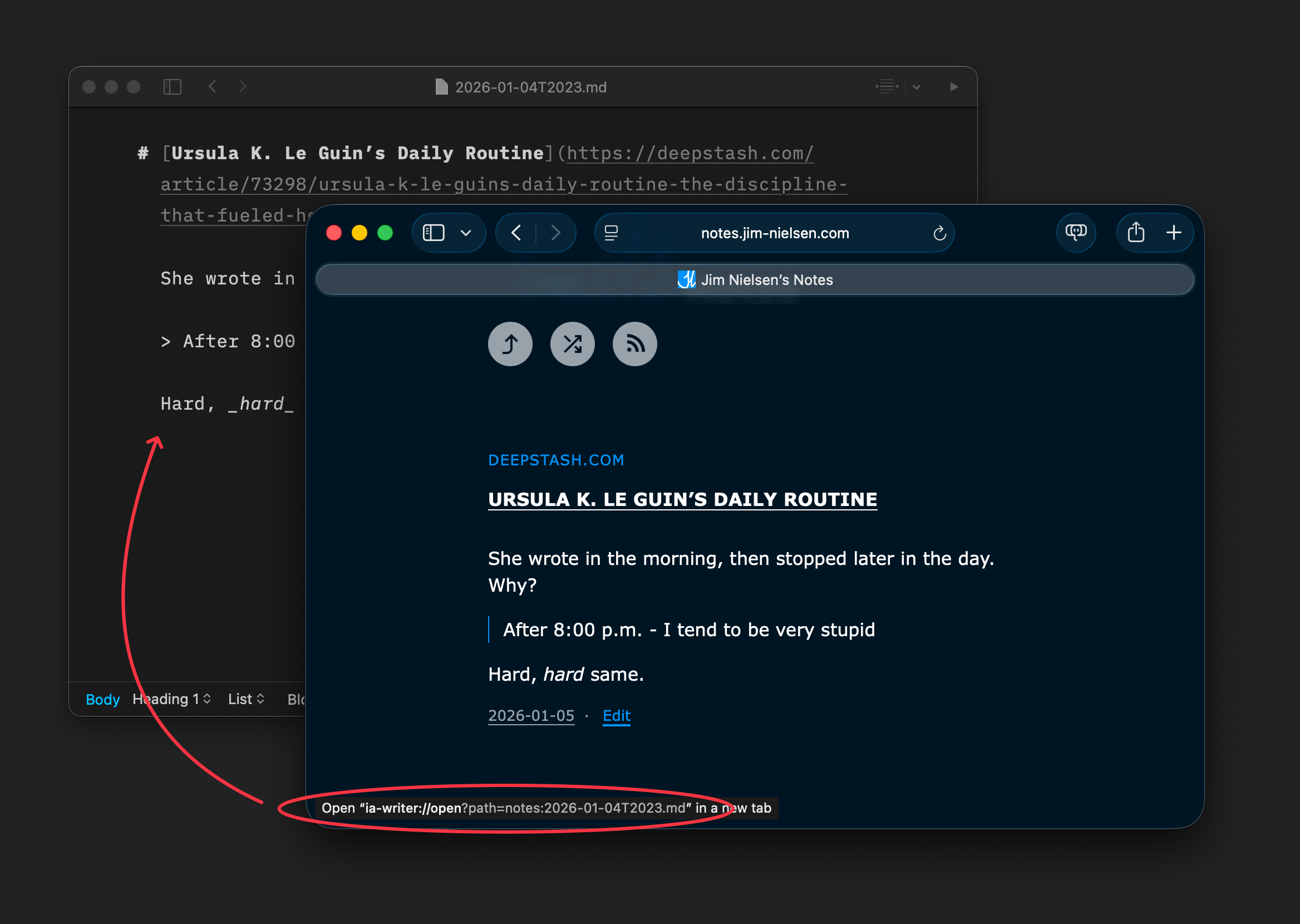
Jim Nielsen introduced an innovative ‘OS-as-a-CMS’ concept. He describes how he configured ‘Edit Post’ buttons on his website to open the corresponding local document on his computer in iA Writer, eliminating the need for a traditional CMS. This setup primarily relies on a simple link with a custom URL scheme:
<a href="ia-writer://open?path=posts:post.md">Edit</a>This approach is particularly appealing for those who write in Markdown. Several other applications also support custom URL schemes for similar functionality, including:
- Obsidian: obsidian://open?vault=posts&file=post
- VS Code: vscode://exact/path/to/post.md:9:1 (:9:1 is the line and column number)
- Ulysses: ulysses://x-callback-url/open-item?id=ITEM_ID
- Sublime Text (with subl protocol): subl://exact/path/to/post.md:9:1
- Apple Shortcuts: shortcuts://run-shortcut?name=Edit&input=/path/to/post.md (useful for apps without custom URL schemes)
Quick hits and new web platform features
Throughout the week, Quick Hits are published, offering brief insights or important reminders. Here are some notable updates:
- The HTML Document Outline was confirmed to be effectively defunct.
- The scroll-fade effect, while not gone, is hoped to be phased out.
- Chris Coyier provided a concise explanation of how !important interacts with custom properties.
- ReliCSS was released, designed to help replace CSS hacks with @supports and modern CSS.
- Temani Afif demonstrated Mario World built entirely with CSS.
Key features shipped in recent Firefox and Chrome releases include:
- Firefox 147
- Anchor positioning (now Baseline).
- View transition types (also Baseline).
- Navigation API (a new Baseline JavaScript API replacing the History API and window.location).
- Chrome 144
- ::search-text (a Chrome-only pseudo-element for selecting highlighted find-in-page text).
- <geolocation> (a Chrome-only HTML element for declaratively requesting user location).
- Temporal API (Chrome now supports this replacement for JavaScript’s Date API, which was discussed by Piccalilli).
This concludes the update on recent web platform developments.
